What Is Customer-Facing Analytics? Definition, Examples and Tools
Customer-facing analytics shows customers their own data. How it differs from embedded analytics, real examples, and the 4 kinds of tools that deliver it.
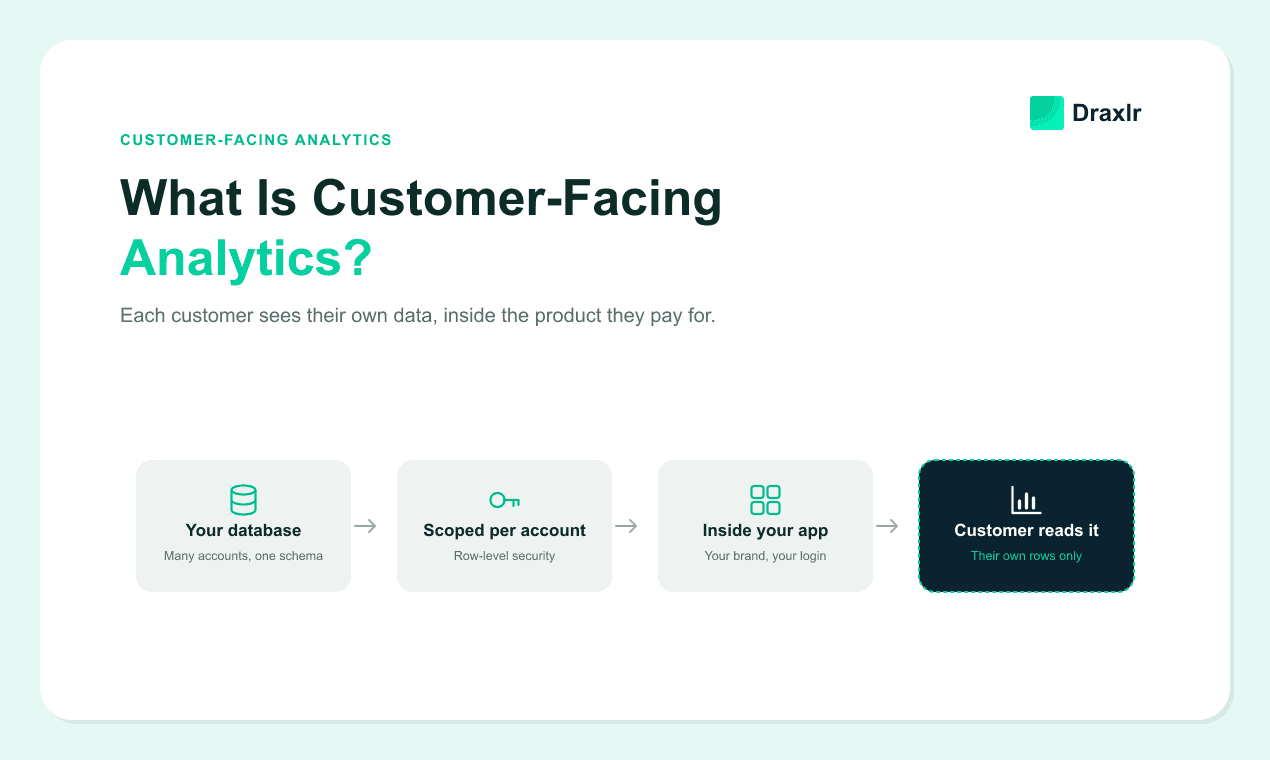
Customer-facing analytics is reporting you build for your customers about their own data. A merchant checks last month's sales in their store admin. A site owner sees which searches brought visitors in. A shipper opens an on-time delivery report inside the logistics tool they already pay for. In each case the reader is the customer, the data belongs to the customer, and the numbers show up in the product they bought.
The same idea also goes by user-facing analytics, client-facing analytics and external analytics. Whatever you call it, it changes who your analytics has to work for. Internal dashboards serve a team that knows the data and forgives a slow query. Customer-facing analytics serves hundreds or thousands of accounts, and each one must see only its own rows, with no training, inside a product it judges at renewal.
This guide defines customer-facing analytics and separates it from the three terms it gets confused with. It shows what it looks like in products you already use, explains why it's harder than internal BI, and sorts customer-facing analytics tools into four kinds so you can tell which kind fits your product.
Key Takeaways
- Customer-facing analytics is defined by its reader. Your customers see analysis of their own data, usually inside your product.
- It isn't customer analytics, and it isn't another name for embedded analytics. Customer analytics is your team studying customers. Embedded describes where reporting lives. Customer-facing describes who reads it.
- The audience is what makes it hard. Every row has an owner, hundreds of accounts load dashboards in the same hour, and nobody reading them was trained.
- Customer-facing analytics tools come in four kinds. Embedded analytics platforms, BI suites with an embed module, open-source BI, and build-it-yourself toolkits.
- More companies now charge for it. Revenue from paid use by business customers was the top external objective in Dresner Advisory's 2025 Embedded BI Market Study.
What Is Customer-Facing Analytics?
Customer-facing analytics is the practice of giving customers access to analysis of their own data, delivered through your product or service and scoped so each account sees only what belongs to it. It usually takes the form of dashboards, reports, exports, alerts or plain-English answers. In a SaaS product it almost always lives inside the app.
Three conditions make analytics customer-facing.
- The reader is outside your company. It could be a customer, client, partner or end user. Employees don't count, even when they use the same dashboard.
- The data is theirs. It covers their orders, usage, spend, campaigns or results. Your company's aggregate numbers are a different thing.
- The boundary holds for them. When many customers share one database, each reader has to be held to their own rows whatever they click, filter, export or ask.
When all three are true, you're doing customer-facing analytics. That holds whether the result is a dashboard tab, a weekly email digest or a SQL editor.
Customer-Facing Analytics vs. Embedded Analytics vs. Customer Analytics
Four terms get used interchangeably in this space, and they describe different things. Two questions separate them. Who reads the numbers, and whose data are they?
| Customer-facing analytics | Embedded analytics | Customer analytics | Internal BI | |
|---|---|---|---|---|
| Defined by | Who reads it | Where it lives | What it studies | Who reads it |
| Reader | Your customers | Whoever uses the host app, customers or staff | Your product, marketing and success teams | Your employees |
| Whose data | Each customer's own | Depends on the app | Behavior of all your customers | Your company's |
| Typical tools | Embedded analytics platforms, customer portals | Embed SDKs, snippets and APIs | Mixpanel, Amplitude, Pendo | Tableau, Looker, Power BI |
| Hardest problem | Keeping thousands of accounts apart at scale | Making it feel native to the app | Event tracking and user identity | Data modeling and governance |
Is customer-facing analytics the same as embedded analytics?
Not quite. Embedded analytics describes where reporting lives, which is inside another application instead of a separate BI tool. Customer-facing analytics describes who it's for. The two overlap heavily, because embedding is the most common way to put analytics in front of customers. They still come apart at the edges.
- Embedded but not customer-facing. A pipeline dashboard embedded in your internal CRM for sales reps, or an operations view inside an admin panel only staff can open.
- Customer-facing but not embedded. A monthly PDF report an agency emails to each client, a client portal on its own domain, or a scheduled data share into the customer's own warehouse.
The distinction matters when you pick a tool. An embedding feature tells you a dashboard can sit in your app. It doesn't tell you whether the tool can keep a thousand accounts apart, price fairly as they grow, or let a customer answer a question you didn't anticipate. Those are customer-facing requirements, and they're where tools differ most.
Is customer-facing analytics the same as customer analytics?
No, and the two point in opposite directions. Customer analytics is your team studying customers, with tools like Mixpanel, Amplitude or Pendo tracking funnels, retention and feature adoption. Customer-facing analytics hands each customer a view of their own business. Many product teams run both. The usage events you collect for your own product decisions can even become the usage dashboard your customers see, once each account is scoped to its own rows.
What Customer-Facing Analytics Looks Like in Products You Already Use
Some of the most heavily used analytics in the world is customer-facing. Three well-known products show the range, from fixed reports to full SQL.
Google Search Console. Site owners open the Performance report to see clicks, impressions, click-through rate and average position for their own site in Google Search. They can change the date range and group results by query, page, country, device or search appearance (Google Search Console Help). Google picks the metrics and the site owner picks the slice.
Shopify. Merchants get sales, sessions and customer reports in the Shopify admin. The admin also has a ShopifyQL editor where merchants can query their store's live data, chart the results and save them as reports (Shopify developer docs). Fixed reports cover the common questions, and the editor covers the rest.
Stripe Sigma. Stripe makes a business's transaction data available in "an interactive SQL environment in the Stripe Dashboard," so finance teams can build custom reports on payments, subscriptions, customers and payouts (Stripe docs). Stripe sells Sigma as its own subscription, priced on monthly charge volume, with a 30-day free trial (Stripe support). Customer-facing analytics can be a product line in its own right.
All three follow the same pattern. Each starts with reports the vendor chose for the customer, then offers a way to go further, and that further step is always a query. Customers outgrow fixed views because their questions differ from account to account. The products that answer those questions without a support ticket give customers a place to ask them and keep the account boundary in place underneath.
B2B SaaS follows the same shape. A logistics platform shows each shipper its on-time rate by carrier. An HR tool shows each employer its headcount and turnover. An API platform shows each developer requests, errors and spend by project, and for many API products that dashboard is how customers make sense of their bill.
Why Companies Offer Customer-Facing Analytics
For a growing share of software companies, analytics is something customers pay for. In Dresner Advisory Services' 2025 Embedded Business Intelligence Market Study, the top external objective for embedding analytics was revenue generation from paid use by business customers, particularly in smaller organizations (Dresner Advisory Services, December 2025). Stripe Sigma is that objective in practice.
Three more reasons come up again and again.
- It answers the renewal question before anyone asks it. A customer who can see what your product did for them this quarter doesn't need your account manager to assemble a deck. The proof is in the product every time they log in.
- It takes report requests out of your team's queue. Every "can you pull this for me?" email is analytics work your team does by hand for one account at a time. A customer who can answer it alone never sends it.
- It shows value during evaluations. When two products do roughly the same job, the one that shows a buyer their own results in the trial makes its value easier to see.
Why Customer-Facing Analytics Is Harder Than Internal BI
Internal BI and customer-facing analytics can use the same charts on the same database. The audience is what changes, and five things change with it.
- Every row has an owner. An analyst who sees the wrong region's numbers has made a mistake. A customer who sees another customer's numbers is a data breach. The account boundary has to be applied on the server to every query, including queries your team didn't write, and it can't depend on a filter the browser controls.
- Load arrives all at once. Internal dashboards get a handful of viewers. Customer dashboards get every account, often in the same hour on a Monday morning or at month-end. Queries that are fine for five analysts can slow the production database your app runs on, which is why teams point customer analytics at a read replica with caching before they reach for a warehouse. Customers also notice stale numbers faster than colleagues do, and the gap between real-time and near-real-time dashboards is paid for in infrastructure rather than configuration.
- Nobody reading it was trained. Customers don't know your schema and won't read documentation. Metric names have to use the words your product already uses, and an empty chart has to explain itself.
- It's part of your product. It carries your brand, your uptime promise and your support queue. A dashboard that almost matches your theme looks broken, and when it's slow, customers file the ticket with you.
- Cost follows your customer count. Internal BI is usually priced per employee, so the bill grows with headcount. A customer-facing bill priced per viewer grows with your success instead. Metabase Pro, for example, is $575 a month with 10 users included and $12 for each additional user, and with interactive embedding every customer who signs in counts as a user (Metabase pricing).
The Four Kinds of Customer-Facing Analytics Tools
Customer-facing analytics tools are the software that connects to your data, applies each customer's access rules and delivers reports into your product or straight to your customers. Dozens of products claim the label, but they fall into four kinds. When you're building a shortlist, the kind matters more than the brand.
| Kind of tool | Examples | Best fit | Watch out for |
|---|---|---|---|
| Embedded analytics platforms built for SaaS | Draxlr, Luzmo, GoodData, Qrvey, Explo, Embeddable | Product teams that want customer dashboards and self-serve analytics live in days or weeks | How each account is isolated, and whether white labeling and isolation are on the plan you'll actually buy |
| BI suites with an embedding module | Power BI Embedded, Tableau, Looker, ThoughtSpot Embedded, Sisense, Domo Everywhere | Companies already standardized on that suite for internal reporting | Capacity or per-user pricing, and a semantic model to build before the first customer chart |
| Open-source BI with embedding | Metabase, Apache Superset | Teams willing to self-host and run their own upgrades | White labeling and interactive embedding often sit on paid tiers. Metabase includes white labeling on Pro but not on Starter. |
| Build-it-yourself toolkits | Tinybird, Cube or ClickHouse for the data layer, with a chart library such as Apache ECharts or Recharts | Companies where analytics is the core of what they sell | You own tenant scoping, exports, scheduling and every new chart customers ask for |
Within each kind, four factors separate one tool from the next. They are tenant isolation, cost at your projected customer count, data freshness, and whether a warehouse is required. Cost is where the gap gets widest. Per-viewer pricing at 5,000 customer users can reach $50,000 to $65,000 a month before anything else is added, which is why our comparison of nine customer-facing SQL analytics tools models every tool at that size rather than at sign-up.
Five tests to run before you choose a tool
Demos show the happy path. These five tests show what your customers will actually hit.
- The two-account test. Sign in as two test customers and run the broadest query each can, through dashboards, filters, exports and any AI assistant. The counts should differ, and neither account should ever see the other's rows. Run the two-account test before any customer sees a dashboard.
- The question nobody planned for. Take a real question from your support inbox that no dashboard answers. Check whether a customer can answer it in the tool without your team, and whether the account boundary still holds when they do.
- The AI question. If the tool has an AI assistant, ask it something that would need another account's data, such as how your results compare with the average customer. It should answer from your own rows or decline.
- The 10x bill. Price the plan at ten times your current customer count. If that number is a problem, the tool is the wrong fit however cheap it looks today.
- The Monday-morning test. Open twenty customer dashboards at once against a staging replica and watch query times and database load. This is the closest you'll get to launch day before launch day.
Should You Build or Buy Customer-Facing Analytics?
Building looks cheap because charts are cheap. A chart library can render a bar chart in an afternoon. The real work is everything around the chart, and with customer-facing analytics that work doesn't stop after launch. Building means owning all of the following.
- A query layer that applies each account's boundary to every query
- Filters, drill-downs, date ranges and exports that respect that boundary
- Caching and a read replica, so customer load doesn't slow your app
- Scheduled emails and alerts
- Theming that matches your app in light and dark mode
- A new chart every time a customer asks for one, unless you also build self-serve querying
Building makes sense when analytics is the product you sell, or when the requirement is small and fixed, like one usage chart that will never change. Most requirements don't stay small. Customers ask for new cuts of their data, and every request competes with your roadmap. Buying hands the list above to a vendor, so your team spends its time on the questions your customers need answered.
How Draxlr Delivers Customer-Facing Analytics
Draxlr is built for the customer-facing case. It connects directly to the SQL database your product already runs on, including PostgreSQL, MySQL, SQL Server, BigQuery, Snowflake, ClickHouse and Databricks, with no semantic layer or warehouse to set up first. From there you decide how much to hand your customers.
- Embed the dashboards you build. On Premium ($75/month), customers get white-labeled dashboards with filters, drill-downs and exports, added to your app with an HTML, React or Vue snippet.
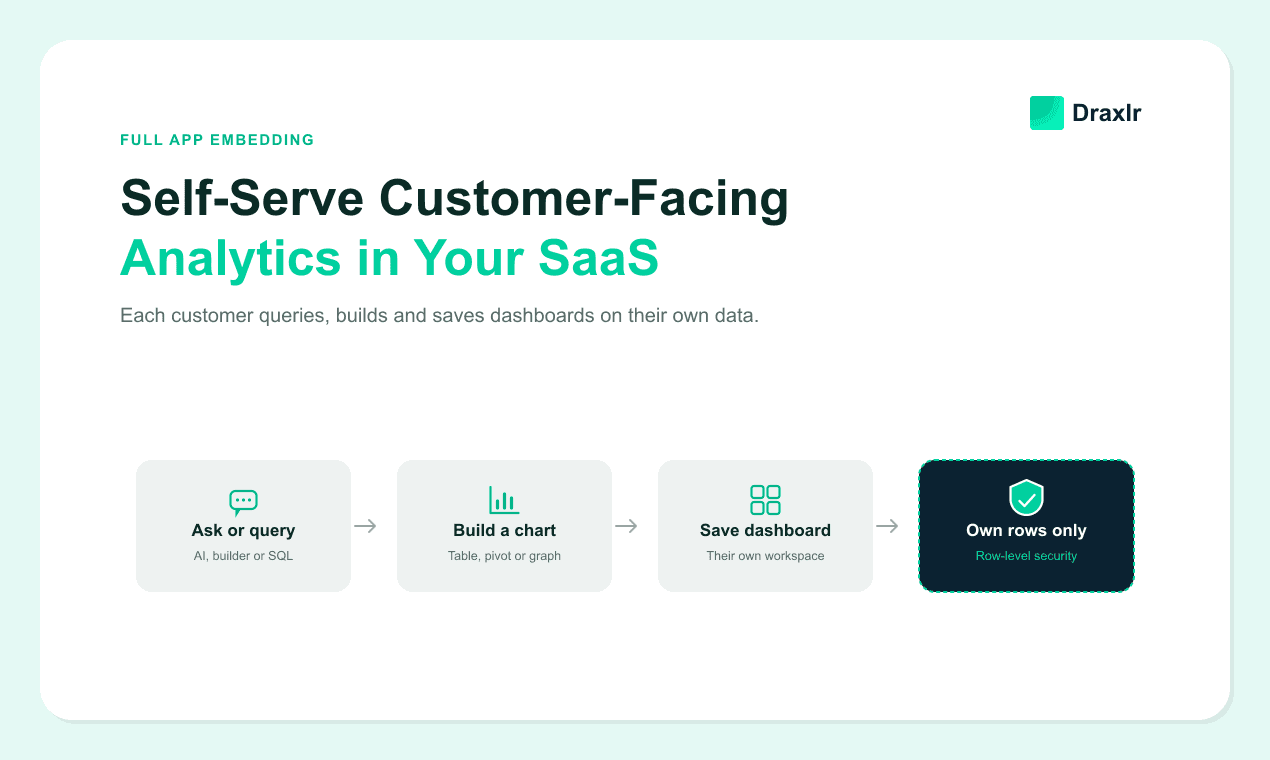
- Embed the full app. On Power ($250/month), each customer gets an analytics workspace inside your product. It holds the dashboards you share plus their own dashboards and saved queries, a no-code query builder, a SQL editor and an AI assistant that writes SQL from plain-English questions. It's the Stripe Sigma pattern inside your own product, without building it yourself.
- Keep every account to its own rows. With row-level security on Power and above, your backend sends the customer's RLS group and attribute values with the embed token. Draxlr then applies that rule to dashboards, drill-downs, exports, queries and the AI assistant, whether you embed one dashboard or the full app.
Customer viewers are unlimited on every plan, so the bill stays the same as your customer count grows. Questions your customers ask the AI assistant draw on your organization's monthly AI credits, which is 300 on Power, and the query builder and SQL editor keep working when those run out. Every account starts with a 7-day free trial of Power features, with no credit card required.
Connect your DatabaseFAQs
1. What is customer-facing analytics?
Customer-facing analytics is reporting a company builds for its customers about the customers' own data, such as dashboards, reports, exports or AI answers. It's usually delivered inside the product the customer already uses. Each account sees only its own data, even when every customer's data sits in the same database.
2. What is the difference between customer-facing analytics and embedded analytics?
Embedded analytics describes where reporting lives, inside another application instead of a separate BI tool. Customer-facing analytics describes who reads it, which is your customers. They overlap because embedding is the most common way to deliver customer-facing analytics. Analytics embedded in an internal CRM isn't customer-facing, though, and a PDF report emailed to clients is customer-facing without being embedded.
3. What are customer-facing analytics tools?
Customer-facing analytics tools connect to your data, apply each customer's access rules and deliver reports to your customers, usually inside your product. They fall into four kinds. These are embedded analytics platforms built for SaaS such as Draxlr, Luzmo and GoodData, BI suites with embedding modules such as Power BI Embedded and Looker, open-source BI such as Metabase and Apache Superset, and build-it-yourself toolkits such as Tinybird or Cube paired with a chart library.
4. What is an example of customer-facing analytics?
Google Search Console's Performance report is a well-known example. It shows site owners clicks, impressions, click-through rate and average position for their own site. Shopify's merchant reports and ShopifyQL editor are another, and Stripe Sigma gives businesses a SQL environment over their own Stripe transaction data. In B2B SaaS, a usage dashboard that shows each customer their own activity is the most common form.
5. Who should own customer-facing analytics in a SaaS company?
In our experience it works best when the product team owns it, because it's a product feature with a roadmap, an interface and customers who file tickets about it. Engineering owns the embed and the account boundary, and a data or analytics lead, if you have one, owns metric definitions. When it's handed to the internal data team as a side project, it tends to get built like internal BI and answers the data team's questions instead of the customer's.
6. Can you charge for customer-facing analytics?
Yes. Common approaches are putting analytics on a higher plan, selling an advanced analytics add-on, or including basic dashboards for everyone and charging for self-serve exploration. Stripe sells Sigma as its own subscription priced on monthly charge volume. In Dresner Advisory's 2025 Embedded BI Market Study, revenue from paid use by business customers was the top external objective for embedding analytics.
About the author

Vivek is a coder and the founder of Draxlr who cares deeply about building good products. He works at the intersection of AI, SQL, dashboards, and embedded analytics, with a strong focus on making complex data workflows feel simple, useful, and fast for real teams.
If you have questions about anything in this guide, or want to compare options for your specific stack, you can email Vivek at vivek@draxlr.com, try Draxlr free, or reach out directly through the Draxlr team.