Best Apache Superset Alternatives in 2026
Compare the best Apache Superset alternatives in 2026, with verified pricing, the real cost of self-hosting Superset, and what migrating off it involves.
Short answer: the best Apache Superset alternative depends on why you are leaving that particular business intelligence tool, not on which one wins a feature matrix. If the problem is operational overhead, move to a managed platform: Draxlr for SQL dashboards and embedding at a flat monthly price, or Preset if you want the same Superset you already know without running it. If the problem is that non-technical people cannot use it, look at Sigma or Draxlr. If you need analyst-grade visualization or enterprise governance, Tableau, Power BI, and Looker are the established answers.
Superset itself is in good health. This open-source BI project sits at 74,847 stars and 18,355 forks on GitHub as of September 2026 (apache/superset), and version 6.1.0, the current stable release, shipped in May 2026 (PyPI release history). Teams rarely leave because the product is bad. They leave because someone has to run it.
Key takeaways
- Superset 6.1 added a native MCP server in May 2026, so the common claim that Superset has no AI features is now out of date.
- Half the enterprise BI field, Looker, Sigma, Domo, and Sisense, publishes no price at all. Quote-only pricing is itself a selection criterion.
- Self-hosting is not free: 0.25 of an engineer at the BLS May 2025 median developer wage of $135,980 is roughly $47,600 a year before infrastructure.
- There is no migration tool between Superset and any other BI platform. Budget a rebuild, not an import.
This guide compares the main Apache Superset alternatives available in 2026, with pricing checked against each vendor's own page in September 2026 and the unverifiable numbers left out rather than guessed.
Where Apache Superset actually stands in 2026
Apache Superset is an open-source business intelligence and data visualization platform, and it is in better shape than most comparison articles suggest. Superset shipped 6.1.0 in May 2026 and that is the current stable release as of September 2026 (PyPI). The repository has 74,847 stars, 18,355 forks, and around 180 open issues, with commits landing daily. This is not a project in decline, and any comparison that treats it as abandoned is wrong.
Two releases changed what Superset can do, and most comparison articles have not caught up:
6.0, December 2025. A full design-system rewrite onto Ant Design v5 with token-based theming and real dark mode, dataset folders in Explore, group-based security, and a rebuilt table chart on AG Grid that handles up to 500,000 rows with server-side pagination. Preset, which employs several core maintainers, counted 155 contributors and over 1,000 pull requests in the release (Preset).
6.1, May 2026. The AI release. Superset now ships a native Model Context Protocol service that runs as a separate optional process, with JWT auth, field-level access control derived from token scopes, and query timeouts on SQL Lab operations. It exposes chart creation, virtual dataset generation, and database inspection as tools an AI agent can call (Preset).
So if you last evaluated Superset in 2024 and wrote it off as "no AI story," that is worth revisiting before you migrate anywhere.
One thing Superset does not have: analyst coverage. Neither Apache Superset nor Preset appears in the Gartner Magic Quadrant for Analytics and BI Platforms published in June 2026, where Microsoft, Google (Looker), Qlik, and ThoughtSpot were among the named Leaders (Google Cloud). If your procurement process requires a tool on an analyst grid, that decides the question for you.
Why consider an Apache Superset alternative?
Superset's problems in 2026 are operational, not functional. The recurring complaints on the project's own tracker are about what it takes to keep a deployment healthy over time, and they are worth reading before you assume a migration will be easier than an upgrade.
1. High maintenance and operational overhead
Apache Superset needs dedicated engineering time to deploy, configure, scale, and maintain. Self-hosting means owning the infrastructure, the metadata database, caching, the async query workers, security patches, and version upgrades. Managed alternatives remove that work entirely, which is the single most common reason teams move.
How much work? The UPDATING.md file in the Superset repository is the honest answer. The 5.0.0 section alone carries more than 45 breaking-change bullets, several of which are hands-on operator tasks rather than notes: Python must be 3.11 or newer, MySQL users relying on REPEATABLE READ have to set it explicitly in SQLALCHEMY_ENGINE_OPTIONS, Global Async Queries was re-platformed with new DISTRIBUTED_COORDINATION_CONFIG keys, and Playwright has to be installed before you upgrade rather than after (apache/superset UPDATING.md).
2. Steep learning curve for non-technical users
Superset was built with data engineers and analysts in mind. Business users without SQL knowledge or technical backgrounds often find the interface overwhelming. Teams frequently explore Apache Superset alternatives that provide more intuitive drag-and-drop interfaces, visual query builders, or AI powered natural language querying.
3. AI capabilities that assume you bring your own agent
This is the drawback most in need of an update. Superset 6.1 added a native MCP server in May 2026, so Superset is no longer AI-free. But an MCP server is plumbing, not a product: it lets an external AI agent drive Superset, and it assumes you have an agent, a token-scope model, and someone to wire it up. That is a different proposition from a text-to-SQL box a marketing manager can type into. Teams that want natural-language querying available to everyone on day one still look elsewhere.
4. Embedded analytics complexity
While Superset supports embedding through iframes and its API, achieving production-grade embedded analytics with proper multi-tenancy, white labeling, and granular access controls requires significant custom engineering. A strong Apache Superset alternative should provide embedding capabilities without heavy development effort.
5. Limited alerting and monitoring
Superset's built-in alerting capabilities are basic compared to commercial BI platforms. Organizations needing advanced data change alerts, threshold notifications, or Slack and email integrations often find themselves building custom solutions on top of Superset.
6. Enterprise support and release-cadence gaps
As an Apache project, Superset relies on community support. Teams that need a guaranteed SLA, a named support contact, or compliance paperwork have to buy that from Preset or build it internally.
There is a subtler version of this problem that catches regulated teams. In a March 2026 discussion on the Superset tracker, a user who upgraded from 4.x to 6.0.0 reported UI defects in the GA release whose fixes were sitting in unreleased 6.0.1 and 6.1.0 release candidates. Their change-control policy only permitted formal releases, so they were stuck on a version they knew was buggy (discussion #38654). The community workarounds, cherry-picking commits into a patched image or running RC containers, are reasonable engineering and completely unacceptable to most compliance teams.
7. Scaling and upgrade breakage
Superset handles large datasets well, but scaling it for high concurrency means tuning Celery workers, Redis, and the metadata database yourself. Managed alternatives absorb that.
Upgrades carry their own tax. When 6.0 migrated to Ant Design v5 and Emotion and dropped Bootstrap, class names and DOM structure changed, which broke custom CSS for teams that had styled their deployments. The maintainers' guidance was to stop targeting generated class names and use chart IDs and data-test attributes instead, while acknowledging that re-checking selectors after every major upgrade is "currently unavoidable" (discussion #37504). If you have invested in a themed Superset, budget for that on every major version.
What to look for in an Apache Superset alternative
Eight criteria decide most Superset migrations, and price is rarely the first one to check. Of the 20 business intelligence platforms compared in this guide, 4 publish no price at all, and Tableau publishes only its $15 entry rate (Salesforce). For those 5, "cheapest" is unanswerable until you have spent a sales cycle. Work the list below in order.
Selecting a replacement BI platform requires evaluating multiple dimensions. Here's what to prioritize when assessing alternatives:
1. Ease of use and accessibility
This should rank high on your list. The best BI tool balances power with simplicity, enabling both technical analysts and business users to create insights without extensive training. Look for platforms with drag-and-drop interfaces, natural language query (AI) capabilities, and intuitive design.
2. Deployment and maintenance simplicity
Determine whether the platform eliminates operational overhead. Assess whether you need to manage infrastructure, handle upgrades, or configure scaling. Fully managed cloud solutions can free your engineering team to focus on product work instead of BI maintenance.
3. Advanced analytical features
Distinguish premium platforms from basic ones. Consider whether you need AI-driven insights, advanced charts, intelligent alerts, or more. Your future analytics roadmap should influence this decision.
4. Transparent, flexible pricing
This prevents budgetary surprises. Compare total cost of ownership across different pricing models: per-user, per-query, or consumption-based. While Superset itself is free, factor in infrastructure, engineering time, and opportunity costs when calculating true TCO.
5. Embedded analytics and white labeling
SaaS companies often require full branding control, granular row-level security, and advanced permission management. A strong Apache Superset alternative should provide embedding flexibility without heavy engineering effort.
6. Vendor stability and support quality
Research the company's product roadmap and customer support reputation. Responsive support teams can make a significant difference during implementation and scaling phases.
7. Database connectivity and integrations
Your ideal Apache Superset alternative should connect without custom glue code to your data warehouse, cloud storage, or any other critical systems. Evaluate the breadth of pre-built connectors and API flexibility.
8. Alerting and real-time monitoring
Look for platforms with built-in alerting on data changes, scheduled reports, and integrations with communication tools like Slack and email. Proactive monitoring reduces the time between data changes and team awareness.
Best Apache Superset alternatives in 2026 at a glance
The ten most-shortlisted options are below, with entry prices read off each vendor's own pricing page in September 2026. "Quote only" means the vendor publishes no price at all, which is a real finding rather than an omission on our part.
| Tool | Best for | AI in 2026 | Self-host | Entry price |
|---|---|---|---|---|
| Apache Superset | Open-source BI for data teams | MCP server (6.1+) | Yes | Free, self-hosted |
| Draxlr | SQL dashboards and embedding without DevOps | Text-to-SQL, AI chat, MCP | Enterprise plan | $25/month |
| Preset | Managed Superset, same product | MCP server, AI chatbot add-on | No | Free up to 5 users |
| Tableau | Analyst-grade visualization | Tableau Next, Agentforce | Yes (Server) | $15/user/month |
| Microsoft Power BI | Microsoft-centered organizations | Copilot, natural-language Q&A | Yes (Report Server) | $14/user/month |
| Looker | Governed, modeled analytics | Conversational Analytics | No | Quote only |
| Domo | Consolidating the whole data stack | AI agents, Domo.AI | No | Quote only |
| Sigma | Spreadsheet-native warehouse analytics | Ask Sigma | No | Quote only |
| Metabase | Open-source with a managed option | Metabot | Yes | Free, or $100/month cloud |
| Qlik | Wide rollouts priced on data, not seats | Answers Agents, MCP server | Yes | $300/month |
Ease of use is covered per tool below rather than in the table. Draxlr, Power BI, and Qlik entry prices are billed as listed; Tableau and Power BI entry rates require annual billing. Metabase, Superset, and Qlik offer a self-hosted path; Looker, Domo, and Sigma are cloud only.
1. Draxlr
AI powered analytics built for teams moving away from complex open-source setups
Draxlr starts at $25 a month and includes unlimited external viewers on every plan, including the cheapest one (Draxlr pricing). For a team replacing a Superset instance that serves dashboards to people who never log in, that single line is usually the whole cost argument.
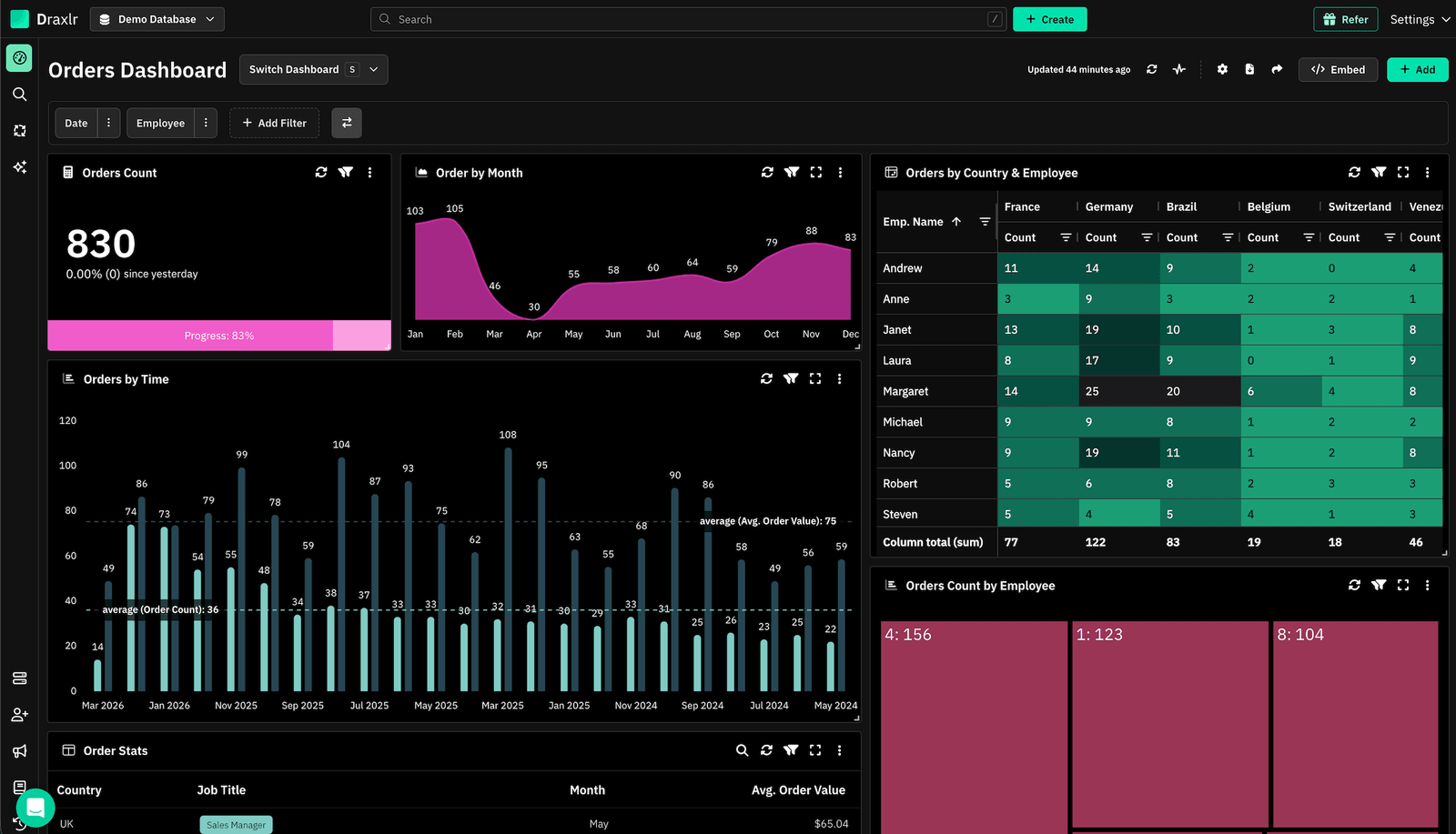
Draxlr stands out as a top Apache Superset alternative for teams that want the depth of SQL analytics without the DevOps headache. Where Superset demands infrastructure provisioning, Redis caching, and manual scaling, Draxlr lets you connect a database and start building dashboards in minutes. Its AI query assistant turns plain English questions into working SQL, which matters most in organizations where not every stakeholder writes queries. Teams migrating from Superset consistently highlight the reduction in setup time and the ability to onboard non-technical users without training sessions.
Connect your DatabaseKey Features
- AI powered Text-to-SQL that converts natural language into optimized queries, with no SQL expertise needed
- Three dashboard building modes: Visual Query Builder, AI chat, and a full raw SQL editor for power users
- Direct connections to MySQL, PostgreSQL, SQL Server, ClickHouse, BigQuery, Databricks, and more, with no ETL pipelines required
- Embeddable dashboards with white labeling and row-level security for SaaS products
- Scheduled Slack and email alerts triggered by data changes or threshold breaches
- Interactive filters, drill-downs, and cross-chart filtering on live data
- Zero infrastructure management: no Docker containers, no Celery workers, no Redis to maintain
- Role-based access controls and team workspaces for multi-department analytics
Pricing
Draxlr prices in flat monthly tiers with a fixed number of internal users, not per seat:
- Lite, $25/month: 1 database, 1 user, 50 AI credits, MCP access
- Premium, $75/month: 2 databases, 10 users, 100 AI credits, white-label embedding
- Power, $250/month: 5 databases, 30 users, 300 AI credits, row-level security
- Enterprise, $500/month: custom limits, self-hosted or dedicated server, SSO, audit logs
The line that matters for anyone replacing a Superset deployment that serves a wide audience: external viewers are unlimited on every plan, including Lite. People who only read dashboards through an embed or a shared link are never counted or billed. That is the opposite of the seat model Tableau and Power BI use, and it is usually where the cost comparison is decided. Self-hosting is available on the Enterprise plan for teams that need on-premise control without running the stack themselves.
2. Tableau
Industry-standard visualization for data-heavy enterprises
Tableau Cloud starts at $15 per user per month billed annually (Salesforce), and it remains the strongest data visualization product of the group. Every reader needs a licensed seat, which is exactly the constraint Superset users never had.
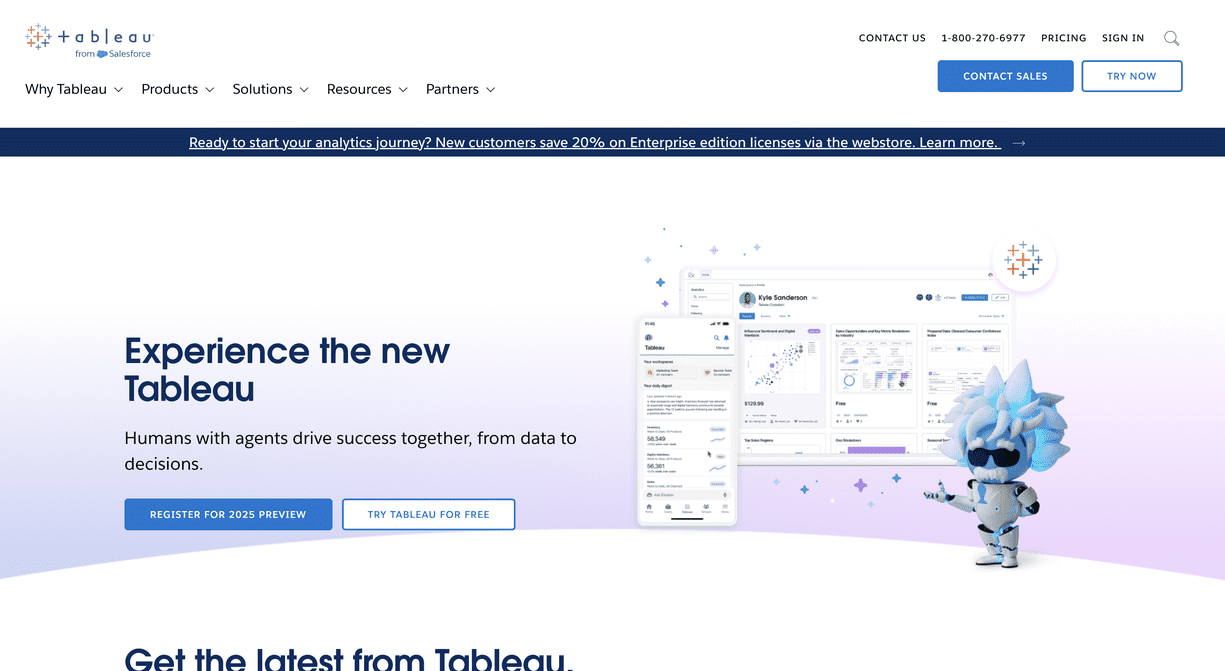
Tableau is often the first name that comes up when organizations outgrow open-source BI tooling. Unlike Superset, which requires building visualizations through a web UI with limited chart customization, Tableau offers a desktop-class authoring experience with granular control over every visual element. Its strength lies in exploratory analytics. Analysts drag dimensions and measures onto a canvas and find patterns through visual iteration. For teams that found Superset's charting options restrictive or ran into rendering limitations with complex datasets, Tableau provides a significant upgrade in visualization depth.
Key Features
- Desktop and web authoring with pixel-level control over chart design and layout
- VizQL engine that translates visual selections into optimized database queries automatically
- Native connectors to virtually every major database, warehouse, and cloud platform
- Tableau Prep for visual data cleaning and transformation workflows
- Built-in statistical models, trend lines, clustering, and forecasting
- Tableau Server or Tableau Cloud for centralized publishing, scheduling, and governance
Pricing
Tableau Cloud starts at $15 per user per month, billed annually, and Tableau Next is $40 per user per month, billed annually with no monthly option (Salesforce). Above that entry rate, Tableau sells three roles, Viewer, Explorer, and Creator, across Standard and Enterprise editions, with Creator seats several times the Viewer rate. Tableau+ and the Agentforce analytics bundles are quote-only.
The structural cost issue is the same one that drives most Tableau migrations: every person who reads a dashboard needs a licensed seat. A Superset deployment where 80 people view dashboards costs nothing extra in licensing. The same rollout on Tableau does not. Our Tableau alternatives guide works through a 20-person cost model in detail.
3. Power BI
The go-to Apache Superset alternative for Microsoft-centered teams
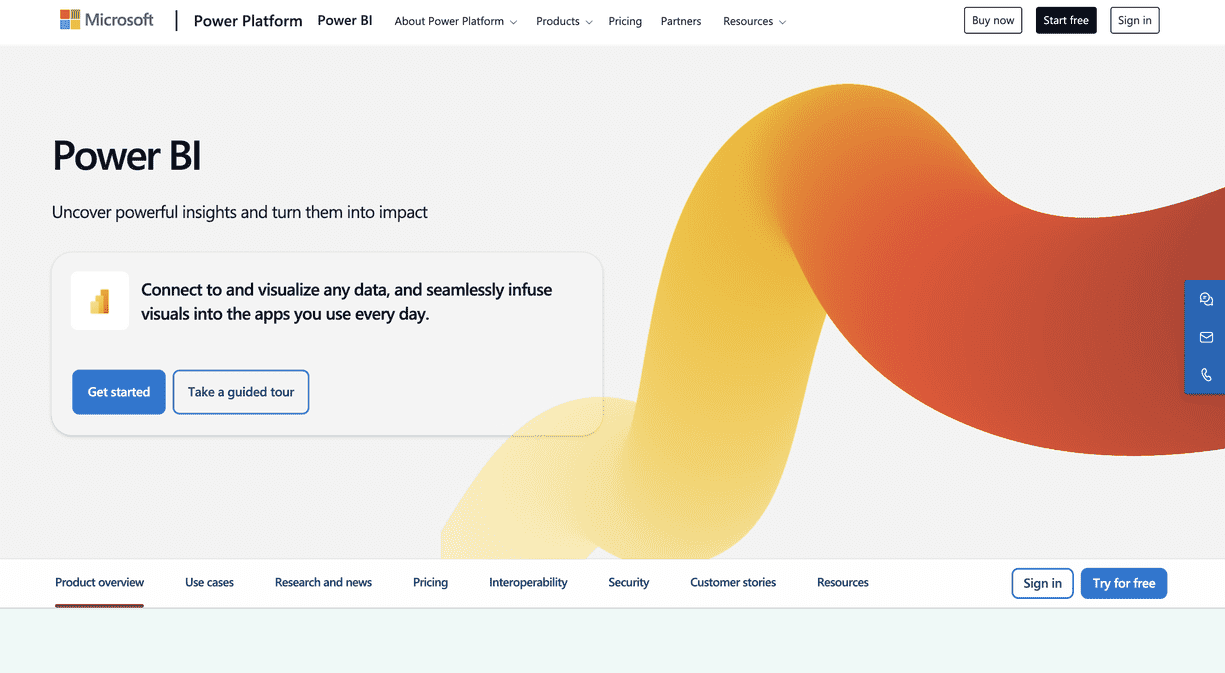
Power BI is a natural migration path for teams running on Azure, SQL Server, or the broader Microsoft 365 stack. Where Superset requires you to wire up database connections and configure authentication manually, Power BI pulls data directly from Excel files, SharePoint lists, Azure Synapse, and Dataverse with minimal configuration. Its DAX formula language gives analysts modeling power that goes well beyond what Superset's SQL Lab offers, and the tight integration with Teams means dashboards live where your team already collaborates.
Key Features
- One-click connectivity to Azure services, SQL Server, Excel, SharePoint, and Dynamics 365
- DAX-powered data modeling with calculated columns, measures, and time intelligence functions
- Natural language Q&A that lets business users type questions and receive auto-generated charts
- Power BI Embedded SDK for integrating reports directly into custom web applications
- Row-level security, sensitivity labels, and Microsoft Entra ID integration for enterprise governance
- Paginated reports for pixel-perfect financial statements and operational printouts
Pricing
Power BI Pro is $14.00 per user per month paid yearly, and Premium Per User is $24.00 (Microsoft). PPU raises the model size limit from 1 GB to 100 GB and refreshes from 8 to 48 a day. There is a genuinely free tier for individual use.
The detail that catches teams out is the capacity cliff. On Fabric capacities below F64, every person viewing Power BI content still needs a Pro or PPU licence. At F64 and above, users with only a Free licence can view content (Microsoft Learn). So "Power BI is $14 a seat" holds until you want wide read-only distribution, at which point the real decision is whether to buy an F64 capacity. Microsoft is also retiring the older Premium P SKUs in favour of F SKUs. If you are coming from Superset specifically because you wanted analytics in front of a lot of people, price that transition before committing.
4. Looker
Governed, model-driven analytics for data engineering teams
Google publishes no price for Looker at all. Every edition and every user licence is quote-only on an annual commitment (Google Cloud). The one public rate is an AI meter: $3.00 per million input tokens and $20.00 per million output tokens on Conversational Analytics.
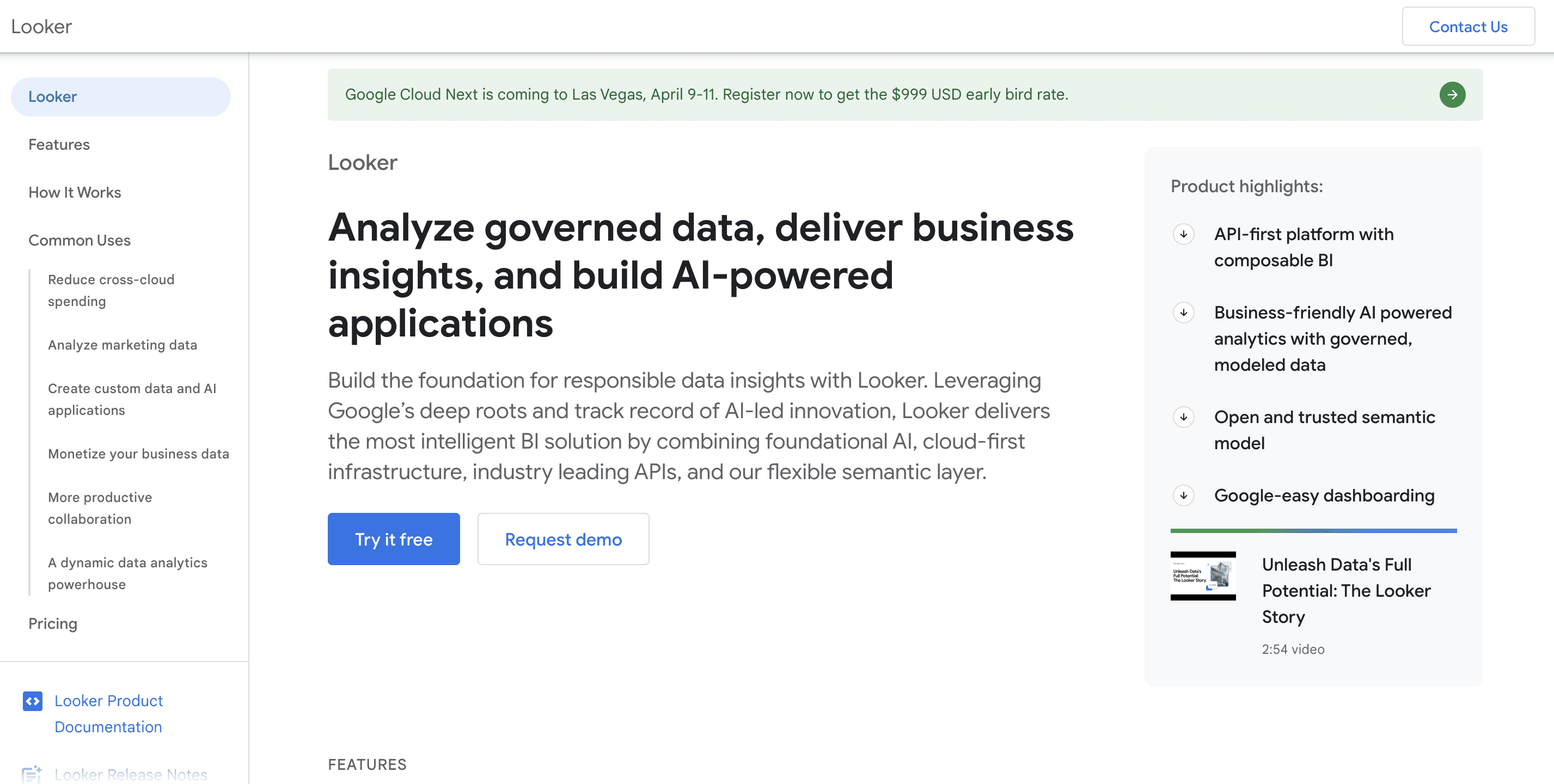
Looker, now part of Google Cloud, takes a fundamentally different approach than Superset. Instead of writing ad-hoc SQL queries for each dashboard panel, Looker uses LookML, a version-controlled modeling language that defines metrics, dimensions, and relationships once and reuses them everywhere. This eliminates the metric inconsistency problem that plagues Superset deployments where different teams write slightly different SQL for the same KPI. For engineering-led organizations running on BigQuery or Snowflake, Looker enforces a single source of truth that Superset's freeform SQL Lab cannot match.
Key Features
- LookML semantic layer that centralizes business logic and prevents metric drift across teams
- Git-integrated development workflow for version control, code review, and CI/CD on analytics definitions
- Looker API and Action Hub for triggering workflows, sending data to Slack, or pushing results to external systems
- Embedded analytics via iframes or the Looker Embed SDK with SSO and content filtering
- Native BigQuery optimization with awareness of partitioning, clustering, and BI Engine acceleration
- Granular content access, row-level permissions, and field-level security tied to user attributes
Pricing
Google publishes no Looker price. Every platform edition, Standard, Enterprise, and Embed, and every user licence is quote-only on an annual commitment (Google Cloud). What Google does publish is the shape of a contract: each edition includes one production instance, 10 Standard Users, and 2 Developer Users, with Standard positioned for deployments under 50 users.
The one public number is an AI overage rate. Conversational Analytics costs $3.00 per million input data tokens and $20.00 per million output data tokens beyond the monthly allocation included in your edition. Worth modelling if you expect heavy natural-language use, because it is a usage meter rather than a flat fee.
5. Domo
All-in-one cloud platform replacing your BI stack, not just Superset
Domo publishes no price either (Domo pricing). It sells consumption credits rather than seats, and the dollar value of a credit is quote-only, so cost tracks activity such as ingestion, pipeline runs, and AI usage rather than headcount. Budget a sales cycle before you get a number.
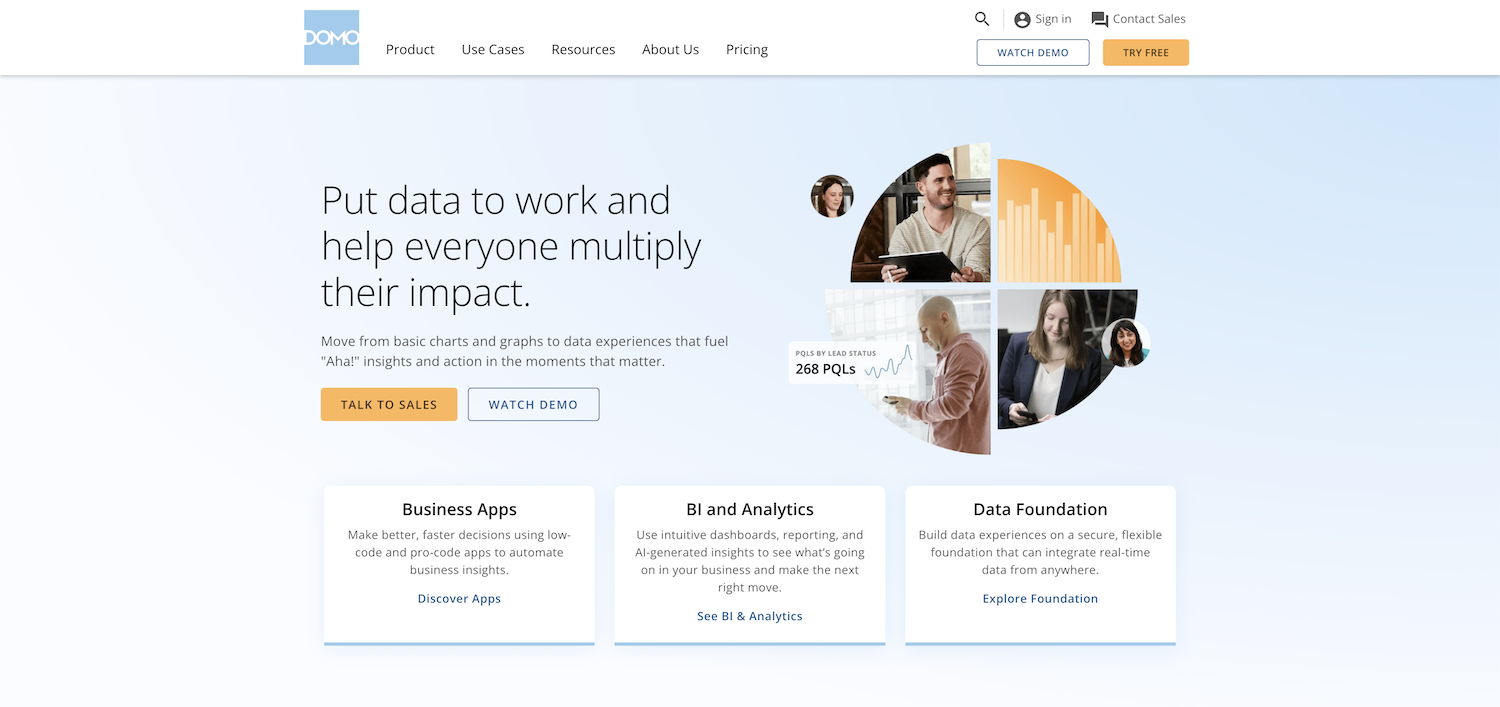
Domo goes beyond replacing Superset and aims to consolidate your entire data pipeline. Where a typical Superset setup requires separate tools for ETL (like Airflow), data warehousing, and visualization, Domo bundles data ingestion, transformation, storage, and dashboarding into a single cloud platform. This makes it particularly appealing to operations teams and executives who want real-time KPI dashboards without depending on data engineering to stitch together multiple open-source components.
Key Features
- Over 1,000 pre-built connectors for SaaS apps, databases, cloud storage, and APIs
- Magic ETL, a no-code data transformation pipeline builder with drag-and-drop logic
- Domo Appstore with pre-built dashboard templates for common business functions
- Buzz, a built-in messaging and collaboration layer tied directly to dashboard cards
- Mobile-first design with a fully featured iOS and Android app for on-the-go analytics
- Domo Everywhere for embedding analytics into external applications and partner portals
Pricing
Domo publishes no price. It sells a consumption-credit model, introduced in 2023, where user seats are effectively unlimited but cost scales with activity: data ingestion, pipeline runs, AI features, and storage. Domo does not publish the dollar value of a credit, so the only way to get a number is to talk to their sales team with a usage estimate in hand.
For a team leaving Superset, the honest framing is that Domo is not a like-for-like replacement. Bundling ingestion, transformation, storage, and dashboards can come out cheaper than running Superset plus Airflow plus a warehouse. It can also come out far more expensive, and you will not know which until you have modelled your own consumption.
6. Sigma Computing
The spreadsheet-native alternative for teams that think in rows and columns
Sigma has no public rate card either (Sigma pricing), and it requires a cloud data warehouse. It queries Snowflake, BigQuery, or Databricks directly, so if your Superset instance points at Postgres or MySQL today, adopting Sigma means a warehouse project first, not just a BI tool swap.
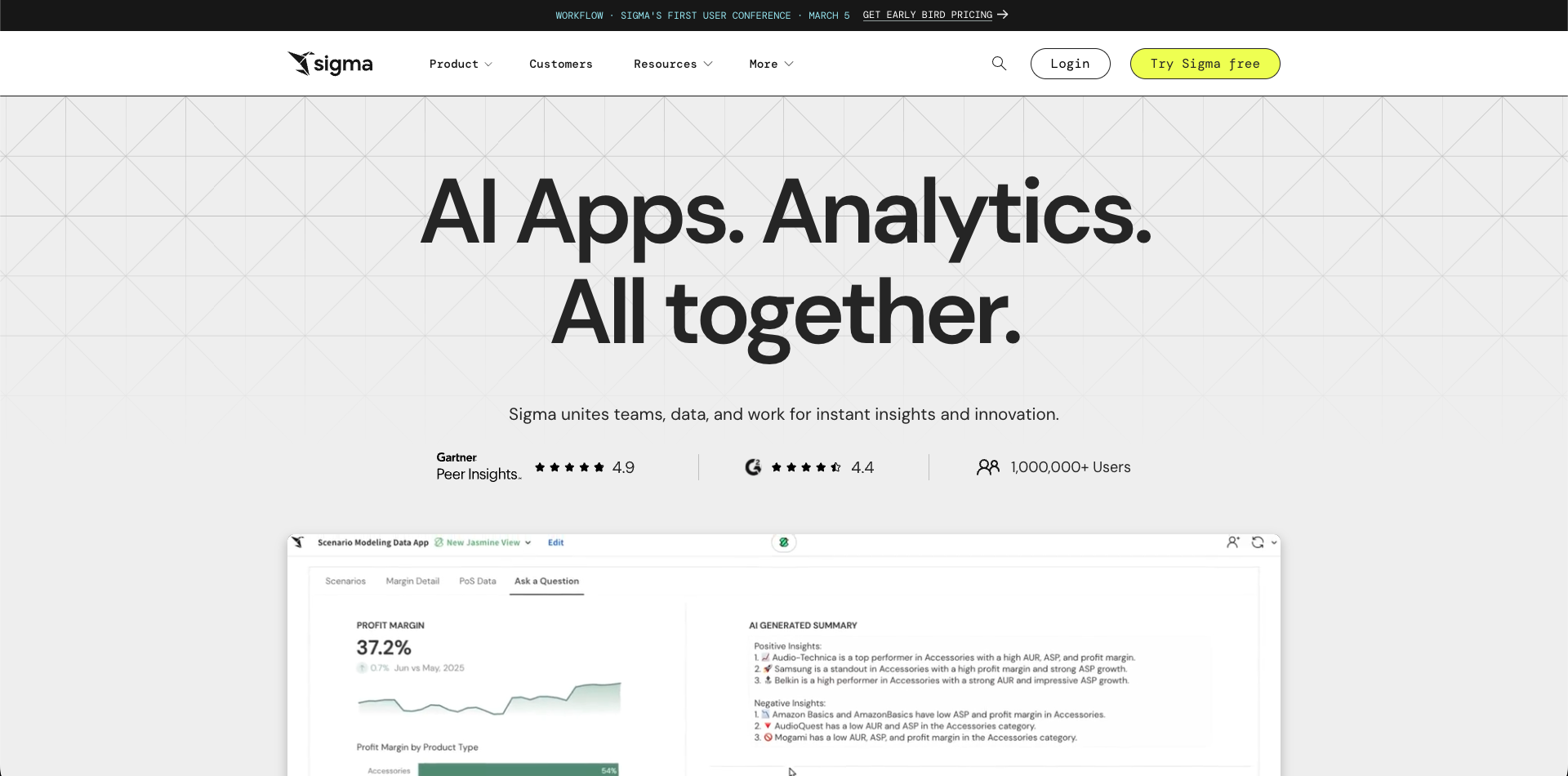
Sigma Computing bridges the gap between the power of a cloud data warehouse and the familiarity of a spreadsheet. While Superset requires users to write SQL or navigate a chart builder UI, Sigma presents warehouse data in a live spreadsheet grid where business users can sort, filter, pivot, and build formulas the same way they would in Excel or Google Sheets. Every action generates optimized SQL executed directly on Snowflake, BigQuery, or Databricks, no data extracts, no CSV exports, no stale snapshots. For organizations where finance, marketing, or operations teams built mission-critical spreadsheets that Superset could never replace, Sigma offers a familiar entry point into warehouse-scale analytics.
Key Features
- Live spreadsheet interface that runs queries directly on your cloud warehouse in real time
- Familiar formula bar supporting Excel-compatible functions alongside warehouse-specific operations
- Workbook-based collaboration with version history, comments, and shared editing
- Input tables that let users write data back to the warehouse for planning and forecasting workflows
- Embeddable workbooks with tenant-aware filtering for customer-facing analytics
- No data movement: all computation happens at the warehouse layer, keeping data governance intact
Pricing
Sigma publishes no pricing. There is no public plan list and no public rate card; the pricing page routes to a demo request. Third-party aggregators circulate licence-tier names and contract-value estimates, but none of it comes from Sigma, so we are not going to repeat numbers we cannot source.
What we can say is that Sigma requires a cloud data warehouse. It runs queries directly against Snowflake, BigQuery, or Databricks, so the platform cost sits on top of warehouse compute you are already paying for. Teams moving off a Superset instance that queries Postgres or MySQL directly will need that warehouse first, which is a bigger project than swapping a BI tool. Our Sigma Computing alternatives guide covers the closest competitors.
What self-hosting Superset actually costs
Roughly $54,000 to $119,000 a year, once you count the people. The U.S. Bureau of Labor Statistics puts the median software-developer wage at $135,980 as of May 2025 (BLS), so even a quarter of an engineer's time costs about $47,600 fully loaded, before infrastructure.
Superset's licence fee is zero. That is the beginning of the cost calculation, not the end of it, and "it's free" is the single most expensive assumption teams make when they skip this section.
There are two line items.
Infrastructure. A production Superset deployment is not one container. You need the web tier, a metadata database, Redis for caching and the results backend, Celery workers for async queries and scheduled reports, and a headless browser for alerts and thumbnails. Run that with high availability across availability zones and Preset, which sells managed Superset and therefore has an interest in this number being large, estimates $500 to $2,000 a month (Preset). Treat it as a vendor estimate, but the architecture it describes is accurate.
People. This is the bigger number and the one nobody budgets. Someone has to do upgrades, watch the workers, rotate credentials, and answer "why is this dashboard slow." The U.S. Bureau of Labor Statistics puts the median annual wage for software developers at $135,980 as of May 2025 (BLS). Apply a conservative 1.4x fully loaded multiplier and one engineer costs roughly $190,000 a year. Preset's estimate of 0.25 to 0.5 of an engineer in steady state then works out to:
| Line item | Low | High |
|---|---|---|
| Infrastructure | $6,000 / year | $24,000 / year |
| Engineering time (0.25 to 0.5 FTE) | $47,600 / year | $95,200 / year |
| Licence | $0 | $0 |
| Total | ~$53,600 / year | ~$119,200 / year |
Those are modelled numbers built from one primary wage source and one disclosed vendor estimate, not measurements of your deployment. Run the arithmetic with your own salary band and your own cloud bill. The point is the order of magnitude: a self-hosted Superset instance is competing with commercial tools in the tens of thousands of dollars a year, not with zero.
Self-hosting still wins in plenty of cases. If you already run Kubernetes, already have a platform team, and your data cannot leave your network, Superset is an excellent answer. It just is not a free one.
What migrating off Superset really involves
A rebuild, not an import. A request for official Superset-to-Metabase migration tooling has sat open and unanswered on the Metabase tracker since July 2025 (metabase#61121), and the mirror-image request on the Superset side is open too. No interchange format exists.
There is no migration tool. Not from Superset to anything, and not from anything to Superset.
This is not a marketing claim, and it is worth stating plainly because several vendors imply otherwise. A request for official Superset-to-Metabase migration tooling, asking for chart settings, dashboard layouts, data-source links, and custom SQL to carry across, has been open on the Metabase tracker since July 2025 with no feasibility response (metabase#61121). The mirror-image request on the Superset side sits open too. Two unanswered requests on two different trackers is a reasonable signal that this gap is real.
The structural reason: dashboard definitions live in each tool's own metadata schema, and there is no interchange format between BI platforms. Superset's own export behaviour even depends on whether the VERSIONED_EXPORT feature flag is enabled; with it off, content comes out only through the API (Preset docs).
So plan for a rebuild:
- Inventory first, and be ruthless. Most Superset instances have far more dashboards than anyone opens. Pull the usage logs and rebuild only what people actually use. This is the step that decides whether the project takes two weeks or two quarters.
- Carry the SQL, not the charts. Your queries are portable. Your chart configurations are not. Export the SQL behind each chart and treat the visual layer as something you redo.
- Point the new tool at the same databases. Superset connects directly to your databases, so most alternatives can connect to exactly the same ones with no data migration. This is the genuinely easy part.
- Run both in parallel. Keep Superset serving while you rebuild, and cut over per dashboard rather than all at once.
- Budget for retraining. Whoever built your Superset dashboards knows Superset. Adding a week for the new tool is realistic.
A handful of dashboards is a few days. A mature instance with a hundred charts and custom CSS is a quarter with a named owner. Anyone telling you it is a weekend has not done it.
Other Apache Superset alternatives worth considering
Fourteen more tools are worth a look, and the open-source ones matter most here. Metabase alone carries 49,340 GitHub stars, and newer entrants such as Lightdash, Evidence, and Cube have built real followings since Superset was first released in 2015.
The six platforms above cover most evaluations, but the rest come up often enough to deserve a note, particularly if what you liked about Superset was that it was open source.
Preset
The managed Superset option, founded by Superset's original creator, and the most direct answer if your only complaint is operations. It is the same product you already know, so nothing needs rebuilding. Starter is free for up to 5 users and one workspace; Professional is $20 per user per month billed annually, or $25 billed monthly; Enterprise is quote-only (Preset). Embedded analytics is a $500 per month add-on covering 50 viewer licences. One gotcha on the free tier: workspaces idle for 30 days get hibernated.
Metabase
The most common open-source alternative, and much friendlier than Superset for non-technical users. The self-hosted open-source edition is free with unlimited users. Cloud Starter is $100 a month including 5 users, then $6 per additional user per month; Pro is $575 a month including 10 users, then $12 each; Enterprise starts around $20,000 a year (Metabase). Interactive embedding is the expensive part. See our Metabase alternatives guide.
Data Studio (formerly Looker Studio)
The free option, and the one most often missed in Superset comparisons. Google renamed Looker Studio back to Data Studio in 2026, and its own documentation now confirms the change (Google Cloud). The no-cost version covers unlimited reports and viewers, which makes it the cheapest way to put dashboards in front of a wide audience. Pro is a paid per-user upgrade adding org-owned reports, team workspaces, and an SLA. The catch for Superset refugees: Data Studio is happiest on Google data, and it connects to arbitrary SQL databases far less comfortably than Superset does.
Qlik
Worth a look specifically because it does not price by seat. Starter is $300 a month for 10 users; Standard is $825 a month billed annually and includes unlimited users, with cost scaling on data capacity instead (Qlik). For a Superset replacement that has to reach a lot of readers, a capacity model is structurally closer to what you had than a seat model is. Qlik was also named a Leader in the June 2026 Gartner MQ.
Grafana
If your Superset instance is mostly operational and time-series dashboards, Grafana is the better-fitting tool and you may not need a BI platform at all. The free tier is genuinely usable. Cloud Pro is a $19 a month platform fee plus usage, with Grafana Visualization at $8 per active user per month (Grafana). Do not compare that headline to a Tableau seat; most of Grafana's bill is telemetry ingest. See our Grafana alternatives guide.
Redash
Still the lightest SQL-first option, and still open source, but check the pulse before you commit. The repository is not archived and commits are landing, yet through 2026 it has shipped one tagged stable release, v26.3.0 in March 2026, against nine monthly development snapshots. Maintained but slow, and not where we would start a new production deployment in 2026. Our Redash alternatives guide has the detail.
Lightdash
The dbt-native option. If your metrics already live in dbt models, Lightdash reads them directly instead of asking you to redefine business logic in a BI tool, which is the exact metric-drift problem that bites large Superset deployments. The self-hosted edition is open source and free, with 6,145 GitHub stars. Cloud Pro is $3,000 a month for unlimited users (Lightdash), so the managed tier is priced for funded data teams rather than small ones. Self-hosting it, of course, brings back the operational work you may be trying to escape.
Evidence
Code-based BI: you write markdown with SQL blocks in it and get a version-controlled reporting site out. It suits engineering teams who would rather review dashboards in a pull request than in a web UI, and it is MIT-licensed with 6,949 GitHub stars. The hosted Team plan is $2,500 a month for unlimited users, with Enterprise quote-only (Evidence). A genuinely different model from Superset, and a poor fit if non-technical people need to build their own charts.
Cube
Not a Superset replacement so much as a layer underneath one. Cube is an open-source semantic layer, 20,869 GitHub stars, that defines metrics once and serves them to whatever front end you like, which is a direct answer to teams whose Superset instance accumulated six slightly different definitions of revenue. Free tier, then $40 per developer per month on Starter and $80 on Premium, with Explorer seats at $40 and Viewer seats at $20 (Cube). Worth evaluating alongside a BI tool rather than instead of one.
ThoughtSpot
Search-first analytics with strong natural-language querying. Analytics Essentials starts at $25 per user per month billed annually for 5 to 50 users and up to 25 million rows; Pro moves to credit-based pricing from $0.10 per credit (ThoughtSpot). Notably, ThoughtSpot states it does not meter or charge for LLM tokens, which is the opposite of Looker's model. Also a named Leader in the June 2026 Gartner MQ.
Amazon QuickSight
The natural choice if your data already sits in Redshift, Athena, or S3, in the same way Power BI is for Azure. Pricing is per role: Authors are $24 per user per month and Readers $3, with Author Pro at $40 and Reader Pro at $20 (AWS). Reader capacity is also sold by session, from $250 a month for 500 sessions, and SPICE storage is $0.38 per GB per month. Note the $250 monthly infrastructure fee that applies once Pro users or Q&A are enabled, which catches small teams out.
Zoho Analytics
Priced per account rather than per user, which makes it unusually cheap for small teams. Plans run from a free tier at 2 users and 10,000 rows up through Enterprise at 50 users and 50 million rows, with yearly billing saving 20% (Zoho). Zoho renders its prices client-side, so we are citing the plan structure and leaving the dollar figures to their page. See our Zoho Analytics alternatives guide.
Hex and Holistics
Two narrower options. Hex is notebook-first for data science workflows, at $36 per editor per month on Professional and $75 on Team, with viewers as add-ons (Hex). Holistics is unusually transparent about enterprise pricing, from $800 a month on annual billing including 10 users and 100 reports (Holistics).
One thing to check before you shortlist: will they tell you the price?
Five of the platforms on this page will not tell you what they cost without a sales call: Looker, Sigma, Domo, Sisense, and Tableau above its $15 entry rate. That split is a useful filter, because it predicts how long your evaluation will take.
Here is a pattern that shows up as soon as you try to build a comparison table, and it is a useful filter in its own right.
Vendors that publish a real number: Draxlr, Preset, Metabase, Qlik, Power BI, ThoughtSpot, Hex, Holistics, Grafana.
Vendors that will not tell you without a sales call: Looker, Sigma, Domo, Sisense, and Tableau above its entry rate.
That split correlates closely with who the product is sold to. Self-serve pricing means the vendor expects you to sign up without talking to anyone. Quote-only pricing means an annual contract, a procurement cycle, and a number that depends on how large you look. Neither is disqualifying, but if you are a ten-person team replacing a Superset instance next month, the second list will cost you weeks before you see a figure. Plan the evaluation calendar accordingly.
Conclusion
"Superset is free" is true about the licence and misleading about the cost. Once you price the infrastructure and the fraction of an engineer keeping it healthy, a self-hosted instance lands somewhere around $50,000 to $120,000 a year. Set against that, most commercial alternatives are not the expensive option people assume.
That said, the decision rarely comes down to money alone. Work through these in order:
- Why are you actually leaving? If it is purely operational, Preset gives you managed Superset with nothing to rebuild. That is the cheapest possible migration, because it is not one.
- Who needs to read the dashboards? If the answer is "far more people than build them," avoid per-seat pricing. Draxlr's unlimited external viewers and Qlik's capacity model both handle wide distribution; Tableau and Power BI charge for it.
- Do you have a data team? If yes, Looker and Tableau are defensible. If no, pick something that queries your database directly rather than assuming a warehouse project first.
- Where does your data live? Microsoft estate to Power BI. Snowflake or BigQuery to Sigma or Looker. A regular SQL database to Draxlr or Metabase. Time-series and infrastructure metrics to Grafana.
- Are you embedding into a product? Then white-labelling, multi-tenancy, and how end users are counted matter more than anything else on this page. Our embedded analytics comparison covers that properly.
Shortlist two or three, run them against your own data, and give real weight to how long each one takes to get a first dashboard on screen. That number predicts the next two years better than any feature matrix.
For teams leaving Superset because nobody wants to own the infrastructure any more, Draxlr connects to your SQL database in minutes, includes AI querying and MCP on every plan, and never charges for the people who only read dashboards.
Try Draxlr freeFAQs
What are the best Apache Superset alternatives in 2026?
The best Apache Superset alternatives in 2026 are Draxlr, Preset, Tableau, Power BI, Looker, Domo, Sigma, and Metabase. Preset is the closest match because it is managed Superset. Draxlr suits teams that want SQL dashboards and embedding without infrastructure work, while Tableau, Power BI, and Looker serve larger governed deployments.
What is the latest version of Apache Superset?
Apache Superset 6.1.0 is the current stable release as of September 2026, published in May 2026. It followed 6.0.0 in December 2025, which rebuilt the interface on Ant Design v5 and added full dark mode. The project has 74,847 stars and 18,355 forks on GitHub and receives commits daily.
Does Apache Superset have AI features?
Yes, as of version 6.1 in May 2026. Superset ships a native Model Context Protocol server that exposes chart creation, dataset generation, and database inspection as tools an AI agent can call, with JWT authentication and field-level access control. It is infrastructure for connecting your own AI agent rather than a built-in text-to-SQL feature for end users.
What is Preset and how does it relate to Apache Superset?
Preset is the commercial managed-hosting company for Apache Superset, founded by Superset's original creator, and its employees maintain much of the project. Preset Starter is free for up to 5 users, and Professional is $20 per user per month billed annually. Because it runs the same product, moving from self-hosted Superset to Preset requires no dashboard rebuild.
Is Apache Superset really free to use?
The software is free and open source with no licence fee. The running costs are not. A production deployment needs infrastructure of roughly $500 to $2,000 a month plus ongoing engineering time. At the BLS median developer wage of $135,980 as of May 2025, a quarter of an engineer's time is about $47,600 a year fully loaded, putting realistic total cost near $50,000 or more annually.
Which Apache Superset alternative is cheapest?
Data Studio, formerly Looker Studio, is free for unlimited reports and viewers, and Preset is free for up to 5 users. Among paid tools Draxlr is the lowest entry point at $25 a month. Metabase's self-hosted edition is free too, but once you count the engineering time to run it, self-hosted open source is rarely the cheapest option despite the zero licence fee.
Is there a free alternative to Apache Superset?
Yes, several. Data Studio is free for unlimited reports and viewers, Preset's Starter tier is free for up to 5 users, and Metabase, Lightdash, Evidence, and Cube all ship free open-source editions you can self-host. The trade-off on the self-hosted ones is the same one Superset presents: no licence fee, but real infrastructure and engineering time.
Which Apache Superset alternative is best for non-technical users?
Draxlr, Metabase, and Sigma are the easiest for people who do not write SQL. Draxlr offers natural-language querying alongside a visual query builder, Metabase has a strong no-code question builder, and Sigma presents warehouse data in a spreadsheet grid that anyone comfortable with Excel can use immediately.
Which Apache Superset alternative is best for embedded analytics?
Draxlr for SaaS teams that need white-labelled dashboards with per-customer filtering, since external viewers are unlimited on every plan and white-labelling starts at $75 a month. Sisense suits large customer-facing deployments with engineering resources behind them. Tableau and Power BI both require separate embedded licensing on top of user seats.
Will switching from Apache Superset be complicated?
Connecting a new tool is easy, because Superset queries your databases directly and most alternatives can point at the same ones with no data migration. Rebuilding is the hard part: there is no migration tool between Superset and any other BI platform, and no interchange format for dashboards. Budget days for a handful of dashboards and a quarter for a mature instance.
Is Apache Superset in the Gartner Magic Quadrant?
No. Neither Apache Superset nor Preset appears in the Gartner Magic Quadrant for Analytics and BI Platforms published in June 2026, where Microsoft, Google's Looker, Qlik, and ThoughtSpot were among the named Leaders. If your procurement process requires a vendor with analyst coverage, that rules Superset out regardless of its technical merits.
About the author

Vivek is a coder and the founder of Draxlr who cares deeply about building good products. He works at the intersection of AI, SQL, dashboards, and embedded analytics, with a strong focus on making complex data workflows feel simple, useful, and fast for real teams.
If you have questions about anything in this guide, or want to compare options for your specific stack, you can email Vivek at vivek@draxlr.com, try Draxlr free, or reach out directly through the Draxlr team.