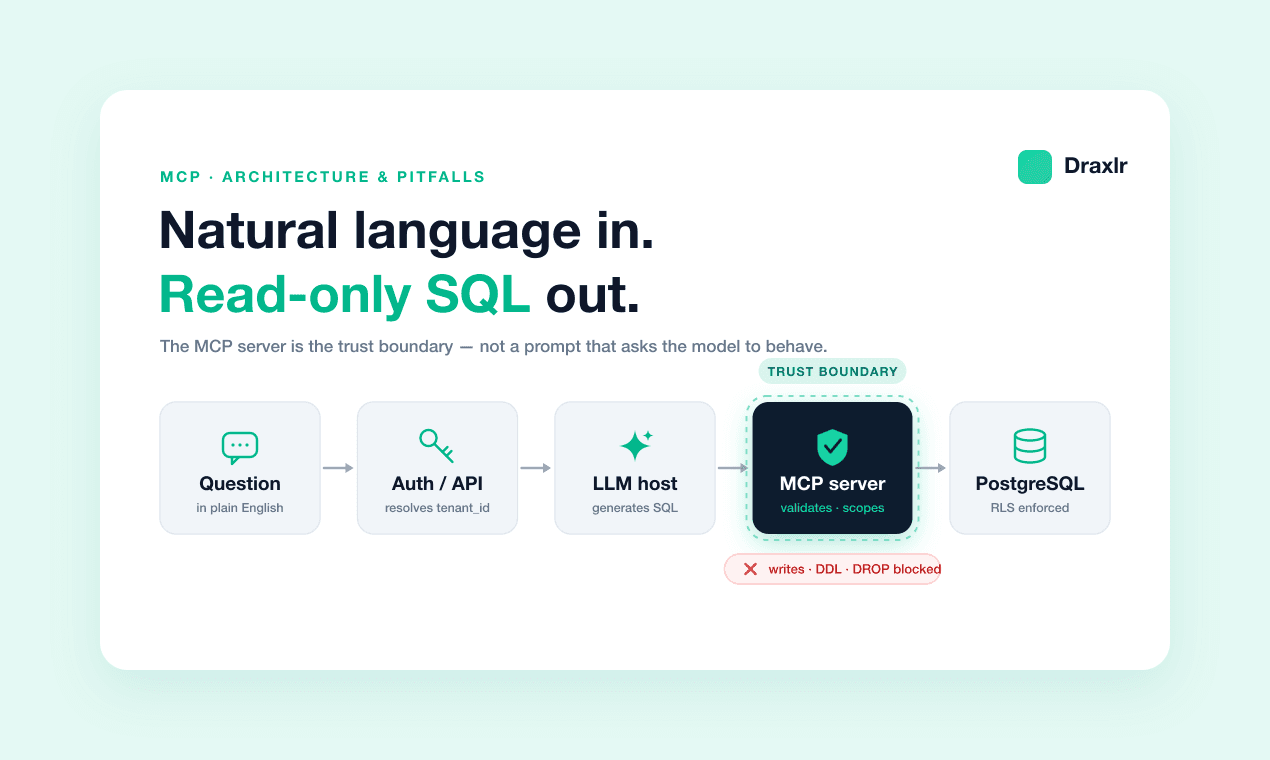
MCP Servers for SQL: Read-Only, Tenant-Aware Access
A single COMMIT statement bypassed read-only mode in the official Postgres MCP server, one of 14 MCP servers found vulnerable — how to actually enforce it.
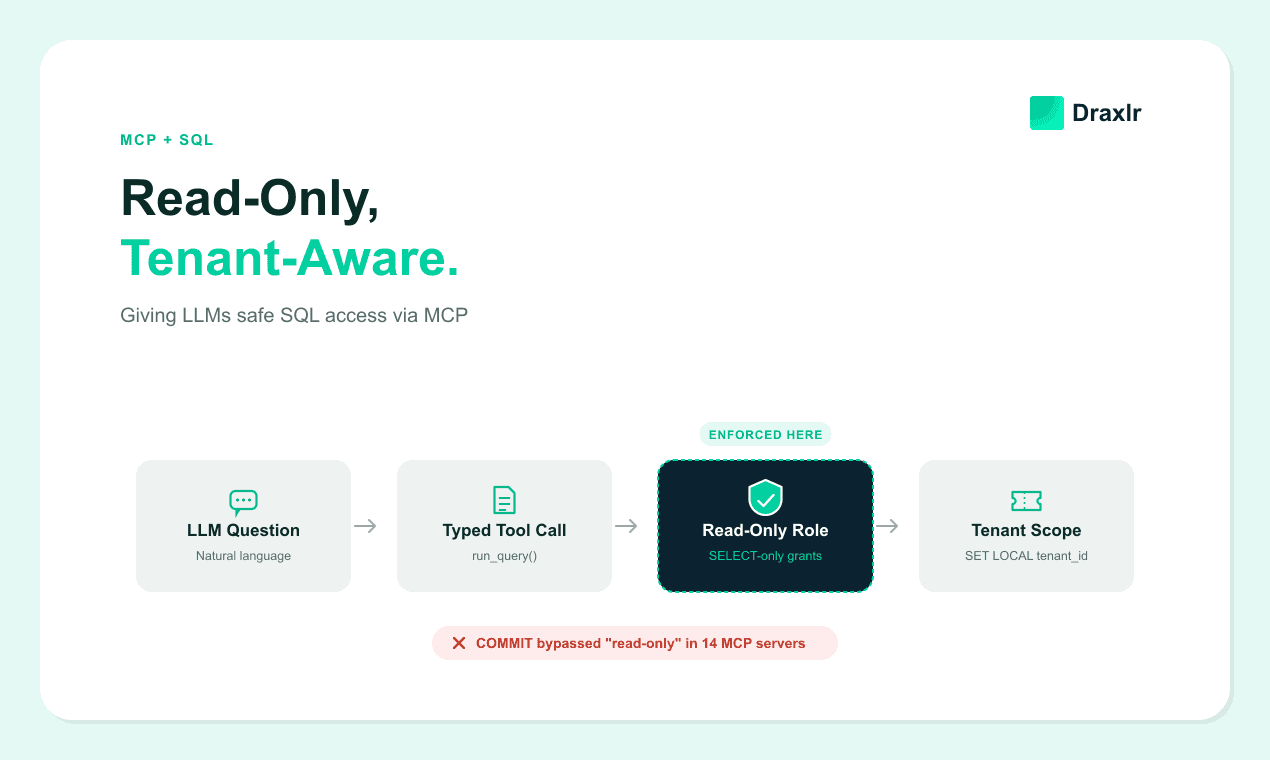
"Read-only" is the first thing every team reaches for when they wire an LLM up to a production database through MCP — flip a flag, wrap the query in a transaction, done. In April 2026, Datadog Security Labs published a case study showing that the flag alone did nothing. A single COMMIT statement inside the model's input ended the read-only transaction early. Everything typed after it then ran with the full privileges of the underlying connection (Datadog Security Labs, 2026).
That single finding is a useful stand-in for the whole problem. Read-only access and tenant isolation for an MCP SQL server aren't properties of a config flag — they're properties of where you enforce them. This guide covers what an MCP SQL server actually exposes to the model, and why the popular read-only implementations kept failing in 2026. It also covers the specific layers — database role, statement parser, session context — that make "read-only" and "this tenant only" actually true.
Key Takeaways
- A single
COMMITstatement bypassed read-only mode in the official Postgres MCP server by ending its read-only transaction early, letting the rest of the input run at full privilege (Datadog Security Labs, 2026).- Independent researcher Maximilian Hildebrand found read-only bypasses across 14 SQL MCP servers in 2026 — via denylist gaps, multi-statement injection, and unescaped SQL injection — with some reaching remote code execution on PostgreSQL (Hildebrand, 2026).
- The only enforcement layer that fails safe is a database role with
SELECT-only grants. A statement parser or an allowlist that has a bug still reaches the database; a role without write grants can't write, no matter what SQL arrives.- Tenant scope has to come from the authenticated session, injected server-side with
SET LOCALinside the same transaction as the query — not from a tool parameter the model fills in, and not from aSETthat a connection pooler can leak across tenants.
What Does an MCP SQL Server Actually Hand the LLM?
An MCP SQL server exposes a small set of typed tools — commonly run_query, list_tables, and describe_schema — instead of a raw connection string. The model can only call the specific actions the server defines (Model Context Protocol, 2026). The protocol itself defines three primitives: tools the model can invoke, resources the host can pull in as read-only context, and prompts that give the model a consistent starting frame.
That tool boundary is enforced by the server process, not by anything written into a system prompt. A model can request run_query with a SQL string as its argument, but it can't invent a delete_table tool that was never defined — the host only ever sees the tools the server chose to publish. Whether that boundary actually holds once the query string reaches your database, though, depends entirely on what the server does with it next.
Why "Read-Only Mode" Doesn't Actually Stop Writes
In 2026, "read-only mode" turned out to mean different things to different MCP servers, and several of those meanings had holes. In its April 2026 case study, Datadog Security Labs reported that the official @modelcontextprotocol/server-postgres package wrapped queries in a read-only transaction but never checked whether the input contained more than one SQL statement. Anthropic had already archived the package as production-unready back in May 2025. Per that same case study, it was still pulling roughly 21,000 weekly npm downloads anyway (Datadog Security Labs, 2026).
That gap generalizes past one package. In July 2026, independent penetration-testing researcher Maximilian Hildebrand published a series testing SQL MCP servers for exactly this class of bug, and found read-only bypasses in 14 of them. The failures clustered into three repeatable patterns rather than 14 unrelated bugs (Maximilian Hildebrand, 2026):
| Bypass pattern | How it worked | Example |
|---|---|---|
| Insufficient denylist | Blocked obvious write keywords but missed `SET`, which can change a database user's password | `SET`-based privilege change |
| Insufficient validation | Allowed multiple statements in one query, or a `WITH` clause hiding a follow-up statement | `SELECT 1; DROP TABLE ...` |
| Unprepared statements | Tool arguments concatenated directly into SQL instead of using parameterized queries | Classic SQL injection via a tool parameter |
Hildebrand's research reports that chaining these bypasses on a PostgreSQL target reached remote code execution in at least one case — not just an unwanted write, but arbitrary code running on the database host. The affected list included the official MariaDB MCP server, so "maintained by the database vendor" and "tested against this specific bug class" turned out to be two different things in 2026.
How Do You Actually Enforce Read-Only at the Database Level?
Enforce read-only as a stack of layers, and put the layer that fails safe closest to the database. A PostgreSQL role granted only SELECT privileges can't execute a write no matter what SQL string reaches it. There's no parser to fool — the database itself rejects the statement (PostgreSQL documentation, 2026). Everything above that role is a second layer that catches problems earlier. A bug there still reaches a database that must refuse the write on its own.
Build the stack in this order.
1. Dedicated role, grant-based
Create a role with SELECT grants only — no INSERT, UPDATE, DELETE, or DDL. Set default_transaction_read_only at the role level, not just per-session, so a session that forgets to request it still gets read-only behavior (PostgreSQL documentation, Client Connection Defaults, 2026).
2. Real SQL parsing, not string matching
Parse the incoming query with an actual SQL parser. Reject anything that isn't a single SELECT statement: no semicolons, no WITH clauses that chain into a write, no keyword denylist that has to be kept in sync by hand.
3. Timeouts and row caps, server-side
Set statement_timeout and idle_in_transaction_session_timeout on the role so a runaway or deliberately slow query can't hold locks indefinitely. Inject a LIMIT whenever the model's query doesn't include one.
4. Parameterized tool arguments
Never concatenate a tool's string arguments into SQL text directly. The unprepared-statement bypasses described above came specifically from servers that skipped this step.
How Do You Scope an MCP Server to One Tenant at a Time?
Resolve the tenant from the authenticated session on your API layer. Inject it into the database connection with SET LOCAL, inside the same transaction that runs the query — never as a tool argument the model fills in from conversation context. SET LOCAL scopes the setting to the current transaction only, which pairs naturally with row-level security policies that filter every query by that session variable (PostgreSQL documentation on row security policies, 2026).
The setting matters more than it looks. We build multi-tenant query infrastructure for a living, and SET versus SET LOCAL is the single most common tenant-scoping bug we see teams reach for and get wrong.
SET (without LOCAL) persists for the rest of the database session. If your MCP server sits behind a connection pooler running in transaction-pooling mode — PgBouncer's default for high-concurrency workloads — that session can be handed to a different tenant's request on the very next transaction. SET LOCAL avoids that leak because it can't outlive the transaction it was set in, but only if every tool call is wrapped in its own transaction rather than reusing one across calls.
Which physical isolation model you're layering this on top of changes how much a slip here costs you — a session-variable leak inside a shared, row-level-isolated table reaches other tenants' rows directly, while the same leak against a schema-per-tenant or database-per-tenant setup can only reach what that particular connection was already scoped to.
For the full mechanics of the RLS policy itself — session-variable handling, FORCE ROW LEVEL SECURITY, and where this model starts to strain — see the dedicated PostgreSQL row-level security guide.
What an MCP SQL Server Should Log and Rate-Limit
Log every tool call with the resolved tenant ID, the exact SQL that ran, row count returned, and latency. That audit trail is what surfaces a compromised session or a bypass attempt instead of letting it succeed silently. Alert specifically on denylist hits and multi-statement rejections — those are the exact signal 2026 bypass research used to find these vulnerabilities in the first place, and a spike in them from one tenant is worth investigating on its own.
Rate-limit per tenant, not just globally, so one leaked session or one aggressive prompt can't run enough queries to degrade the database for everyone else sharing it. If you'd rather not build and patch this enforcement stack yourself, embedded-analytics platforms like Draxlr apply the same read-only, tenant-scoped query layer as a hosted service — one option among several if maintaining the parser and role configuration isn't where you want engineering time going.
For the full request-to-result architecture this server sits inside — including how the LLM turns a natural-language question into the query these guardrails validate — see the complete guide to building a natural language SQL interface with MCP.
Frequently Asked Questions
Is "read-only mode" in an MCP server enough to stop an LLM from writing to my database?
Not on its own. Datadog Security Labs found a single COMMIT statement bypassed read-only mode in the official Postgres MCP server, and 2026 research found similar bypasses in 14 SQL MCP servers. Read-only has to be enforced with a database role that has no write grants, not just a transaction wrapper.
Should the tenant ID be a parameter the model fills in when it calls the query tool?
No. Resolve tenant ID from the authenticated session on your API layer and inject it server-side with SET LOCAL, in the same transaction as the query. A tool parameter the model fills in can be omitted, guessed, or manipulated by a malformed prompt.
Does a statement_timeout protect against a misconfigured read-only role?
Only partially. A timeout caps how long a runaway query can hold locks or consume resources, but it doesn't prevent a write or a cross-tenant read if the underlying role has grants it shouldn't. Timeouts are a damage-limiting layer, not a substitute for correct grants.
Is the Model Context Protocol itself insecure?
No — MCP standardizes how a model discovers and calls tools, but it doesn't mandate any particular security control. Read-only enforcement, tenant scoping, and rate limiting are the server implementation's responsibility, which is exactly why the 2026 bypass research found the failures in specific server implementations, not in the protocol spec.
Conclusion
The MCP servers that got bypassed in 2026 weren't careless — they wrapped queries in read-only transactions and shipped denylists, and it still wasn't enough. The pattern across every bypass was the same: enforcement lived somewhere a clever input could route around, rather than in a database role that had no write grants to exploit in the first place.
Build the stack from the database up: a SELECT-only role first, a real SQL parser second, timeouts and row caps third, and tenant scope injected server-side with SET LOCAL inside each transaction — never handed to the model as something it fills in. Get that order right and "read-only" and "this tenant only" stop being claims your server makes and start being things the database itself refuses to violate.
For a concrete example of this layering in production, see how Draxlr enforces read-only access when Claude connects to your SQL database — write statements are rejected at the server, not by asking the model to behave. For the tenant side, see how to give customers ChatGPT access to only their own data, where the row filter is added to every query on the server.
About the author

Vivek is a coder and the founder of Draxlr who cares deeply about building good products. He works at the intersection of AI, SQL, dashboards, and embedded analytics, with a strong focus on making complex data workflows feel simple, useful, and fast for real teams.
If you have questions about anything in this guide, or want to compare options for your specific stack, you can email Vivek at vivek@draxlr.com, try Draxlr free, or reach out directly through the Draxlr team.