Schema-Aware Prompting for Text-to-SQL: How Much Schema an LLM Needs
GPT-4o solves 10.1% of Spider 2.0 tasks versus 86.6% on the original Spider — real schemas, not model skill, are the bottleneck. How to feed just enough.
The gap between a text-to-SQL demo and a text-to-SQL feature is almost always the schema. On a toy database with eight clean tables, current models look close to solved. Point the same model at a real production database with a thousand columns and a dozen tables that all look like events_*, and accuracy falls off a cliff.
Schema-aware prompting is the layer in the middle: what schema information you put in the prompt, how you pick it, how you format it, and what you deliberately leave out. Get that layer right and a general-purpose model writes usable SQL. Get it wrong and you either blow your token budget or, worse, hand the model tables it should never have seen.
Key Takeaways
- In a 2026 evaluation, GPT-4o completed just 10.1% of Spider 2.0 enterprise tasks against 86.6% on the original Spider benchmark (Lei et al., Spider 2.0, 2025) — the schema, not the model, is what changed.
- Databases in that benchmark often exceed 1,000 columns; on its hardest slice the raw schema runs to roughly 2.6 million tokens, far past any context window (Liu et al., Database Context Compression, 2026).
- Recall matters more than precision when selecting schema: a filter that drops a column the query needs is far more damaging than one that leaves a few extra tables in.
- The schema prompt is a disclosure surface. Sample rows carry real data, and table lists reveal structure — scope both to what the current user is already allowed to query.
Why Does a Bigger Schema Make Text-to-SQL Worse?
In a 2026 evaluation published with the Spider 2.0 benchmark, GPT-4o solved only 10.1% of enterprise text-to-SQL tasks. On the original Spider dataset it scored 86.6%. OpenAI's o1-preview, a reasoning model, managed just 17.1% on the enterprise set (Lei et al., Spider 2.0: Evaluating Language Models on Real-World Enterprise Text-to-SQL Workflows, 2025). The models didn't get worse. The databases got real.
Three things change at production scale. The schema stops fitting comfortably in context. Column names turn opaque — a field called dim_5 or amt carries meaning that lives only in a separate data dictionary. And the sheer count of near-duplicate tables gives the model many plausible-but-wrong places to put a JOIN.
The size problem is concrete. Databases in the Spider 2.0 benchmark often exceed 1,000 columns (Lei et al., Spider 2.0, 2025), and on the hardest slice a 2026 paper on database context compression measured the raw schema at roughly 2.6 million tokens — far past any context window. That truncation drops schema-linking recall to 0%: the relevant tables never reach the model (Liu et al., Database Context Compression for Text-to-SQL on Real-World Large Databases, 2026).
Even when the schema does fit, more is not free. Every irrelevant table is a distractor and a token you paid for. This is why "just paste the whole information_schema" works in a tutorial and fails in a product. For the end-to-end request path around this problem, see building a natural-language SQL interface with MCP.
Defining "Just Enough" Schema Context
It means every table and column the correct query references is present, plus as few extras as you can manage — in that priority order. A 2024 study titled The Death of Schema Linking? found that newer models use the right schema elements reliably even when surrounded by irrelevant ones. Its top-ranked BIRD pipeline (71.83% accuracy) skips filtering entirely whenever the schema fits the context window (Maamari et al., 2024).
That finding has a limit built into it: whenever the schema fits. When it doesn't, you have to cut, and the direction of the error matters. Leave in ten tables the query never touches and a capable model mostly ignores them. Drop the one join table the query needs and the model cannot recover. It invents a column or picks the wrong one, and the query still runs.
So the metric to optimize is recall, not precision. A 2025 paper on knapsack-based schema linking makes the same point structurally: standard recall and precision "fail to capture relevant element missing," which is the failure that actually breaks SQL generation (arXiv, Knapsack Optimization-based Schema Linking, 2025). Budget for slack. If you can afford 15 tables in the prompt and your selector is confident about 8, send 15.
Schema-Aware Prompting: Selecting the Right Tables
Schema selection ("schema linking") narrows a large catalog to the handful of tables a question needs, and the practical approaches stack rather than compete. Compressing the schema before generation raised end-to-end execution accuracy by 1.8 to 1.9 points across three recent text-to-SQL systems, and lifted schema-linking recall on the hardest databases from 0% to 56.5% (Liu et al., Database Context Compression, 2026). The selection step is doing real work, not just saving tokens.
Four layers, cheapest first:
- Static allowlist. Decide once which tables are ever queryable. Internal billing, audit logs, and admin tables never enter the candidate set, regardless of the question. This is a security control before it's an accuracy one.
- Embedding retrieval over a schema catalog. Build one short "card" per table — name, columns, a one-line description — embed each card, and retrieve the top-k for each question.
- Foreign-key expansion. Retrieval finds the tables a question names; it misses the join tables between them. Walk the FK graph one hop out from the retrieved set to pull those back in.
- LLM re-rank (optional). For hard cases, have a cheap model pick the final set from the retrieved candidates before the expensive model writes SQL.
| Layer | How it narrows the schema | Main purpose | Failure mode if skipped |
|---|---|---|---|
| Static allowlist | Hard-coded set of ever-queryable tables | Security boundary | Sensitive tables reachable by prompt |
| Embedding retrieval | Top-k table cards by similarity to the question | Cut token count and distractors | Whole schema sent; cost and noise rise |
| Foreign-key expansion | Adds join tables one hop out from retrieved set | Protect recall on multi-table joins | Bridge tables missing; model invents joins |
| LLM re-rank | Cheap model prunes candidates before generation | Tighten precision on hard questions | A few extra tables reach the prompt |
def select_tables(question: str, k: int = 8) -> list[str]:
    q_vec = embed(question)
    hits = vector_store.search(q_vec, limit=k)        # cosine over table cards
    tables = {h.table for h in hits}
    tables |= foreign_key_closure(tables)             # add join partners, 1 hop
    return sorted(tables & ALLOWLIST)                 # never step outside the allowlist
The & ALLOWLIST intersection on the last line is the one you don't skip. Retrieval quality varies with phrasing; the allowlist doesn't.
The foreign-key hop is the step teams skip and then rediscover. In our work wiring models to customer databases, pure embedding retrieval reliably finds the tables a question names by keyword, and just as reliably misses the join table between them — the one with no descriptive name, only two ID columns. One hop out along the FK graph brings those back, and it moves accuracy more than swapping in a bigger model does.
Formatting the Schema in the Prompt
Formatting affects accuracy independently of which tables you pick, and the cheap wins are column comments and a few real sample rows. On the largest databases, structured compression cut the schema from roughly 2.6 million tokens to 34.7 thousand — a 98.7% reduction — while raising schema recall from zero to 56.5% (Liu et al., Database Context Compression, 2026). Representation is not a cosmetic choice.
A compact annotated CREATE TABLE block is a good default. It's a format every model has seen millions of, and it has room for the comments that disambiguate a column like status:
-- orders: one row per customer order. tenant_id scopes every query.
CREATE TABLE orders (
  id           uuid,
  tenant_id    uuid,        -- set server-side, never chosen by the model
  status       text,        -- 'pending' | 'paid' | 'refunded'
  total_cents  integer,     -- integer cents; divide by 100 for currency
  created_at   timestamptz
);
-- sample rows:
-- ('9f2c…', 'a1b0…', 'paid',     1299, '2026-08-30T14:02:00Z')
-- ('7d10…', 'a1b0…', 'refunded',  499, '2026-08-29T09:41:00Z')
Three sample rows resolve most of the ambiguity that pages of prose wouldn't. Is status free text or an enum? Is created_at a date or a full timestamp? One look at real values answers both. Keep it to two or three rows — the point is to show shape, not to ship data.
For teams that would rather not build this selection-and-formatting layer from scratch, an AI SQL tool that already curates a queryable schema can supply the same allowlist and column metadata to an MCP server, instead of maintaining two descriptions of what's queryable.
What Should Never Go Into the Schema Prompt?
Anything the current user couldn't already query themselves. The UK's National Cyber Security Centre puts the principle plainly: "when an LLM processes information from a party, the privileges it has drops to that of the party" (NCSC, Prompt injection is not SQL injection (it may be worse), 2025). Inside the model "there is only ever 'next token'" — no boundary between your instructions and a user's input.
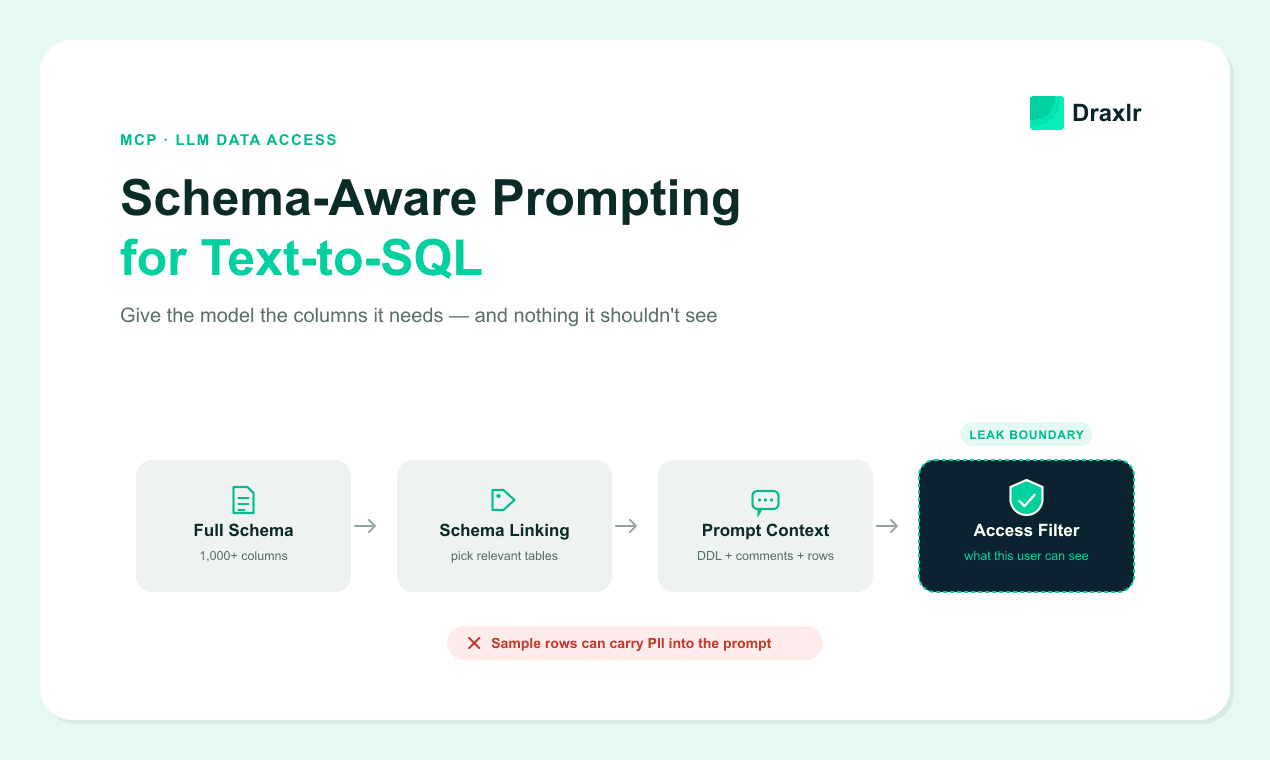
That has two consequences for schema context. First, sample rows are production data. A row from users in the prompt is a real name, email, and phone number sitting in a context window that may be logged, cached, or echoed back in an explanation. Redact or synthesize sample values for any table with personal data — don't paste live rows.
Second, the table list itself is a disclosure. Showing the model a salaries table or an experiments table tells the user one exists, and a model that can see it can be steered to query it. This maps directly to two entries in the OWASP Top 10 for LLM Applications — prompt injection and sensitive information disclosure — and the schema prompt sits on both.
The fix is to build the candidate schema per request, from the same permission check that guards your normal API. If a support agent's session can't read financial tables through the product UI, the schema selector for that session shouldn't see them either.
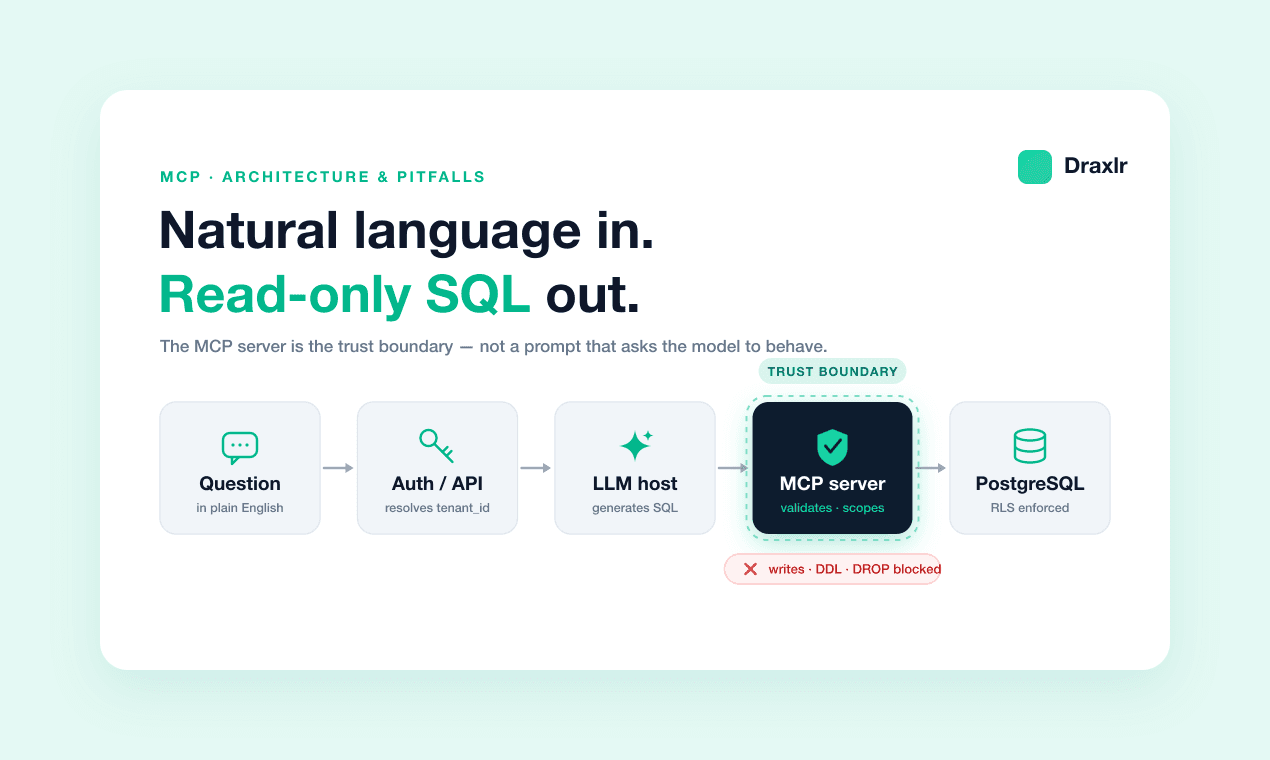
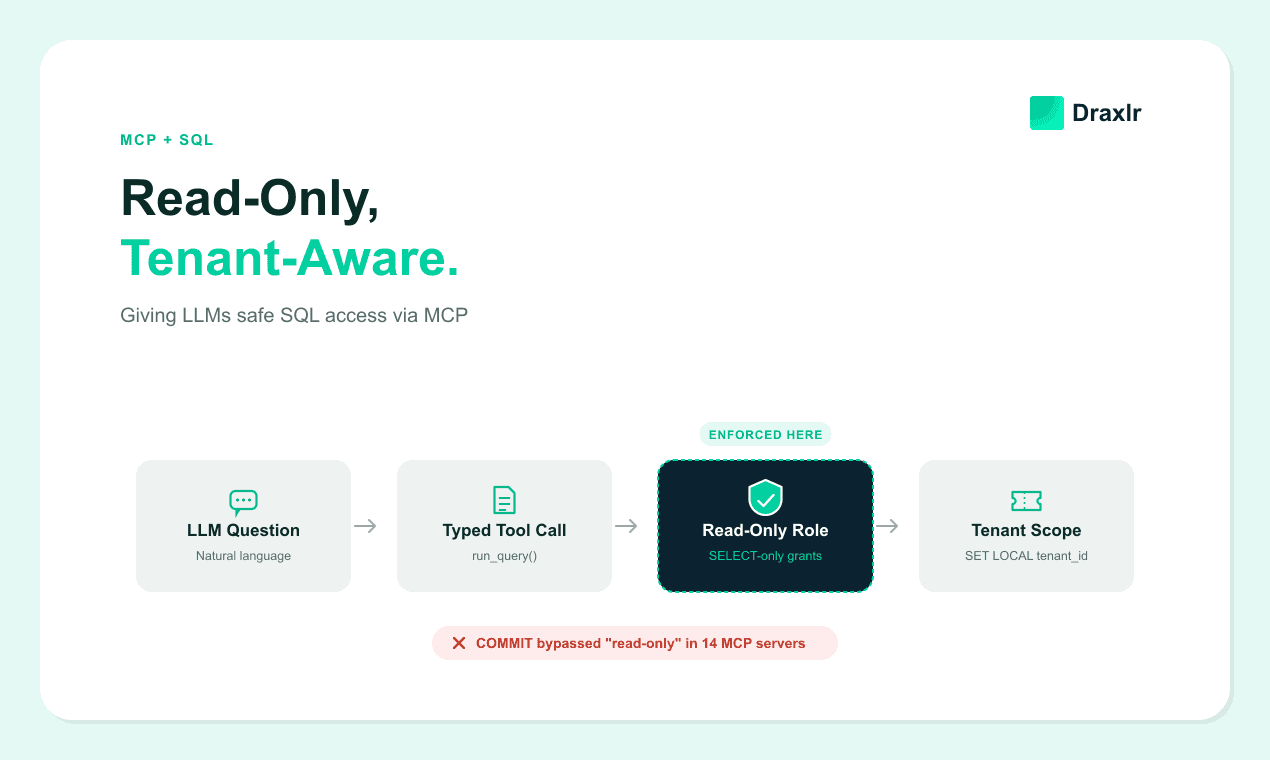
Tenant scope works the same way. The schema is filtered to that tenant's visible tables, and the tenant filter on the query itself is injected server-side — the same mechanics as read-only, tenant-aware MCP access and the SET LOCAL pattern in row-level security for multi-tenant analytics.
How Do You Know Your Schema Context Is Good Enough?
Measure schema recall separately from query correctness, because they fail for different reasons. A dbt Labs benchmark published in 2026 tested text-to-SQL over a 15-table normalized schema, and it needed the whole schema in context to work at all — an approach the authors call impractical for larger datasets (dbt Labs, Semantic Layer vs. Text-to-SQL: 2026 Benchmark Update, 2026).
The same write-up flags the failure mode that makes evaluation non-optional. Text-to-SQL returns plausible but incorrect answers silently, where a semantic layer would raise an explicit error.
A lightweight harness catches this before users do:
- Gold set. Collect 50 real questions with human-verified SQL and expected results. Refresh it as the schema changes.
- Schema recall. For each question, check whether your selector returned every table the gold SQL references. Track the miss rate — that's your recall ceiling.
- Execution match. Run the generated SQL and compare result sets, not query strings. Two different queries can be equally correct.
- Regression on drift. Re-run the harness on every schema migration. A renamed column silently breaks a cached schema resource.
Did the model get the wrong answer because it wrote bad SQL, or because your selector never showed it the right table? Only the split metric tells you which half to fix. Every time we have run this against a wide analytics warehouse, most of the "wrong" answers traced back to a selector miss, not bad generation — and the two fixes look nothing alike.
For the parsing-and-grounding side of that pipeline, see how natural language to SQL works under the hood.
Frequently Asked Questions
How many tables can an LLM handle in one prompt?
There's no fixed limit, but accuracy and cost both degrade as irrelevant tables pile up, and very large schemas stop fitting entirely — on the hardest Spider 2.0 databases the raw schema runs to millions of tokens (Liu et al., 2026). Aim to send every table the query needs plus a modest buffer, not the whole database.
Do modern reasoning models still need schema linking?
Only when the schema doesn't fit the context window. A 2024 study found capable models use the right tables even amid irrelevant ones, and its top BIRD pipeline skipped filtering when the full schema fit (Maamari et al., 2024). Past that point, you must select — and should favor recall over precision.
Should I include sample rows in the schema prompt?
Yes for accuracy, with a caveat. Two or three real rows resolve ambiguity that column names alone can't — enum versus free text, date versus timestamp. But sample rows are production data. Redact or synthesize values for any table holding personal information before it reaches the prompt.
What's the difference between schema linking and schema formatting?
Schema linking chooses which tables and columns go into the prompt; formatting decides how they're written. Both affect accuracy independently. Compression research improved end-to-end execution accuracy by up to 1.9 points and lifted schema recall on the hardest databases from 0% to 56.5% by improving representation alone (Liu et al., 2026).
Conclusion
Text-to-SQL accuracy in production is mostly a context-engineering problem, not a model-selection one. The benchmark numbers that matter — 10.1% on real enterprise schemas versus 86.6% on clean ones — move when you change what the model sees, not which model you call.
Build the schema prompt in three deliberate steps. Select tables with recall as the priority, so you never starve the model of a column it needs. Format them compactly, with column comments and two or three sample rows to kill ambiguity. Filter the whole thing through the current user's permissions, so the prompt can't disclose a table they were never allowed to touch.
Then measure. Track schema recall and execution match against a small gold set on every schema change. The failure you're guarding against is the one that returns a confident, wrong number and no error at all.
About the author

Vivek is a coder and the founder of Draxlr who cares deeply about building good products. He works at the intersection of AI, SQL, dashboards, and embedded analytics, with a strong focus on making complex data workflows feel simple, useful, and fast for real teams.
If you have questions about anything in this guide, or want to compare options for your specific stack, you can email Vivek at vivek@draxlr.com, try Draxlr free, or reach out directly through the Draxlr team.