White Label Analytics: What's Actually Included and What Is Not
What is white label analytics? See what it includes, what vendors gate behind higher tiers, how SaaS teams use it, and where vendor pricing starts in 2026.
Every article about white label analytics tells you the same three things. It means putting your brand on someone else's dashboards, it saves engineering time, and it makes your product stickier. All true. None of it helps you buy.
The question you actually have is narrower and harder to answer. If I pay for this, what do I get?
That turns out to be surprisingly difficult to find out, because "white label" is not one product. It describes two different things that pricing pages rarely separate, and the gap between them is often the difference between $75 and $1,995 a month.
This guide covers what white label analytics actually includes, the specific things it usually does not, which vendors gate it behind which tier as of July 2026, and the checklist to run before you sign anything.
What is white label analytics?
White label analytics is the practice of taking a third-party analytics platform, removing every trace of the vendor's identity, and presenting the result to your users as a native part of your own product.
It sits inside the broader category of embedded analytics, but the two are not synonymous, and this is the first place buyers get burned. Embedded analytics means analytics rendered inside your application. The vendor's branding may still appear in the corner of a dashboard, in an export footer, on a loading screen, in the page title, or in the URL of a network request. White label analytics means those traces are gone.
You can have embedded analytics that is not white labeled. Most free and entry tiers are exactly that.
White label vs. embedded
Two terms get used interchangeably when they shouldn't be.
| Term | What it actually refers to |
|---|---|
| Embedded analytics | Analytics rendered inside your app. Says nothing about branding. |
| White label analytics | The branding and customization layer. Vendor identity removed. |
Every white label deployment is an embedded one. The reverse is not true, and that asymmetry is where the cost difference sits. A vendor answering "yes, we support embedding" has not answered the branding question, so ask them separately.
Dashboard-level and platform-level are two different products
This is the split that determines your price, and almost no vendor states it plainly.
-
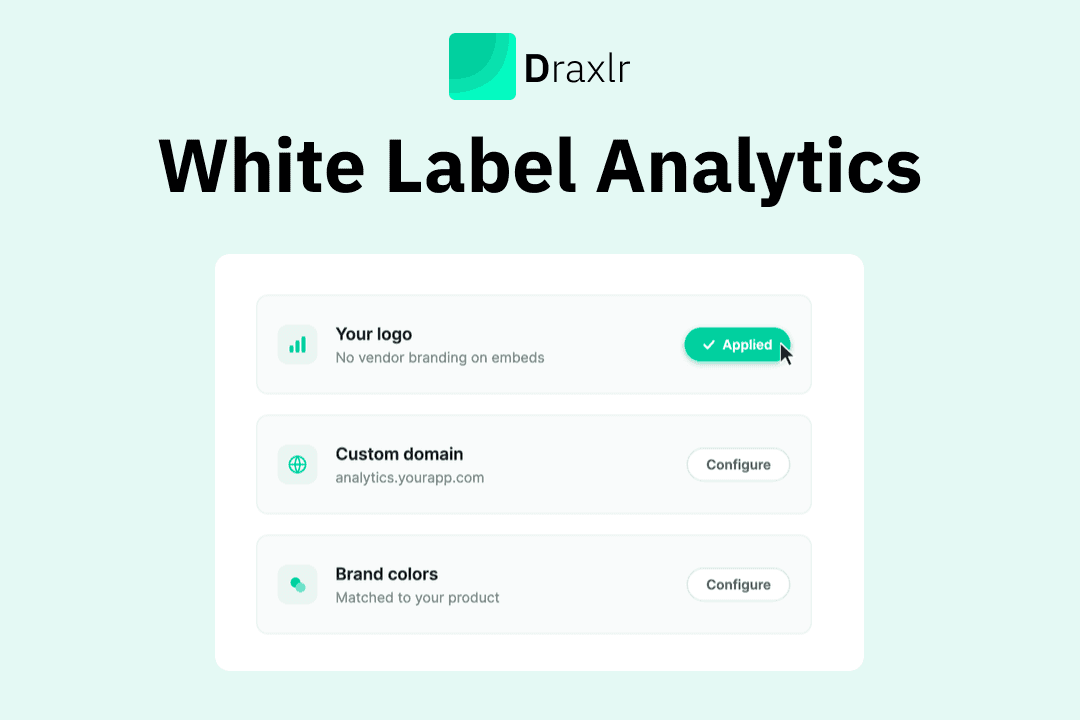
Dashboard-level white labeling means the embed carries no vendor marks. Your customers open your app, see a chart, and there is no logo, no "powered by," no attribution. They never leave your product, so they never see the vendor's interface at all, because there isn't one to see.
-
Platform-level white labeling means the entire BI application becomes yours. Your domain. Your login page. Your logo in the nav. Your name in the browser tab. Users can log directly into the analytics product itself and still never learn who built it.
These solve different problems. If you are embedding charts into a SaaS product your customers already log into, you need the first. If your customers need an analytics workspace of their own that they log into directly, you need the second.
Platform-level costs more to build and support, so it carries a higher price. Where the two get bundled into a single "white labeling" line item, buyers who only need dashboard-level can end up quoted for platform-level. When a pricing page says white labeling is Enterprise only, it usually covers both under one price.
Draxlr splits them explicitly. white labeled embedded dashboards are included in the Premium plan at $75/month. Full-app embedding, meaning the whole analytics workspace inside your product under your domain and your login, starts on the Power plan at $250/month. If you also want Draxlr on your own servers, the Self-Host plan starts at $500/month and leaves you in control of the data and the infrastructure underneath it. If you only need dashboard-level white labeling, you never pay for the rest.
What you can actually white label
The surface area is larger than most teams check before signing. It breaks into four layers.
The visual layer
- Logos and wordmarks. The obvious one, and the only one some tiers actually deliver.
- Colors, fonts, and themes. Usually handled through CSS variables, which is what makes per-tenant theming possible at runtime.
- Layout and navigation. Menu structure, dashboard organization, information hierarchy.
- Chart styling. Palettes, typography, and interaction affordances.
- Login and authentication screens. Only relevant for platform-level.
- Loading states and empty states. Frequently missed, and frequently still branded.
The domain layer
- Custom domain or subdomain (
analytics.yourproduct.com) with automated TLS certificate management. - Page titles and browser tab text.
- Favicon.
The output layer
This is where teams get caught. Your dashboard can be perfectly branded and still leak the vendor at the edges.
- PDF and Excel exports. Does the footer carry your logo or theirs?
- Scheduled email reports. Do they come from your domain through custom SMTP, or from
noreply@vendor.com? - Shared links. Does the URL expose the vendor's domain?
- Error messages. Does a failed query surface the vendor's product name?
The per-tenant layer
Sub-branding, sometimes called per-tenant theming, lets you apply different styling to different customers within one deployment. If you run a multi-tenant product where each of your customers wants their logo on their dashboards, this is the capability you're looking for. It's a meaningfully different feature from single-brand white labeling and is gated separately by several vendors.
What is usually NOT included
These are the things that "white labeling included" routinely does not cover.
1. Custom domain. Logo removal and custom domain are separate features at most vendors, gated at different tiers. A plan can advertise "white labeling" and still serve your dashboards from app.vendor.com. Ask specifically.
2. Branded exports and emails. Covered above, and worth repeating because it's the single most common gap. Teams ship a polished embed, then a customer downloads a PDF with someone else's logo on it.
3. Removing the vendor from network requests. Anyone who opens DevTools will see calls going to the vendor's domain. Almost no vendor removes this, and most buyers never check. Whether it matters depends on how technical your customers are, but decide that deliberately rather than discovering it later.
4. Sub-branding and per-tenant themes. Single-brand white labeling is not per-tenant white labeling.
5. Removing attribution on free tiers. Open-source and free tiers commonly require you to keep vendor attribution visible. That is the trade for free.
6. The support experience. When your customer has a question about a chart, they ask you, not the vendor. White labeling transfers the support burden along with the branding. Budget for it.
Where white labeled embedded dashboards start across vendors in 2026
Verified against vendors' own pricing pages in July 2026. Pricing in this category changes frequently, so check the source links before relying on any of it. For a wider feature-by-feature comparison, see our guide to the best embedded analytics platforms.
| Vendor | Entry price | Where white labeling starts | Notes |
|---|---|---|---|
| Draxlr | $25/month (Lite, no embedding) | $75/month, white labeled embedded dashboards included | - |
| Metabase | Free (OSS) or $100/month Starter | $575/month (Pro) | Free tier requires visible attribution. Pro is "whitelabel ready." |
| Luzmo | €1,995/month (single plan, billed annually) | €1,995/month (included) | One plan with white labeling included. Priced in euros. |
| Sisense | Not published | Enterprise tier (contact sales) | Sisense no longer publishes tier pricing. The plans page now lists Enterprise and Self-Serve only, with full white-labeling under Enterprise. |
| ThoughtSpot | Free Developer tier | Enterprise | Developer tier limited to 10 users and 25M rows. |
| Looker | Not published | Included, enterprise contract | Licensed per viewer, so model the cost against your expected viewer count. |
| Domo | Not published | Enterprise contract | No public pricing. |
Two patterns are worth pulling out of that table, because they shape your budget more than the headline number does.
The entry price and the white-label price are often different tiers. Metabase's Starter is $100 and its white-label tier is $575. Both prices are published openly, but it's easy to anchor on the entry number and end up budgeting for a plan that doesn't include the branding you came for. Price the tier you actually need.
Check how the pricing model treats your customers as users. Metabase's pricing page is explicit about this, noting that "both your internal team developing analytics and users of your embeds accessed through your product count as users." At $12 per user per month on Pro, a product with 500 customers on interactive embeds works out to roughly $6,000/month in viewer fees alongside the $575 tier. That may be entirely reasonable for your numbers. The point is that a flat branding fee and a per-viewer model scale very differently, so run the arithmetic against your own customer count before you compare list prices.
What to ask vendors before you sign
Generic feature questions get generic answers. These don't.
- Is white labeling dashboard-level, platform-level, or both, and are they priced separately?
- Does "white labeling" on this tier include a custom domain, or only logo removal?
- Do PDF exports and scheduled emails carry my branding? Can emails send from my domain?
- Is tenant isolation enforced at the data layer or the application layer?
- How are embed tokens scoped, signed, and rotated?
- Do cached query results, exports, and autocomplete suggestions respect tenant boundaries?
- How do you define an "active user," and does a customer viewing an embedded dashboard count as one?
- What SLA covers the embedded endpoints specifically, rather than the platform generally?
- Can you provide audit log access, and what fields are captured?
- Do you support sub-branding, meaning different themes per tenant?
- What is the all-in cost at 10x my current customer count?
Question 7 is the one that changes budgets. Question 11 is the one that changes vendors.
Total cost of ownership
The license fee is rarely the number that matters. Model all of these.
- Platform license. Per-seat, consumption, or flat.
- Viewer fees. The variable that compounds against you as you grow.
- Engineering time. Implementation plus ongoing maintenance.
- Infrastructure. If you self-host.
- The tier jump. Budget for the plan that actually has white labeling rather than the entry plan.
A platform quoting $20,000/year can land near $80,000 once implementation, training, and engineering time are counted. A platform charging per viewer can land anywhere, and you won't know where until you've grown. We break the models down further in our guide to embedded analytics pricing.
Use cases
SaaS product analytics. You embed dashboards into a product your customers already log into. You need dashboard-level white labeling and multi-tenant isolation. You do not need a custom domain, because your customers never see the analytics platform as a destination.
Customer portals. An agency or service provider gives each client a branded portal. Platform-level white labeling, custom domain, and sub-branding all become relevant.
Data monetization. Analytics sold as a paid tier, with view-only at the base, interactive in the middle, and alerts and scheduled reports at premium. This is where per-viewer pricing matters most, because your revenue scales with viewers and so does your cost.
Internal tools. You probably don't need white labeling at all. Don't pay for it.
Conclusion
"White label" describes two products at very different prices. Dashboard-level branding puts unbranded charts inside a product your customers already log into, which is what most SaaS teams actually need. Platform-level branding gives them a workspace of their own, with your domain and your login, and it costs considerably more.
Work out which one you are buying before you compare a single number, then get the specifics in writing rather than assuming they arrive with the label. Whether the tier includes a custom domain or only logo removal, whether exports and scheduled emails carry your branding, and how the vendor counts a customer viewing a dashboard will each move your real cost more than the headline price does.
Know which one you need? Draxlr includes white labeled embedded dashboards with no vendor branding and no per-viewer fees, on the Premium plan from $75/month.
Try Draxlr today →FAQs
1. What is the difference between white label analytics and embedded analytics?
Embedded analytics means analytics rendered inside your product. It says nothing about branding, and vendor marks may still appear in exports, footers, loading screens, or page titles. White label analytics specifically means those traces are removed. All white label analytics is embedded. Not all embedded analytics is white labeled.
2. Does white labeling always include a custom domain?
No. This is the most common gap between what "white labeling" implies and what a tier delivers. Logo removal and custom domain are separate features at most vendors and are frequently gated at different price points. Ask explicitly.
3. What does white label analytics cost?
It ranges widely. Draxlr includes white labeled embedded dashboards at $75/month, and full-app embedding, with the whole workspace under your brand, from the Power plan at $250/month. Metabase gates white labeling at its $575/month Pro plan. Luzmo includes it in its single plan from €1,995/month. Sisense, Looker, ThoughtSpot, and Domo place full white labeling in enterprise contracts without published pricing.
4. Do embedded analytics tools charge per customer viewer?
Many do. Metabase's pricing page states that users of your embeds count as billable users, at $12/month each on Pro. Looker charges per viewer annually. Luzmo's price scales with customer usage. Draxlr does not charge per viewer on any plan.
5. Can I white label PDF exports and scheduled emails?
Sometimes, and it's worth confirming, because it's routinely missed. A fully branded dashboard that exports a PDF with the vendor's logo undoes the work. Custom SMTP configuration is what lets scheduled reports send from your domain.
6. Does white labeling affect security or performance?
White labeling itself is a presentation-layer change and doesn't alter data access controls. But it usually arrives alongside multi-tenancy, which is very much a security concern. Enforce tenant isolation at the data layer, sign tenant identity in a backend-generated token, and verify that caches, exports, and metadata respect tenant boundaries.
7. What is sub-branding?
Applying different visual themes to different tenants within a single deployment, so each of your customers sees their own branding. It is distinct from single-brand white labeling and gated separately by several vendors.
8. How long does implementation take?
Four to eight weeks is realistic for platforms where multi-tenancy and embedding are native. Draxlr teams typically have a first embedded dashboard live within one to two weeks of connecting a database. Platforms requiring a semantic modeling layer take substantially longer.
9. Do I need platform-level white labeling?
Only if your customers log into the analytics product as a destination, such as a standalone client portal. If you're embedding charts into a product they already use, dashboard-level is sufficient and considerably cheaper.
About the author

Vivek is a coder and the founder of Draxlr who cares deeply about building good products. He works at the intersection of AI, SQL, dashboards, and embedded analytics, with a strong focus on making complex data workflows feel simple, useful, and fast for real teams.
If you have questions about anything in this guide, or want to compare options for your specific stack, you can email Vivek at vivek@draxlr.com, try Draxlr free, or reach out directly through the Draxlr team.