How to embed a MySQL dashboard in your app
Embed a MySQL dashboard in your app with Draxlr. Build dashboards on live MySQL data, set up row-level security, and embed them with HTML, React, or Vue.
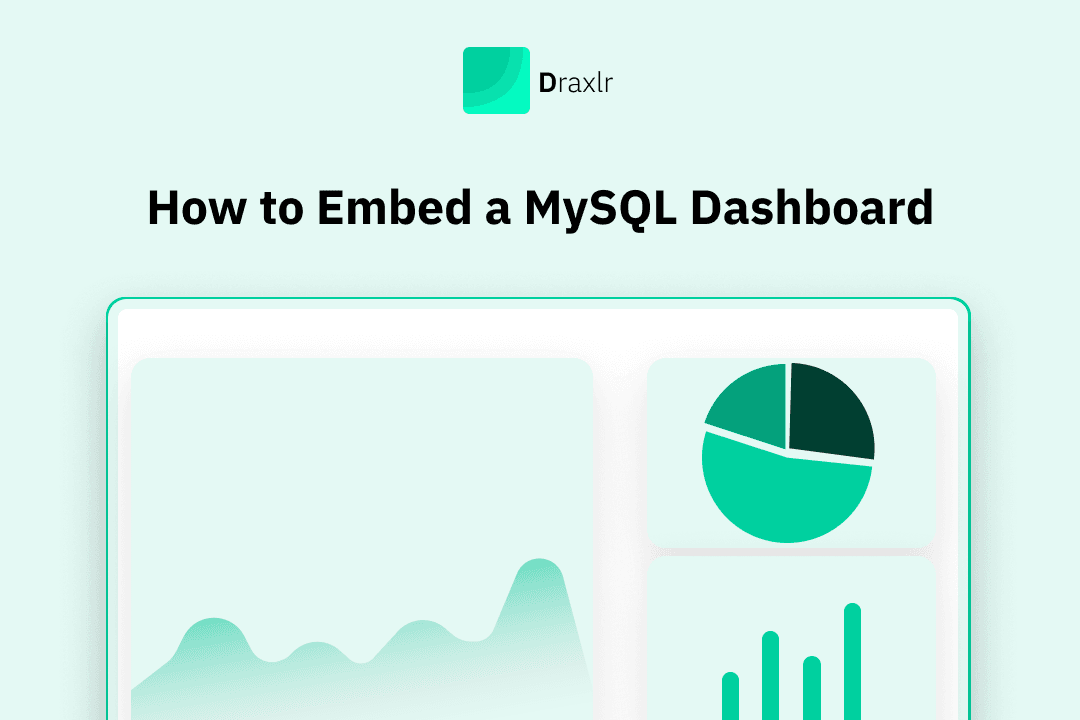
Embedding a MySQL dashboard directly into your app is one of the fastest ways to turn raw database data into actionable insights for your users without forcing them to switch tools. Whether you are building a SaaS product, an internal admin panel, or a customer-facing analytics experience, an embedded MySQL dashboard lets you visualize metrics, track trends, and monitor performance in real time, all inside your existing application.
In this guide, we will walk through the practical and scalable way to embed a MySQL dashboard.
Why Embedded MySQL Dashboards Matter for Customer-Facing Analytics
Customer-facing analytics, also known as embedded or in-app analytics, means displaying dashboards and reports directly inside your application using data from your MySQL database. Instead of sending users to external tools or offline exports, analytics becomes part of the product experience.
What embedded MySQL dashboards enable
- Show real-time charts, tables, and key metrics inside your app
- Surface live MySQL data without manual exports or reports
- Keep users in context without switching tools or interfaces
Why embedding analytics improves the user experience
- Users access insights exactly where they already work
- Metrics update in real time, not through delayed spreadsheets
- Trends and performance are easier to understand in context
- Faster, more confident decision-making
How embedded dashboards help product teams
- Turn raw SQL data into a built-in product feature
- Avoid building and maintaining custom analytics from scratch
- Control access to data at the user or role level
- Reduce engineering effort while keeping flexibility in visualization
The long-term impact on your product
- Build trust through transparent, real-time data access
- Increase engagement and retention with meaningful insights
- Make analytics a core part of the application, not an add-on
What to Consider When Choosing How to Embed a MySQL Dashboard
There is no single best way to embed a MySQL dashboard into an application. The right approach depends on how tightly analytics needs to integrate with your product, how quickly you need to ship, and how much flexibility you want over time.
Rather than thinking only in terms of tools or implementation details, most teams evaluate their options across a few practical dimensions. Below are some of the most common questions teams ask when choosing an approach for embedded MySQL analytics.
1. Product experience and visual consistency
Embedded analytics should feel like a natural extension of your application. If dashboards look or behave differently from the rest of the product, users immediately notice. Teams often prioritize approaches that allow analytics to follow the same layout patterns, design system, and interaction models as the rest of the app.
2. Flexibility in how data is presented
Different products require different ways of showing data. Some teams need simple charts, while others require highly customized views, filters, or user-specific metrics. An embedding approach should not limit how data can be queried, visualized, or scoped per user.
3. Performance and reliability at scale
Customer-facing dashboards are held to higher performance standards than internal reports. Users expect pages to load quickly and data to feel responsive, even when dashboards are backed by large MySQL tables. Any approach that introduces noticeable latency can quickly become a bottleneck.
4. Speed of development and iteration
Analytics requirements change frequently. Teams value approaches that allow them to launch dashboards quickly and adapt them over time without repeated engineering effort. Faster iteration often matters more than perfect customization on day one.
5. Ongoing engineering effort
Building dashboards directly on top of MySQL can provide maximum control, but it also increases maintenance costs. Many teams look for approaches that reduce the amount of custom code required, especially for common features like filtering, permissions, and updates.
6. Ability to grow with future needs
What starts as a simple dashboard often evolves into something more complex. Teams consider whether their chosen approach can support future needs such as role-based access, additional data sources, alerts, or more advanced analytics without requiring a full rebuild.
7. Total cost over time
Cost is not limited to upfront tooling or licensing. It also includes development time, infrastructure, and long-term maintenance. Understanding the full cost helps teams choose an approach that remains sustainable as usage grows.
Approaches to Embed a MySQL Dashboard in Your App
When embedding a MySQL dashboard into your application, you can choose between two approaches. The right option depends on how much customization you want, how quickly you need to ship, and how much engineering effort you are willing to invest.
1. Use a BI tool that supports embedding and pre-embed customization
One common approach is to use a BI or embedded analytics tool like Draxlr where most of the customization happens while building the dashboard, before it is embedded into your app.
With tools like Draxlr, you first connect your MySQL database, build dashboards, and configure how data should be looked, queried, filtered, and displayed. This includes defining charts, tables, layouts, color scheme, filters, access rules, and visual settings upfront.
Once the dashboard is ready, it can be embedded into your application using an iframe or a frontend SDK. Because the dashboard is already fully configured, the embedded version behaves like a ready-made feature inside your app, without requiring additional analytics logic in your frontend or backend.
This approach works well for teams that want:
- Faster time to market
- Minimal custom analytics code
- Strong control over dashboard behavior and appearance before embedding
- The flexibility to update dashboards without redeploying their application
2. Build custom dashboards
Another approach is to build dashboards entirely in-house by querying MySQL directly and rendering charts.
This gives you complete control over the user experience and data flow, but it also requires significantly more development effort. Teams must handle SQL queries, performance optimization, permissions, filtering logic, visualization, and ongoing maintenance themselves.
Custom-built dashboards are typically chosen when analytics requirements are highly specialized or when teams already have dedicated resources to maintain a custom analytics layer.
In the next section, we’ll walk through how to build and embed a MySQL dashboard the easiest way using a BI tool called Draxlr, focusing on the customization options available before embedding.
How to Build and Embed a MySQL Dashboard with Draxlr
Draxlr lets you create fully customizable MySQL dashboards and embed them into your application without building analytics from scratch. Before anything is embedded, you can configure how the dashboard looks, behaves, and filters data so it fits naturally into your product.
1. Connect your MySQL database
Start by connecting your MySQL database using your database credentials or by pasting an existing MySQL connection string from your application or hosting provider using the 'Import from URL' option.
If your MySQL database restricts access by IP address, you can add the Draxlr IP shown during setup to allow the connection. And for databases that must remain private, SSH connections are supported, enabling Draxlr to query your MySQL data securely.
Once connected, Draxlr automatically reads your schema and makes your tables available for building dashboards.
2. Build your dashboard for MySQL data using flexible query options
After connecting MySQL, you can start building your dashboard using the approach that best fits your workflow. Draxlr supports three ways to work with your data:
- Visual Query Builder to create queries through clicks without writing SQL
- AI SQL to generate queries from plain-text prompts
- Raw SQL for full control over complex queries
You can mix these query types within the same dashboard. Charts, tables, and metrics update instantly as you make changes, and layouts can be rearranged using drag-and-drop. Every element is powered directly by live MySQL data.
All dashboard structure and queries are saved automatically, so any future changes to queries, filters, or layout are reflected across all embedded instances.
3. Set up row-level security
Before embedding, decide which rows each customer is allowed to see. Draxlr handles this with row-level security (RLS), which applies to every dashboard you embed.
You set RLS up once, in three pieces:
- A permission chooses which MySQL tables the embed can use and adds row rules to them, such as
account_idequals theaccountIdattribute. - An RLS group attaches that permission. One permission can back as many groups as you need.
- The embed token names the group and carries the signed-in customer's attribute values. Your backend sends them when it requests the token, for example
"rlsGroup": "Customers"and"attributes": { "accountId": 42 }.
Draxlr applies the group's rules with those values to every query behind the embed, including dashboard filters, drill-downs, and exports. Because the values travel in a token your server requests with your API secret, a customer can't edit them in the browser to see another account's rows, and tables the permission doesn't allow aren't available at all. Row-level security for embeds is included on the Power plan and above.
4. Customize the embedded dashboard experience
Draxlr gives you extensive control over how the embedded MySQL dashboard appears inside your app. From the Embed settings page, you can:
- Show or hide headers and UI controls
- Enable or disable export options
- Adjust background colors and layout behavior
- Control interactions such as drill-downs and tooltips
These settings allow you to match the embedded dashboard to your application’s design and user experience before embedding it.
5. Configure dashboard-level filters
If your dashboard includes filters, configure them directly in the Embed settings. You can choose which filters are exposed, define operators such as BETWEEN or IN, and set default values.
Once enabled, filters become part of the embedded experience, allowing users to refine data without leaving your application. Row-level security still applies to every filter, so customers only ever refine within their own rows.
6. Embed the dashboard into your application
After configuration is complete, copy the generated embed code. Draxlr provides multiple embed options:
- HTML embed
- React component
- Vue component
For customer-facing embeds, enable backend API mode so your server requests the embed token and sends the customer's RLS group and attribute values with it. Paste the embed code into your application, and the MySQL dashboard loads instantly with live, user-specific data.
Conclusion
Embedding a MySQL dashboard into your application is most effective when analytics is treated as part of the product, not an add-on. By building and customizing dashboards before embedding, you ensure users see relevant data in a way that feels natural inside your app. Using a tool like Draxlr removes the need to build and maintain analytics from scratch, while still giving you control over queries, filters, and access rules. As your product evolves, embedded MySQL dashboards can be updated and extended without redeploying your application, making analytics easier to manage and scale over time.
FAQs
1. Can I embed a MySQL dashboard in a customer-facing application?
Yes. You can embed MySQL dashboards directly into customer-facing applications using a BI or embedded analytics tool, allowing users to view charts, tables, and metrics inside your app instead of in a separate analytics tool.
2. Do I need to write SQL to embed a MySQL dashboard?
Not necessarily. While SQL gives you full control, dashboards can also be built using visual query builders or AI-generated queries. You can mix visual queries, AI SQL, and raw SQL within the same dashboard.
3. Can each user see only their own MySQL data?
Yes. Embedded dashboards can be configured to filter data based on user-specific identifiers such as user ID or organization ID. These values are passed from your application and applied automatically, so each user sees only the data they are allowed to access.
4. Can I customize the dashboard before embedding it?
Yes. Dashboards can be fully customized before embedding, including charts, layouts, filters, access rules, and visual settings. Once embedded, the dashboard behaves like a ready-made feature inside your application.
5. Can I update embedded dashboards without redeploying my app?
Yes. Since dashboards are managed outside your application code, updates to queries, filters, or layouts do not require a redeploy. The embedded dashboard reflects changes automatically.
About the author

Ameena is the founder of Draxlr, a modern business intelligence platform focused on making data analysis simpler and faster. She writes about embedded analytics, databases, SQL, dashboards, and building scalable data products for modern teams.
If you have questions about anything in this guide, or want to compare options for your specific stack, you can try Draxlr free, or reach out directly through the Draxlr team.