Best Yellowfin BI Alternatives in 2026
Explore the best Yellowfin BI alternatives in 2026. Compare features, pricing, AI capabilities, embedded analytics, and ease of use to find the right BI platform for your team.
Finding the right Yellowfin BI alternative can have a significant impact on how your team builds dashboards, explores data, and delivers analytics to internal stakeholders or external customers. While Yellowfin is a well-regarded business intelligence platform with solid collaboration features and its proprietary Signals engine for automated anomaly detection, it is not the right fit for every organization. Teams running complex embedded analytics workloads, organizations with budget constraints, and companies that need deeper AI capabilities regularly evaluate Yellowfin BI alternatives.
Whether you are frustrated by Yellowfin's performance at scale, its steep learning curve for non-technical users, its cost structure, or simply want to explore what the current BI landscape offers, this guide covers the strongest alternatives available today. Each option has been evaluated against the dimensions that matter most: ease of use, pricing transparency, embedded analytics capability, AI features, database connectivity, and enterprise readiness.
What is Yellowfin BI?
Yellowfin BI is a business intelligence and analytics platform founded in 2003 and acquired by Idera Inc. in January 2022. It is used by organizations in healthcare, retail, financial services, manufacturing, higher education, hospitality, and utilities to build dashboards, automate reporting, and surface data-driven insights across technical and non-technical audiences alike.
The platform is built around four core products that work together as a suite. Yellowfin Dashboards provides interactive data visualization and KPI tracking. Yellowfin Signals is the platform's most distinctive capability — an automated anomaly detection and monitoring engine that continuously scans live data, identifies statistically significant changes, and proactively alerts users to outliers, trends, and unusual patterns without requiring manual threshold configuration. Yellowfin Stories enables teams to build narrative reports that combine charts with written context, turning raw data into guided presentations for non-technical stakeholders. Yellowfin Present takes this further by assembling those stories into polished, board-ready slide presentations driven by live data.
Yellowfin supports both cloud-hosted and on-premises deployment, which makes it attractive to regulated industries where data residency matters. Its embedded analytics capability allows software vendors to white-label and embed Yellowfin dashboards inside their own products through a JavaScript API.
Where Yellowfin earns genuine praise is in the maturity of its automated monitoring and its collaborative storytelling features — areas where many competing BI tools require third-party integrations or custom development to match. Where it falls short is in performance at high data volumes, per-user licensing costs at scale, and the engineering effort required to achieve production-grade embedded analytics. These gaps explain why so many organizations actively search for a Yellowfin BI alternative.
Why consider a Yellowfin BI alternative?
Before comparing alternatives, it is worth understanding the specific limitations that drive users away from Yellowfin. These pain points are consistent across recent reviews and are not edge cases — they reflect real constraints of the platform architecture and pricing model.
1. Performance degradation at high data volumes
Approximately 95% of recent reviews that mentioned performance cited slowdowns when querying large datasets. Yellowfin's query engine can struggle with high-concurrency workloads and complex joins across large tables. Teams that started on Yellowfin with modest data volumes often find themselves looking for a Yellowfin BI alternative once their data warehouse grows.
2. High total cost of ownership
Around 71% of users who discussed pricing described Yellowfin as expensive. Its named-user licensing model means per-seat costs accumulate quickly for larger teams. When you factor in server-based licensing for enterprise deployments and the cost of add-on modules, Yellowfin's TCO over three years for a 50-user deployment can approach $150,000 — a significant commitment that not every organization can justify.
3. Steep learning curve for non-technical users
Approximately 81.5% of reviewers who commented on adoption challenges cited a steep learning curve. Yellowfin offers substantial functionality, but that depth comes with complexity. Business users without SQL knowledge or data training often struggle to self-serve effectively, which increases reliance on centralized data teams and slows analytics delivery.
4. Limited visualization customization
Users frequently note that while Yellowfin's out-of-the-box charts are functional, making detailed adjustments to visual design, layout, or chart behavior is more restrictive than competing platforms. Teams that need pixel-level control over dashboard presentation — particularly for customer-facing embedded analytics — find Yellowfin's customization ceiling frustrating.
5. Embedded analytics complexity
Yellowfin does support embedded analytics through its JavaScript API, but achieving production-grade multi-tenancy, row-level security, white labeling, and SSO integration requires substantial engineering effort. SaaS companies embedding analytics into their products often discover that Yellowfin's embedding architecture demands more custom development than purpose-built embedded analytics platforms.
6. Smaller ecosystem and community
Compared to Tableau, Power BI, or Metabase, Yellowfin has a smaller user base, fewer community resources, and a narrower third-party integration ecosystem. Finding pre-built connectors, community-contributed templates, or developers with Yellowfin expertise is measurably harder.
7. AI capabilities lag newer entrants
Yellowfin Signals offers automated anomaly detection, but the platform's broader AI story — particularly around natural language querying and text-to-SQL — lags behind newer BI tools that have built AI assistance into the core authoring experience.
What to look for in a Yellowfin BI alternative
Choosing a replacement BI platform means evaluating multiple dimensions simultaneously. Here is what to prioritize when comparing your options.
1. Ease of use for all skill levels
The best BI tools serve both SQL-fluent analysts and business users who prefer point-and-click interfaces. Look for platforms that offer multiple authoring modes — visual query builders, AI-driven natural language querying, and raw SQL access — so your entire organization can self-serve without a training program.
2. Embedded analytics and white-label readiness
If your use case involves shipping dashboards inside a SaaS product or customer portal, your Yellowfin BI alternative must support iframe, React, or Vue embedding with proper multi-tenant row-level security and white-label branding. Some platforms treat embedding as an afterthought — evaluate it as a first-class capability.
3. Transparent, predictable pricing
Yellowfin's licensing complexity is a known pain point. Prioritize alternatives with clear pricing pages, flat pricing that does not penalize viewer scale, and honest documentation of what is included versus what costs extra. Per-viewer pricing can make embedded analytics prohibitively expensive at scale.
4. AI and text-to-SQL capabilities
Modern BI tools increasingly offer AI assistants that convert plain English questions into SQL queries, surface automated insights, and recommend visualizations. These features materially reduce the time from question to answer for non-technical stakeholders.
5. Database connectivity breadth
Your Yellowfin BI alternative should connect natively to your existing data stack — whether that is PostgreSQL, MySQL, Snowflake, BigQuery, Redshift, ClickHouse, Databricks, or another warehouse — without requiring extra ETL pipelines or data duplication.
6. Performance at scale
Test your candidate platforms against your actual data volumes and query patterns. Some tools that shine in demos degrade under concurrent usage or with large table scans. Real-world performance testing before commitment is non-negotiable.
7. Alerting and monitoring
Yellowfin Signals is one of the platform's strongest capabilities — automated monitoring that flags anomalies and outliers without manual threshold configuration. Look for alternatives that match or exceed this with scheduled alerts, threshold-based notifications, and integrations with Slack and email.
8. Governance and security
Enterprise deployments require row-level security, role-based access control, audit logging, SSO, and compliance certifications. Verify that your chosen alternative handles these at the level your organization requires — particularly SOC 2 Type II, GDPR, and HIPAA certifications for regulated industries like healthcare and financial services.
9. Augmented analytics and headless BI readiness
The BI landscape in 2026 is moving beyond static dashboards. Augmented analytics — the use of AI and machine learning to automate data preparation, anomaly detection, insight generation, and narrative summarization — is rapidly becoming a baseline expectation rather than a premium feature. Separately, headless BI is emerging as an architectural pattern where metrics are defined once in a governed semantic layer and delivered anywhere: dashboards, Slack, APIs, spreadsheets, or embedded product experiences. When evaluating a Yellowfin BI alternative, assess whether the platform is building toward augmented analytics and composable delivery, or whether it is locked into a traditional report-and-dashboard model that is increasingly constraining.
Best Yellowfin BI alternatives in 2026 at a glance
| Tool | Best use case | Ease of use | AI capabilities | Embedded analytics | Starting price |
|---|---|---|---|---|---|
| Yellowfin BI | Collaborative enterprise BI with anomaly detection | Medium | Moderate (Signals) | Available but complex | $50/user/month |
| Draxlr | AI powered analytics and embedded dashboards for SaaS | High | Strong (Text-to-SQL) | First-class, flat pricing | $75/month flat |
| Tableau | Enterprise data visualization and exploration | Medium | Moderate | Available (Embedded Analytics) | $70/user/month |
| Microsoft Power BI | Microsoft ecosystem analytics | Medium | Moderate (Copilot) | Available (Premium required) | $10/user/month |
| Looker | Governed semantic layer analytics | Low | Moderate | Available (SDK) | Custom pricing |
| Metabase | Fast self-service BI for small teams | High | Limited | Basic (Pro and Enterprise) | Free (open source) |
| Sisense | Embedded analytics for product teams | Medium | Moderate | Strong (Compose SDK) | Custom pricing |
| Domo | All-in-one cloud BI with ETL and real-time data | Medium | Moderate | Available (Domo Everywhere) | Custom pricing |
| Qlik Sense | Enterprise analytics with associative data engine | Medium | Moderate (AutoML) | Available (Qlik Embedded) | $70/user/month |
| ThoughtSpot | AI-native search-driven analytics | High | Strong (SpotIQ, NLQ) | Available (Embedded Analytics) | Free developer tier |
1. Draxlr
AI powered analytics and embedded dashboards built for teams that need speed
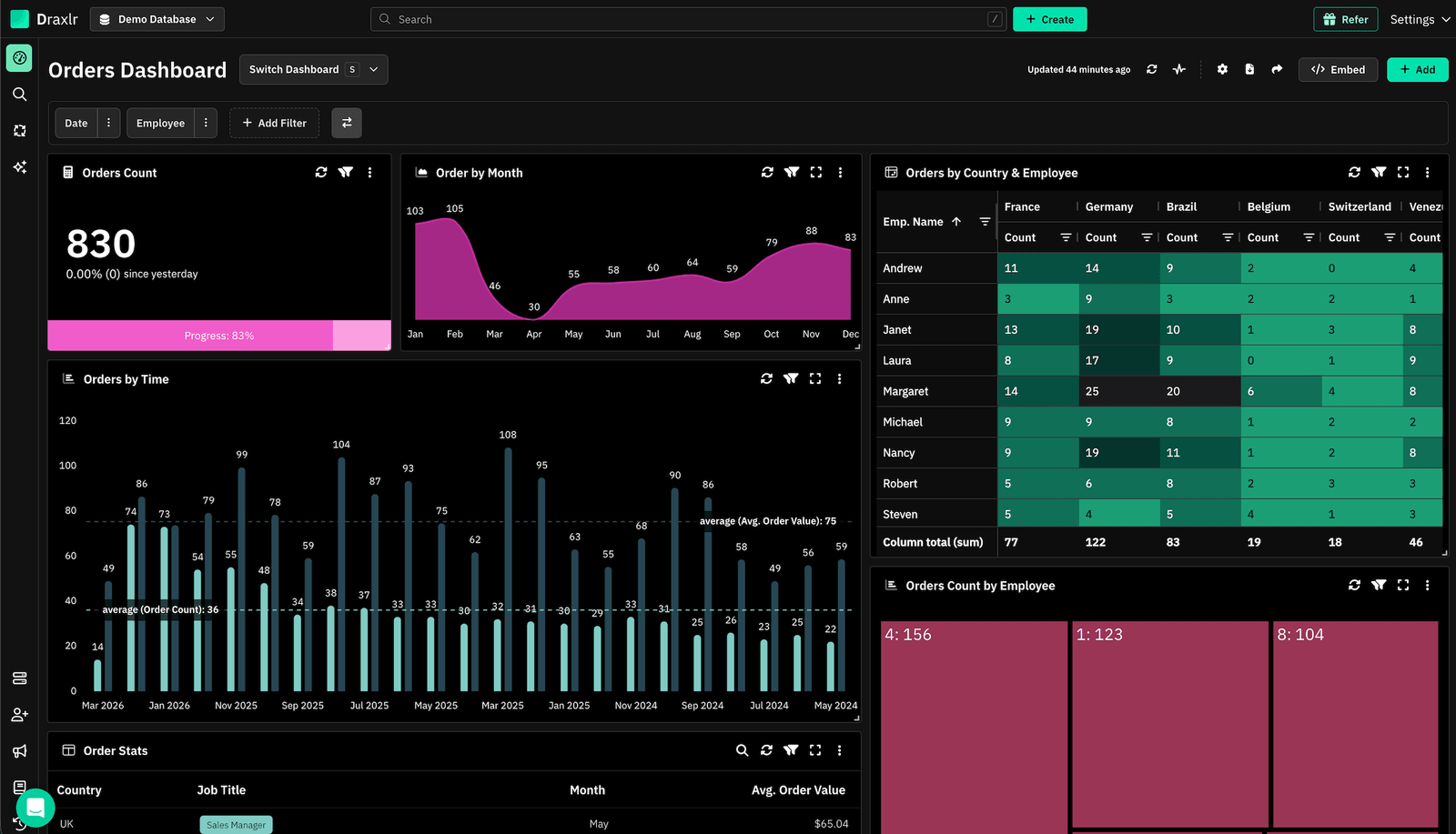
Draxlr is the strongest Yellowfin BI alternative for teams that prioritize ease of use, AI-driven querying, and embedded analytics without complexity. Where Yellowfin requires navigating a feature-rich but occasionally opaque interface, Draxlr offers a clean, immediate experience: connect your database, ask a question in plain English, and get a dashboard in minutes. Its Text-to-SQL AI converts natural language questions into optimized queries — eliminating the SQL barrier that blocks business users from self-serving on Yellowfin.
For SaaS companies specifically, Draxlr's embedded analytics story is compelling. Flat pricing at $75 per month with unlimited external viewers means you can expose dashboards to thousands of customers without per-viewer licensing costs spiraling. Draxlr supports iframe, React SDK, and Vue SDK embedding out of the box, with configurable row-level security, white-label branding, domain restrictions, and drill-down behavior — the features that Yellowfin requires custom engineering to achieve.
Teams migrating from Yellowfin consistently highlight three improvements: faster onboarding for non-technical users, lower maintenance overhead since Draxlr manages infrastructure, and dramatically simpler embedded analytics integration.
Connect your DatabaseKey Features
- AI powered Text-to-SQL that converts plain English into optimized SQL queries — no analyst required
- Three authoring modes: AI chat, Visual Query Builder, and raw SQL editor for power users
- Native connections to PostgreSQL, MySQL, SQL Server, BigQuery, Snowflake, ClickHouse, Redshift, Databricks, MariaDB, CockroachDB, and more
- Embedded dashboards via iframe, React SDK, or Vue SDK with row-level security per tenant
- White-label customization including colors, logos, domain restrictions, and export controls
- Scheduled email and Slack alerts triggered by threshold conditions or data changes
- Interactive filters, drill-downs, and cross-chart filtering on live warehouse data
- Role-based access controls and workspace isolation for multi-team environments
- Zero infrastructure overhead — no servers to provision, scale, or maintain
- Unlimited external viewers on every paid plan with flat, transparent pricing
Pricing
Draxlr's embedding features start at $75 per month (Premium plan) with unlimited external viewers — a pricing structure that directly solves the per-seat cost problem that plagues Yellowfin deployments at scale. Higher tiers unlock dedicated support, SSO, and custom integrations. There are no hidden fees for connectors, API calls, or viewer counts. A free trial is available to test the platform before committing.
2. Tableau
Industry-standard visualization power for data-intensive enterprises
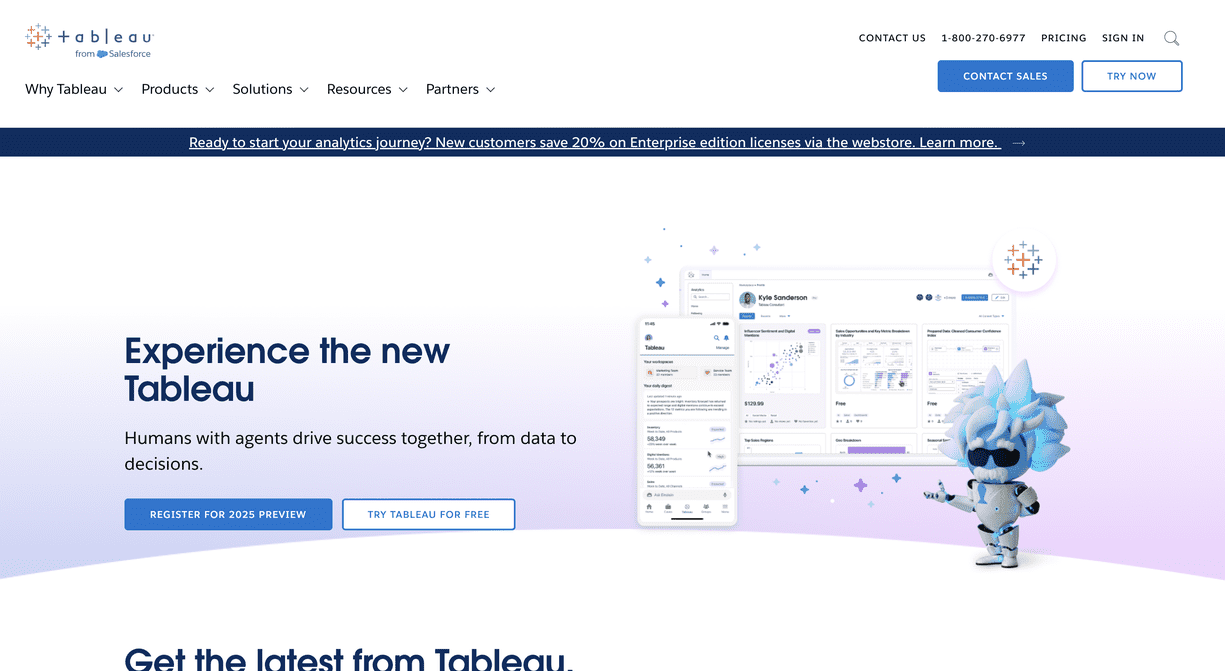
Tableau is the most recognized name in enterprise business intelligence and consistently appears at the top of Yellowfin BI competitor comparisons. While Yellowfin scored 8.7 on overall quality ratings, Tableau achieved 9.2 — driven by its unmatched visualization depth, the VizQL engine that translates drag-and-drop interactions into database queries automatically, and a mature ecosystem of training resources, community forums, and third-party integrations.
Where Yellowfin's charting capabilities can feel limiting when you need precise visual customization, Tableau gives analysts pixel-level control over every visual element. Its desktop authoring experience enables exploratory analysis workflows that are difficult to replicate in browser-based BI tools. For organizations where visualization quality directly influences executive decision-making or client presentations, Tableau's output is consistently the benchmark.
The tradeoff is cost. Tableau Creator licenses start at $70 per user per month, making it more expensive than Yellowfin for comparable user counts. Large viewer pools are expensive, and embedded analytics requires Tableau Embedded Analytics licensing that adds further cost. Teams with tight budgets or high viewer-to-author ratios may find Tableau's licensing model unsustainable.
Key Features
- VizQL engine that translates visual interactions into optimized SQL queries against live connections
- Desktop authoring with granular chart design and layout control across dozens of visualization types
- Native connectors to virtually every major database, warehouse, cloud platform, and SaaS app
- Tableau Prep for visual, no-code data cleaning and transformation pipelines
- Built-in statistical functions, trend lines, clustering, forecasting, and R/Python integration
- Tableau Pulse (AI powered) for automated metric summaries and natural language insights
- Tableau Server and Tableau Cloud for centralized governance, scheduling, and version control
- Row-level security, content access controls, and Salesforce identity integration for enterprise governance
Pricing
Tableau pricing starts at $70 per user per month for Creator licenses and scales down to Explorer and Viewer tiers. Embedded Analytics requires separate pricing discussions with Salesforce. Three-year TCO for a 50-user deployment is estimated around $175,000 — higher than Yellowfin but justified for organizations where visualization sophistication directly drives outcomes. A 14-day free trial is available for Tableau Cloud.
3. Microsoft Power BI
The natural Yellowfin alternative for Microsoft-centered organizations
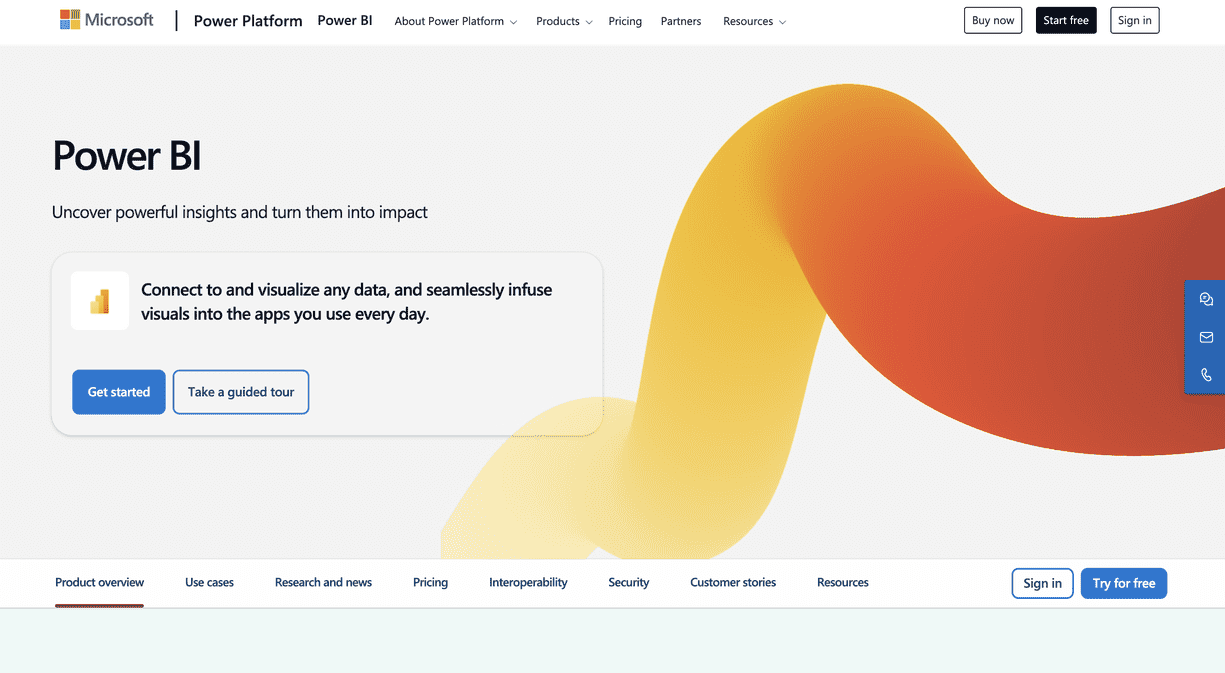
Microsoft Power BI is the dominant choice for organizations already running on Azure, Microsoft 365, SQL Server, or Dynamics 365. Where Yellowfin requires configuring database connections and managing authentication independently, Power BI connects to Excel spreadsheets, SharePoint lists, Azure Synapse Analytics, and Dataverse with near-zero configuration. Its deep integration with Microsoft Teams means dashboards surface directly where collaboration happens, reducing friction in sharing and discussing insights.
Power BI's DAX modeling language is a meaningful capability advantage over Yellowfin for teams needing complex calculated measures, time intelligence functions, and hierarchical data models. Its natural language Q&A feature enables business users to type questions like "show revenue by region last quarter" and receive auto-generated charts — a self-service capability that partially compensates for the steeper learning curve of the full authoring interface.
The three-year TCO for a 50-user Power BI deployment is approximately $120,000 — meaningfully lower than Yellowfin's estimated $150,000 for the same deployment size. For embedded analytics at scale, Power BI Premium capacities are required, which significantly increases cost, but for internal analytics use cases, Power BI Pro is among the most cost-efficient options available.
Key Features
- One-click connectivity to Azure, SQL Server, Excel, SharePoint, Dataverse, Dynamics 365, and hundreds of other sources
- DAX formula engine with calculated columns, measures, KPIs, and time intelligence for complex data modeling
- Power BI Copilot for AI-assisted report creation, natural language querying, and automated narrative summaries
- Power BI Embedded SDK for integrating reports into custom web and mobile applications
- Row-level security, sensitivity labels, and Microsoft Entra ID integration for enterprise governance
- Paginated reports for pixel-perfect financial statements, invoices, and printable operational reports
- Incremental refresh and composite models for handling large datasets without performance degradation
- Direct Lake mode for real-time access to OneLake data without import or DirectQuery latency trade-offs
Pricing
Power BI Pro costs $10 per user per month, making it the most affordable commercial Yellowfin alternative for internal analytics. Premium Per User (PPU) at $20/user/month unlocks advanced features including paginated reports, AI capabilities, and larger refresh frequencies. Embedded Analytics at scale requires Premium Per Capacity pricing, which starts at several thousand dollars per month and scales by workload. Power BI Desktop is free to download, and Power BI Pro includes a 60-day free trial.
4. Looker
Governed, semantic-layer analytics for engineering-led data organizations
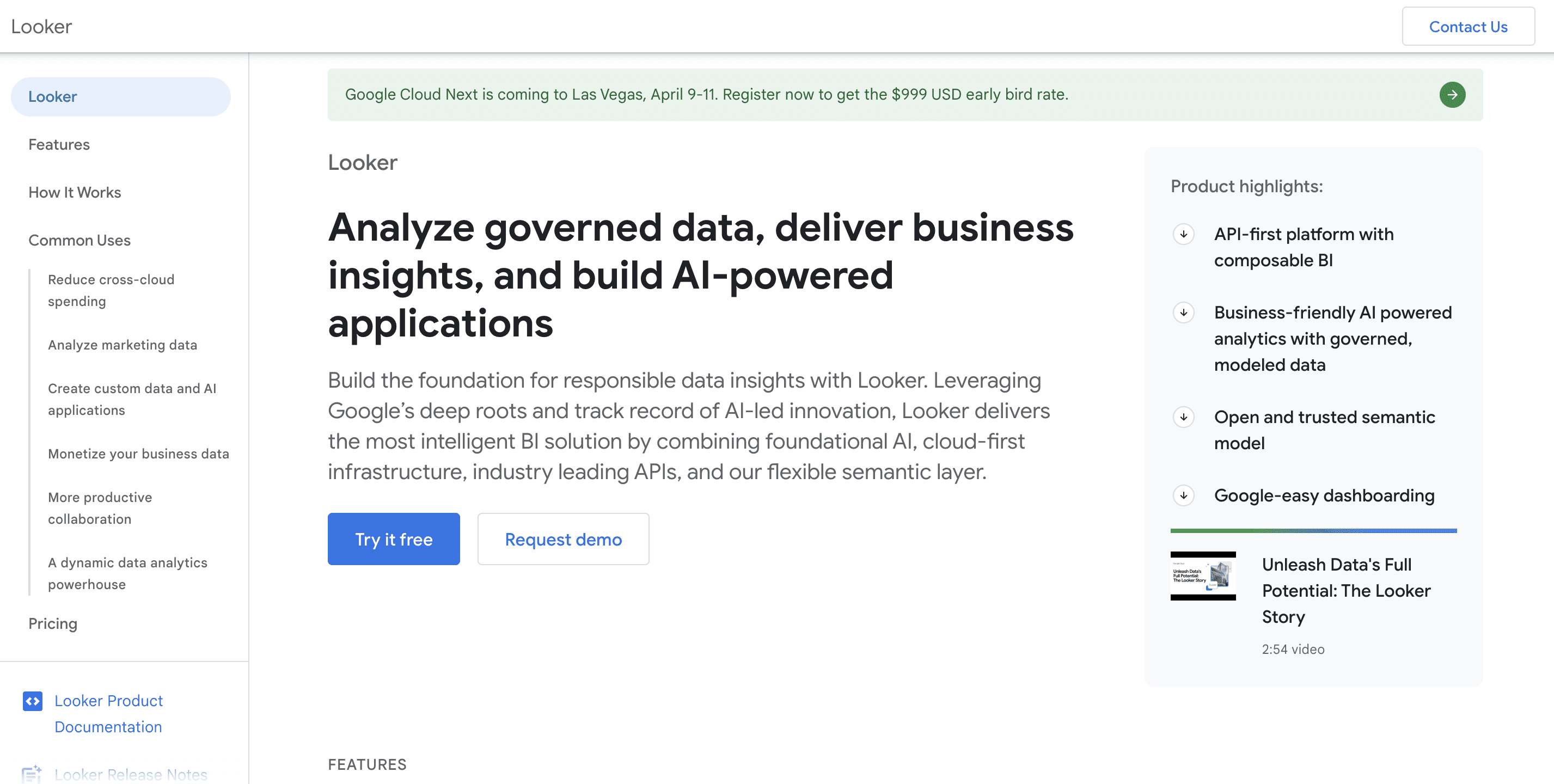
Looker, now part of Google Cloud, takes a philosophically different approach to BI than Yellowfin. Instead of allowing each analyst to write ad-hoc SQL for individual reports — which leads to metric drift where different teams calculate the same KPI differently — Looker uses LookML, a version-controlled modeling language that defines business logic once and reuses it everywhere. This eliminates the inconsistency that grows organically in Yellowfin deployments where dozens of analysts maintain their own report definitions.
For organizations where data consistency and governance are non-negotiable — financial services, healthcare, large-scale e-commerce — Looker's semantic layer approach provides structural assurances that Yellowfin cannot match. Metrics defined in LookML flow through every dashboard, every API query, and every embedded report without divergence.
The practical limitation is the learning curve and engineering investment. LookML requires data engineering skills that business users do not have. Deploying Looker effectively requires dedicated data engineering resources, a meaningful implementation timeline, and budget for LookML model development. Per-viewer pricing also makes Looker economically challenging for SaaS companies embedding analytics into their products at scale.
Key Features
- LookML semantic layer that centralizes business logic, metric definitions, and access controls
- Git-integrated development workflow for version control, code review, and CI/CD on analytics models
- Looker Studio (formerly Google Data Studio) integration for lightweight, shareable reporting
- Looker API and Action Hub for triggering workflows, pushing data to Slack, or writing query results to external systems
- Native BigQuery optimization with awareness of partitioning, BI Engine, and clustering
- Embedded analytics via iframes and the Looker Embed SDK with SSO, content filtering, and user attributes
- Granular field-level security tied to user attributes for row-level and column-level access control
Pricing
Looker pricing is contract-based and negotiated per deployment. It is positioned firmly in the mid-market to enterprise segment with per-user costs that typically exceed Yellowfin. Smaller teams and startups generally find Looker cost-prohibitive. Organizations with mature data engineering capabilities and strict governance requirements typically see strong ROI. Google Cloud offers a 30-day free trial for Looker Studio Pro; the full Looker platform requires a sales engagement.
5. Metabase
The fastest path to self-service BI for small teams and startups
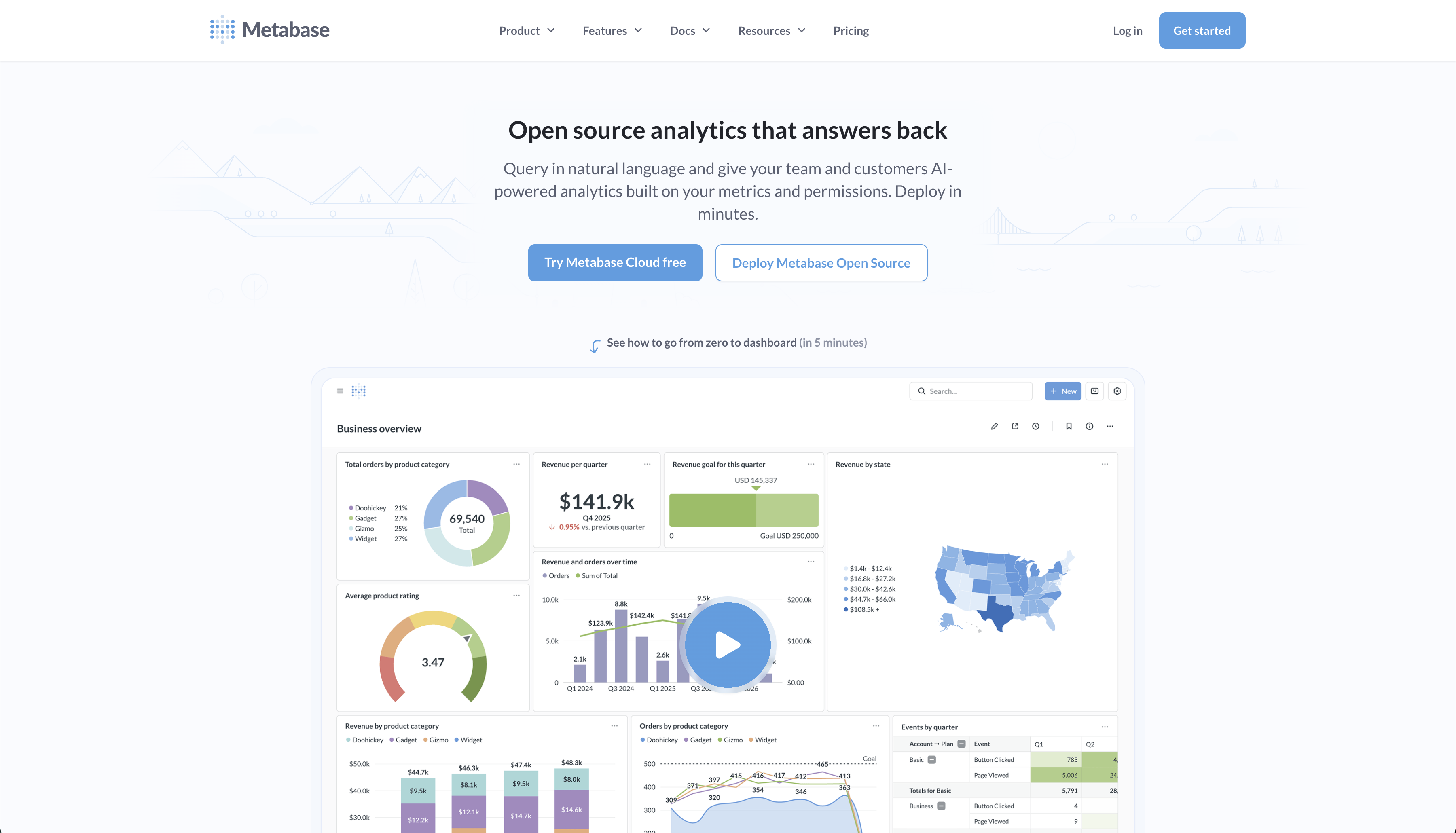
Metabase is the most popular open-source Yellowfin BI alternative and the easiest to get started with. Where Yellowfin requires licensing negotiation, onboarding, and configuration before anyone can build their first dashboard, Metabase can be running in under an hour — either self-hosted via Docker or through Metabase Cloud. Its visual question builder requires no SQL knowledge, and its question-and-answer interface guides business users through building charts without training.
Metabase's strength is accessibility and speed of initial deployment. Its free, open-source tier is genuinely capable for internal analytics up to moderate complexity. For teams that found Yellowfin's interface overwhelming or whose non-technical stakeholders struggled to self-serve, Metabase's simpler interface is immediately impactful.
The limitations emerge at scale. Metabase's multi-tenancy support requires significant custom configuration, white-label branding is locked behind paid tiers, and row-level security is less sophisticated than Yellowfin's enterprise access controls. Teams embedding analytics into SaaS products frequently hit Metabase's ceiling around multi-tenancy and governance and look for alternatives that handle these requirements natively.
Key Features
- Visual question builder that enables non-SQL users to explore data through guided interface flows
- Native SQL editor for analysts who prefer direct query access with auto-complete and syntax highlighting
- Dashboards with click-through filters, cross-filtering, and scheduled email subscriptions
- Metabase Embedding SDK for React-based embedding with SSO and permission-based content filtering
- Automated X-rays that generate instant exploratory charts for any table or segment
- Over 50 native database drivers covering SQL and NoSQL sources
- Open-source deployment via Docker, Kubernetes, or Metabase Cloud with optional managed hosting
- LDAP and SAML SSO support on Pro and Enterprise plans
Pricing
Metabase is free to self-host on the open-source tier, making it the most accessible Yellowfin alternative by initial cost. Metabase Cloud starts at $500/month. Pro and Enterprise tiers add SSO, advanced permissions, white labeling, and dedicated support. The open-source option works well for internal analytics but requires DevOps capacity to maintain and scale. No free trial is needed for the open-source edition — it is free to use indefinitely.
6. Sisense
Purpose-built embedded analytics with mature multi-tenancy for product teams
Sisense is a strong Yellowfin BI alternative for SaaS companies and product teams whose primary analytics use case is embedding insights into customer-facing applications. While Yellowfin offers embedded analytics through its JavaScript API, Sisense treats embedded analytics as its core product — the Compose SDK is built specifically for developers integrating analytics into products, with mature multi-tenant architecture, SSO, white labeling, and granular permission management available without custom engineering.
Sisense's in-chip technology accelerates complex queries by caching columnar data in memory, which addresses one of Yellowfin's known weaknesses around performance degradation at high data volumes. For product teams dealing with many concurrent customers querying the same underlying datasets, Sisense's query architecture handles concurrency better than most alternatives.
Sisense also retains strong internal BI capabilities alongside its embedded story — analytics teams can build governed dashboards in the same platform where developers embed customer-facing reports, eliminating the need to maintain two separate BI tools.
Key Features
- Sisense Compose SDK for React-based embedded analytics with component-level customization
- Multi-tenant data security with row-level security and tenant isolation out of the box
- White-label customization including full theme control, custom CSS, and domain restrictions
- In-chip query acceleration that caches columnar data in memory for high-concurrency performance
- Flexible deployment — cloud-hosted, on-premises, or hybrid to meet compliance requirements
- AI-assisted analytics with natural language querying and automated insight surfacing
- Pre-built data connectors for databases, cloud warehouses, SaaS applications, and APIs
- Enterprise governance including audit logs, SAML SSO, and role-based access controls
Pricing
Sisense uses custom contract pricing, typically negotiated based on deployment size, user count, and embedding requirements. It is positioned in the mid-market to enterprise segment. While more expensive than Metabase or Power BI for pure internal analytics, Sisense's TCO is competitive for SaaS companies that would otherwise need to build custom embedded analytics infrastructure. A free trial and demo are available through the Sisense sales team.
7. Domo
All-in-one cloud platform that eliminates your fragmented BI stack
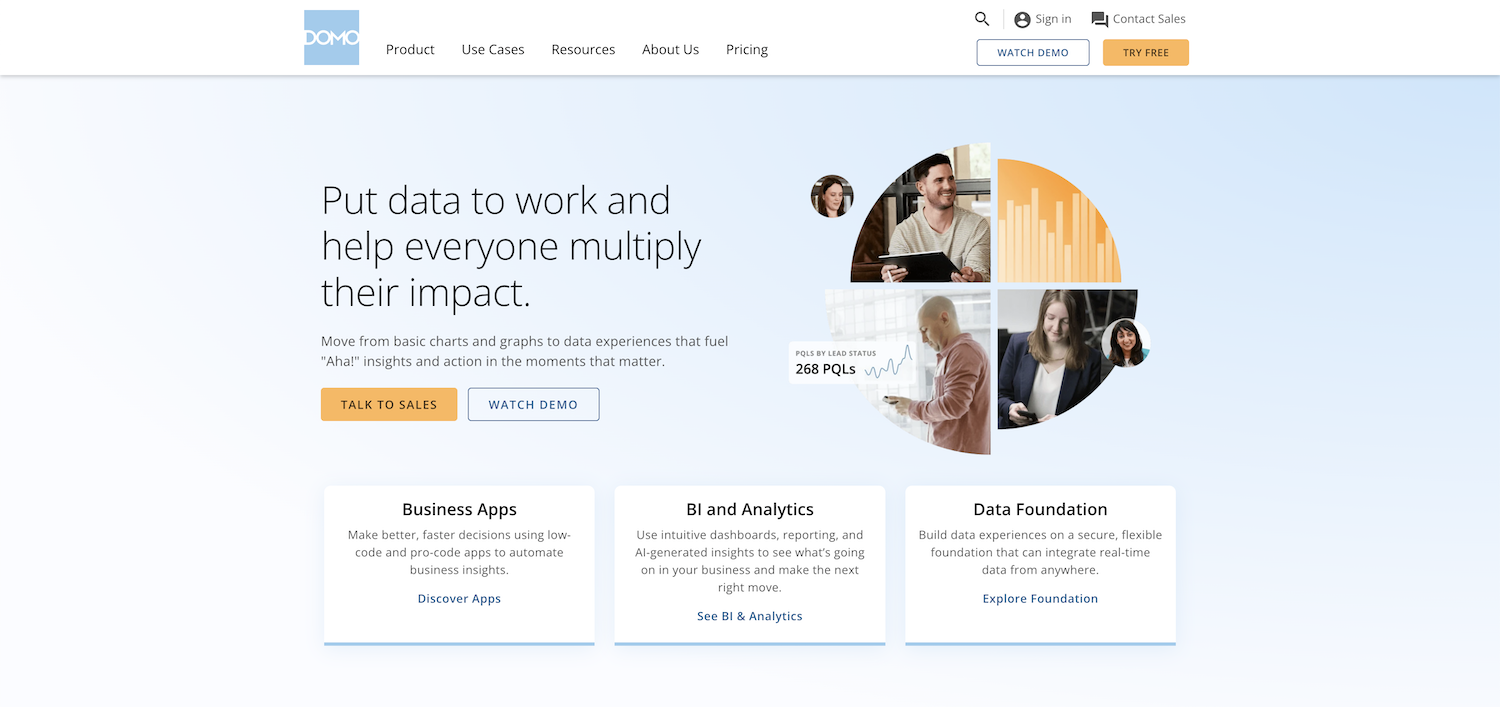
Domo goes beyond replacing Yellowfin as a visualization tool — it aims to consolidate your entire data pipeline. Where a typical Yellowfin deployment requires separate tools for ETL, data warehousing, and dashboarding, Domo bundles data ingestion, transformation, storage, and visualization into a single cloud platform. This integrated approach is particularly appealing to operations teams and executives who want real-time KPI dashboards without depending on multiple vendor relationships.
Users who switched from Yellowfin to Domo consistently describe the transition as "a breath of fresh air" in terms of ease of use and data source management. Domo's 1,000+ pre-built connectors reduce the integration work that Yellowfin leaves to customers, and its Magic ETL pipeline builder enables non-technical users to transform data without writing code.
Domo Everywhere provides embedded analytics for external-facing deployments, with features comparable to Yellowfin's embedded offerings but integrated into the same platform as your internal BI rather than managed separately.
Key Features
- Over 1,000 pre-built data connectors covering SaaS apps, databases, cloud storage, and REST APIs
- Magic ETL — a no-code, drag-and-drop data transformation pipeline builder
- Domo AI with natural language querying, automated insights, and AI-generated summaries
- Domo Everywhere for embedding dashboards and KPIs in external applications and partner portals
- Buzz — a built-in messaging layer for discussing data directly within dashboard cards
- DataFusions and DataFlows for blending, transforming, and enriching data without a separate warehouse
- Mobile-first design with a fully featured iOS and Android app for real-time decision-making
- Domo Appstore with pre-built dashboard templates for finance, sales, operations, and marketing
Pricing
Domo uses custom contract pricing that scales by user count, data volume, and connector requirements. It is generally positioned toward mid-market and enterprise buyers. The all-in-one approach can reduce total spend by consolidating tools that would otherwise be maintained separately, but individual licensing costs are higher than point solutions like Power BI or Metabase. A free trial is available directly through Domo's website.
8. Qlik Sense
Associative analytics engine for enterprises that need unrestricted data exploration
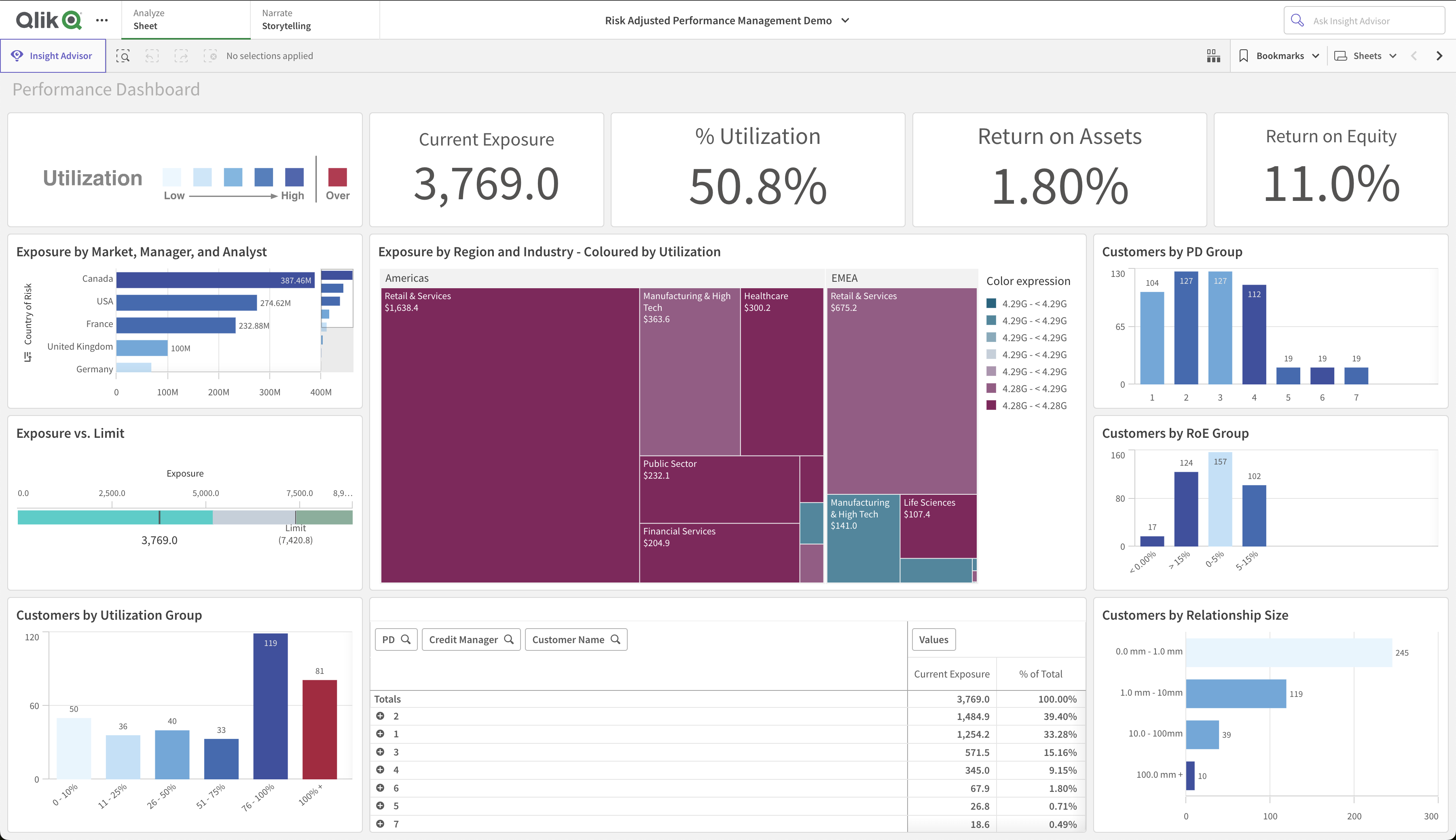
Qlik Sense is one of the most established Yellowfin BI alternatives for large enterprises that need unrestricted, multi-directional data exploration. Yellowfin follows a conventional query model where analysis flows from pre-defined relationships between tables. Qlik Sense uses an associative engine that keeps all data relationships in memory simultaneously — meaning analysts can click any data point, in any chart, in any sequence, and the entire dashboard responds without being constrained by defined query paths. This approach consistently surfaces unexpected connections in data that directed-query tools miss entirely.
Where Yellowfin's AI story centers on automated anomaly detection via Signals, Qlik has invested heavily in AutoML capabilities that allow data teams to build predictive models directly inside the BI environment — without exporting data to a separate machine learning platform. For enterprises where predictive analytics and exploration depth matter more than ease of initial setup, Qlik Sense represents a meaningful upgrade over Yellowfin.
The tradeoffs are real: Qlik Sense has a steeper learning curve than most tools in this list, a three-year TCO that approaches $200,000 for a 50-user deployment (higher than Yellowfin), and an interface that rewards dedicated training. Teams expecting rapid self-service adoption without structured onboarding will struggle.
Key Features
- Associative engine that holds all data relationships in memory for click-anywhere, unrestricted exploration
- AutoML for in-platform predictive model building without exporting to a separate data science tool
- Qlik Sense SaaS for fully managed cloud deployment with automated updates and elastic scaling
- Qlik NPrinting for pixel-perfect scheduled reports distributed to thousands of users via email or portal
- Native connectors to databases, cloud warehouses, SAP, Salesforce, and hundreds of SaaS applications
- Active Intelligence with real-time streaming analytics for time-sensitive operational dashboards
- Qlik Embedded Analytics for embedding visualizations into custom applications with row-level security
- Governance, lineage tracking, and impact analysis for enterprise data management at scale
Pricing
Qlik Sense starts at $70 per user per month for the cloud edition. Enterprise and embedded deployments are contract-based. The three-year TCO for a 50-user deployment is estimated at approximately $200,000 — the highest in this comparison — but organizations that need the associative engine's exploration depth consistently find the investment justified. A 30-day free trial is available for Qlik Cloud Analytics.
9. ThoughtSpot
AI-native search-driven analytics for organizations that want every employee to self-serve
ThoughtSpot takes the most radical departure from Yellowfin's architecture of any tool in this list. Where Yellowfin is a traditional BI platform where analysts build reports and dashboards that others consume, ThoughtSpot is built around the premise that every employee should be able to search their data the same way they search the internet — typing plain English questions and receiving instant, AI-generated answers. There are no dashboard authoring workflows to learn, no chart-type selection menus to navigate, and no reliance on a central analytics team to pre-build reports.
ThoughtSpot's SpotIQ engine runs continuously in the background, automatically analyzing data for statistically significant patterns, anomalies, and trends — a capability directly comparable to Yellowfin Signals, but with more sophisticated statistical underpinning and natural language output that explains what it found and why it matters.
For Yellowfin users who are frustrated that non-technical stakeholders still cannot self-serve despite the platform's visual interface, ThoughtSpot eliminates that problem structurally. The limitation is that ThoughtSpot's Liveboards, while interactive and AI-powered, offer less white-label customization than Yellowfin for embedded analytics use cases. Teams that need full brand control over embedded dashboards should weigh this carefully.
Key Features
- Natural language search that converts plain English questions into instant charts and data answers
- SpotIQ AI engine that continuously analyzes data for anomalies, trends, and statistically significant changes
- Liveboards — interactive, real-time dashboards that update as users ask follow-up questions
- Analyst Studio for deeper work with SQL, R, or Python when natural language is insufficient
- ThoughtSpot Embedded Analytics for integrating search-driven analytics into SaaS applications
- Developer plan with free access for building and testing embedding workflows
- Connections to Snowflake, BigQuery, Redshift, Databricks, SQL Server, and other major warehouses
- Worksheets for curating governed data models that shape what employees can search and how results are presented
Pricing
ThoughtSpot offers a free Developer plan for testing embedding workflows and exploring the platform. The Team plan starts at $95 per user per month. Enterprise pricing is custom-negotiated based on user count and deployment requirements. For organizations where the primary goal is eliminating the analytics bottleneck by enabling every employee to self-serve, ThoughtSpot's per-user cost is justified by the reduction in analyst time spent fielding ad-hoc report requests.
How to choose the right Yellowfin BI alternative
With nine strong options evaluated, narrowing to the right choice depends on which of these profiles best describes your situation.
Choose Draxlr if your primary need is embedded analytics for a SaaS product, you want AI-driven self-service querying that works for non-technical users, and you want flat pricing without per-viewer fees. Draxlr is also ideal if you connect directly to SQL databases and want to eliminate the ETL and semantic layer complexity.
Choose Tableau if visualization sophistication is your top priority, your data team needs advanced exploratory analytics capabilities, and your organization can justify premium per-user licensing. Tableau is best when the quality of visual output directly influences executive or client decisions.
Choose Power BI if your organization runs on the Microsoft stack, you need the lowest per-user cost for internal analytics, and you want tight integration with Azure, Teams, and Office 365. Power BI is the pragmatic choice for Microsoft-aligned organizations that want commercial support without Yellowfin's cost.
Choose Looker if your organization has dedicated data engineering resources, metric consistency across a large, distributed team is critical, and you are running on BigQuery or another major cloud warehouse where LookML's semantic layer provides a structural advantage.
Choose Metabase if you need the fastest path to working dashboards, your team is small, and budget is the primary constraint. Metabase is the right starting point for organizations that are not yet ready to invest in a commercial platform.
Choose Sisense if embedded analytics inside your product is the core use case, you need mature multi-tenant data security without custom engineering, and you want a single vendor for both product-embedded and internal analytics.
Choose Domo if you want to consolidate your ETL, warehousing, and visualization stack into a single platform, and you have budget for an all-in-one solution that reduces the complexity of managing multiple vendor relationships.
Choose Qlik Sense if unrestricted, associative data exploration is a hard requirement, your analysts regularly discover insights by clicking across dimensions in unexpected sequences, and your organization has the budget and onboarding capacity for a premium enterprise platform.
Choose ThoughtSpot if your primary bottleneck is that non-technical employees still cannot self-serve despite having a BI tool, you want AI-native search to replace the traditional dashboard authoring workflow entirely, and your analysts spend too much time fielding ad-hoc report requests that a search interface would eliminate.
Which Yellowfin BI alternative is best by industry?
The right Yellowfin BI alternative often depends as much on the industry context as on feature specifications. Here is how the leading options map to common sector-specific requirements.
Healthcare and life sciences organizations must handle PHI data under HIPAA constraints, require strict access controls, and often need audit trails for regulatory reporting. Power BI's integration with Azure Health Data Services and Microsoft's HIPAA-eligible cloud infrastructure make it the natural choice for Microsoft-aligned healthcare systems. Looker is favored in larger health networks for enforcing metric consistency across departments — ensuring that "readmission rate" means the same thing in every report system-wide.
Financial services and banking teams need real-time fraud detection dashboards, complex calculated risk metrics, and support for regulatory reporting formats. Qlik Sense's associative engine is particularly well-suited here — analysts can click from an anomalous transaction amount across every related dimension simultaneously without pre-defining the analysis path. Power BI's paginated reports handle the pixel-perfect regulatory output formats that banks require.
SaaS and technology companies embedding analytics in their products should evaluate Draxlr and Sisense first. Both platforms are built with multi-tenant, customer-facing analytics as a primary use case — not an afterthought. Draxlr's flat pricing makes it cost-effective for startups and growth-stage companies; Sisense serves more complex enterprise-grade product requirements.
Retail and e-commerce organizations need real-time inventory tracking, campaign performance attribution, and granular customer segmentation. Domo's 1,000+ connectors — including direct integrations with Shopify, Google Ads, Meta Ads, and major ERPs — reduce integration engineering significantly. ThoughtSpot's natural language search enables merchandising and marketing teams to self-serve on sales data without routing requests through a central analytics team.
Manufacturing and supply chain operations benefit from Yellowfin's Signals-style automated monitoring, but for teams that need more — real-time streaming dashboards, predictive maintenance analytics, or integration with IoT data pipelines — Qlik Sense's Active Intelligence and Domo's real-time connector ecosystem are the strongest alternatives.
Higher education and public sector organizations often have limited BI budgets and heterogeneous data environments. Metabase is a natural fit for universities and public agencies that need cost-effective, accessible analytics without long procurement cycles. Power BI is also widely used in education thanks to free licensing available for qualified institutions through Microsoft's academic programs.
Conclusion
Yellowfin BI is a capable platform with genuine strengths in automated anomaly detection via Signals, collaborative data storytelling features, and flexible deployment options. But for organizations running into performance ceilings, wrestling with per-user licensing costs, struggling to onboard non-technical users, or trying to deliver embedded analytics to external customers, the limitations are real and worth addressing.
The Yellowfin BI alternatives covered in this guide span a wide range of use cases, price points, and technical profiles. There is no universally correct replacement — the right choice depends on the specific pain points driving your evaluation. Before committing to any platform, run a structured proof of concept against your actual data, your realistic user population, and your specific use cases. Most vendors offer trial access or implementation support to facilitate this.
The BI landscape in 2026 rewards teams that match their analytics platform to their actual needs rather than selecting by brand recognition or analyst ranking alone. With clear requirements and hands-on evaluation, finding the right Yellowfin BI alternative is a solvable problem.
FAQs
1. What are the best Yellowfin BI alternatives in 2026?
The best Yellowfin BI alternatives in 2026 include Draxlr, Tableau, Microsoft Power BI, Looker, Metabase, Sisense, Domo, Qlik Sense, and ThoughtSpot. The right choice depends on your specific needs — AI powered analytics, embedded analytics for SaaS products, Microsoft ecosystem integration, open-source flexibility, associative data exploration, or AI-native search analytics.
2. Why do teams switch from Yellowfin BI?
Teams typically switch from Yellowfin because of performance degradation at high data volumes, high per-user licensing costs, steep learning curves for non-technical users, limited visualization customization, and the engineering complexity required for embedded analytics. Newer platforms have closed many of these gaps while offering stronger AI capabilities.
3. Which Yellowfin BI alternative is best for embedded analytics?
For embedded analytics, Draxlr and Sisense are the strongest choices. Draxlr offers flat pricing with unlimited external viewers and React/Vue SDK embedding, making it cost-effective for SaaS products at scale. Sisense provides a mature Compose SDK with enterprise multi-tenancy and white-labeling for complex product analytics requirements.
4. Which Yellowfin BI alternative is cheapest?
Metabase is free to self-host on the open-source tier, making it the lowest-cost entry point. Microsoft Power BI Pro starts at $10 per user per month for commercial use. Draxlr starts at $75 per month flat with unlimited viewers, which is highly cost-effective for embedded analytics use cases.
5. Which Yellowfin BI alternative is best for non-technical users?
Draxlr and Metabase are the most accessible for non-technical users. Draxlr's AI chat lets business users ask questions in plain English and receive charts without any SQL knowledge. Metabase's visual question builder guides users through data exploration without requiring technical skills.
6. Can I migrate from Yellowfin to another BI tool without rebuilding everything?
Most Yellowfin alternatives connect to the same underlying databases, which means you point the new tool at your existing data sources and rebuild dashboards in the new platform. The rebuilding effort depends on the complexity of your existing reports. Most vendors offer implementation support, and simple dashboards can typically be recreated in days rather than weeks.
7. Is Tableau better than Yellowfin BI?
Tableau generally scores higher for visualization capabilities and has a larger ecosystem of community resources and third-party integrations. However, Tableau is more expensive, and its per-user pricing model is challenging for large viewer audiences. Yellowfin's automated anomaly detection (Signals) and data storytelling features have no direct Tableau equivalent. The better choice depends on whether visualization depth or automated monitoring is your primary requirement.
8. Is there a free version of Yellowfin BI?
Yellowfin BI does not offer a permanently free tier. It provides a free trial and free demo access for evaluation, but all production deployments require a paid license. This is a meaningful contrast to alternatives like Metabase, which is genuinely free to self-host indefinitely on the open-source edition, Power BI Desktop which is free to download, or ThoughtSpot's free Developer plan. If a free or low-cost starting point is a requirement, those three options are the strongest alternatives to evaluate.
9. What industries use Yellowfin BI?
Yellowfin BI has its largest footprint in financial services, healthcare, higher education, hospitality, insurance, manufacturing, retail, and utilities. Its data storytelling and automated anomaly detection capabilities are particularly valued in healthcare (where surfacing unexpected patient outcome patterns quickly matters) and financial services (where regulatory reporting and fraud detection benefit from Signals-style automated monitoring). Its flexible on-premises and cloud deployment options make it attractive to regulated industries with data residency requirements.
10. Who acquired Yellowfin BI?
Yellowfin was acquired by Idera Inc. in January 2022. Idera is a B2B software holding company that owns more than 30 developer and data tools brands. The acquisition placed Yellowfin alongside other Idera portfolio products including FusionCharts, Embarcadero, and Sencha. Some organizations evaluating Yellowfin factor the acquisition into their decision, as consolidation under a holding company can shift product roadmap priorities and support quality over time.
11. When should you stay on Yellowfin BI rather than switching?
Yellowfin remains a strong choice when automated data monitoring is central to your workflow — its Signals engine for anomaly detection and proactive alerting is more mature than most alternatives at this price point. It also suits organizations that need its built-in data storytelling features (Yellowfin Stories and Yellowfin Present) for presenting insights to non-technical audiences, and teams that require flexible on-premises or hybrid deployment without the infrastructure management overhead of open-source platforms. If these specific capabilities are core to your analytics workflow and the platform's performance and cost are acceptable for your scale, switching may not be worth the migration effort.
About the author

Vivek is a coder and the founder of Draxlr who cares deeply about building good products. He works at the intersection of AI, SQL, dashboards, and embedded analytics, with a strong focus on making complex data workflows feel simple, useful, and fast for real teams.
If you have questions about anything in this guide, or want to compare options for your specific stack, you can email Vivek at vivek@draxlr.com, try Draxlr free, or reach out directly through the Draxlr team.