Best Luzmo Alternatives in 2026
Explore the best Luzmo alternatives in 2026. Compare features, pricing, AI capabilities, embedded analytics, and SQL flexibility to choose the right BI platform for your business.
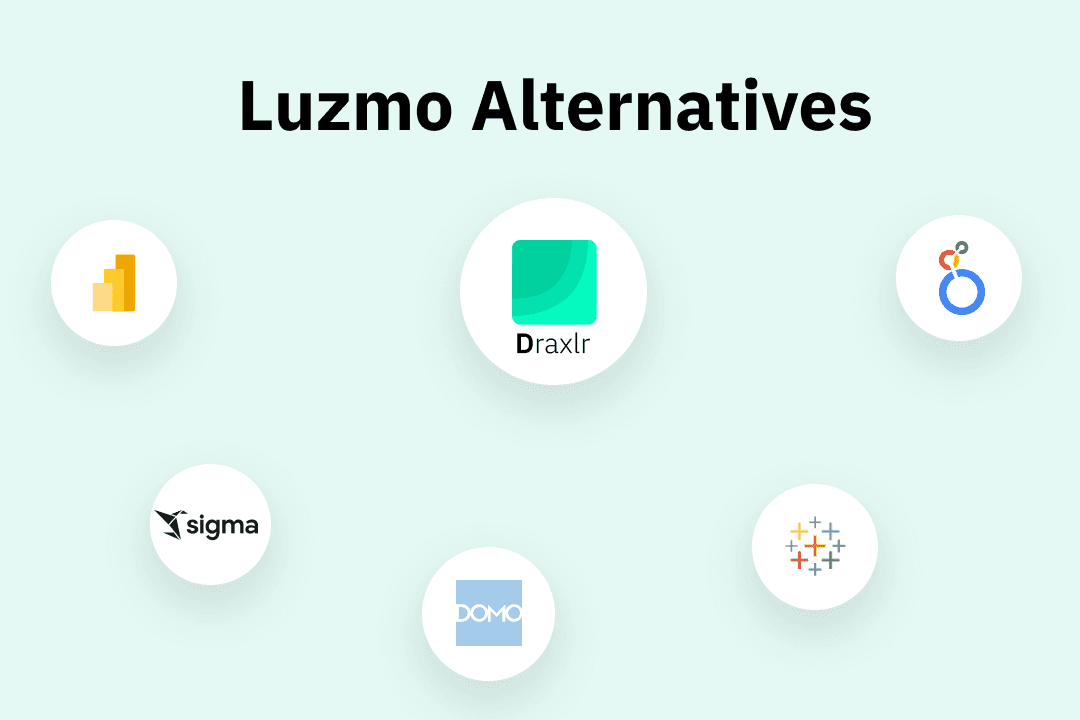
Finding the right Luzmo alternative can make a significant difference in how your team builds dashboards, embeds analytics, and scales data access across your organization or product. While Luzmo is a well-known business intelligence solution, it may not suit every company’s needs in terms of pricing, SQL flexibility, AI capabilities, customization depth, or long-term scalability.
Many teams start with Luzmo but later look for Luzmo alternative tools that offer better control over data queries, more advanced dashboard customization, improved white labeling, or more transparent pricing. As your analytics requirements grow, having the right BI platform becomes critical to avoid engineering bottlenecks and rising costs.
If you are actively searching for a strong Luzmo alternative in 2026, this guide will help you evaluate the best options available.
Why consider a Luzmo alternative?
While Luzmo provides a solid foundation for business intelligence and data visualization, several factors might push your organization toward exploring other options. Understanding these pain points can help you determine if switching to a Luzmo alternative makes sense for your business.
1. Cost Efficiency at Scale
Luzmo's cost structure can become prohibitive as your user base expands or data volumes increase, making it challenging for cost-conscious teams to maintain ROI. Many Luzmo alternatives offer more transparent, scalable pricing models that grow alongside your business.
2. Limited customization and scalability
This point often emerges as primary concerns for growing enterprises. Luzmo's architecture may struggle to handle complex, large-scale analytics requirements or highly customized workflows that align with your specific industry needs.
3. Feature gaps in AI-powered insights
Modern BI tools are moving beyond static dashboards. Teams often explore Luzmo alternatives that provide AI driven query generation, text to SQL features, and automated insights to speed up dashboard creation.
4. Embedded analytics flexibility
While Luzmo supports embedded dashboards, not every company needs the same level of embedding complexity. Some businesses want lighter embedding, stronger multi-tenant controls, or more customization over how dashboards appear inside their product.
5. White labeling
SaaS companies often require full branding control, granular row-level security, and advanced permission management. A strong Luzmo alternative should provide flexibility without heavy engineering effort.
6. Long Term Product Alignment
Your BI tool should evolve with your product roadmap. If your current analytics setup feels restrictive or adds friction to development, it may be time to consider a more scalable alternative.
7. User experience gaps
Some organizations find Luzmo's learning curve steeper than expected, or its interface less intuitive for non-technical users. A more accessible BI platform can accelerate adoption rates across your organization.
What to look for in a Luzmo alternative
Selecting a replacement BI platform requires evaluating multiple dimensions. Here's what to prioritize when assessing alternatives:
1. Ease of use and accessibility
This should rank high on your list. The best BI tool balances power with simplicity, making both technical analysts and business users to create insights without extensive training. Look for platforms with drag-and-drop interfaces, natural language query(AI) capabilities, and intuitive design.
2. Scalability and performance
Determine whether the platform can grow with your ambitions. Assess how it handles increasing data volumes, concurrent users, and complex queries. Real-time performance under load is non-negotiable for modern analytics.
3. Advanced analytical features
Distinguish premium platforms from basic ones. Consider whether you need AI-driven insights, advanced charts, intelligent alerts, or more. Your future analytics roadmap should influence this decision.
4. Transparent, flexible pricing
This prevents budgetary surprises. Compare total cost of ownership across different pricing models—per-user, per-query, or consumption-based. Ensure the cost structure aligns with your growth projections.
5. Multi tenant and security controls
Granular permissions, data filtering per user, and strong access controls are essential for customer facing analytics.
6. Vendor stability and support quality
Research the company's product roadmap, and customer support reputation. Responsive support teams can make a significant difference during implementation and scaling phases.
7. Mobile and collaborative features
This enables distributed teams to access insights anywhere. Look for mobile apps, real-time collaboration tools, and sharing capabilities that support modern work environments.
8. Robust integration capabilities
These are essential for seamless operations. Your ideal Luzmo alternative should connect effortlessly with your data warehouse, cloud storage, or any other critical systems. Evaluate the breadth of pre-built connectors and API flexibility.
Best Luzmo alternatives in 2026 at a glance
| Tool | Best use case | Ease of use | AI capabilities | Embedded analytics |
|---|---|---|---|---|
| Luzmo | Customer facing dashboards | Medium | Basic | Yes |
| Draxlr | AI powered self-service analytics | High | Strong | Yes |
| Tableau | Enterprise visualization | Medium | Moderate | Yes |
| Microsoft Power BI | Microsoft ecosystem analytics | Medium | Moderate | Yes |
| Looker | Data modeling and governed analytics | Low | Moderate | Yes |
| Domo | Cloud BI with data integration | Medium | Moderate | Yes |
| Sigma | Spreadsheet style cloud analytics | High | Limited | Yes |
1. Draxlr
AI powered analytics built for teams without dedicated data analysts
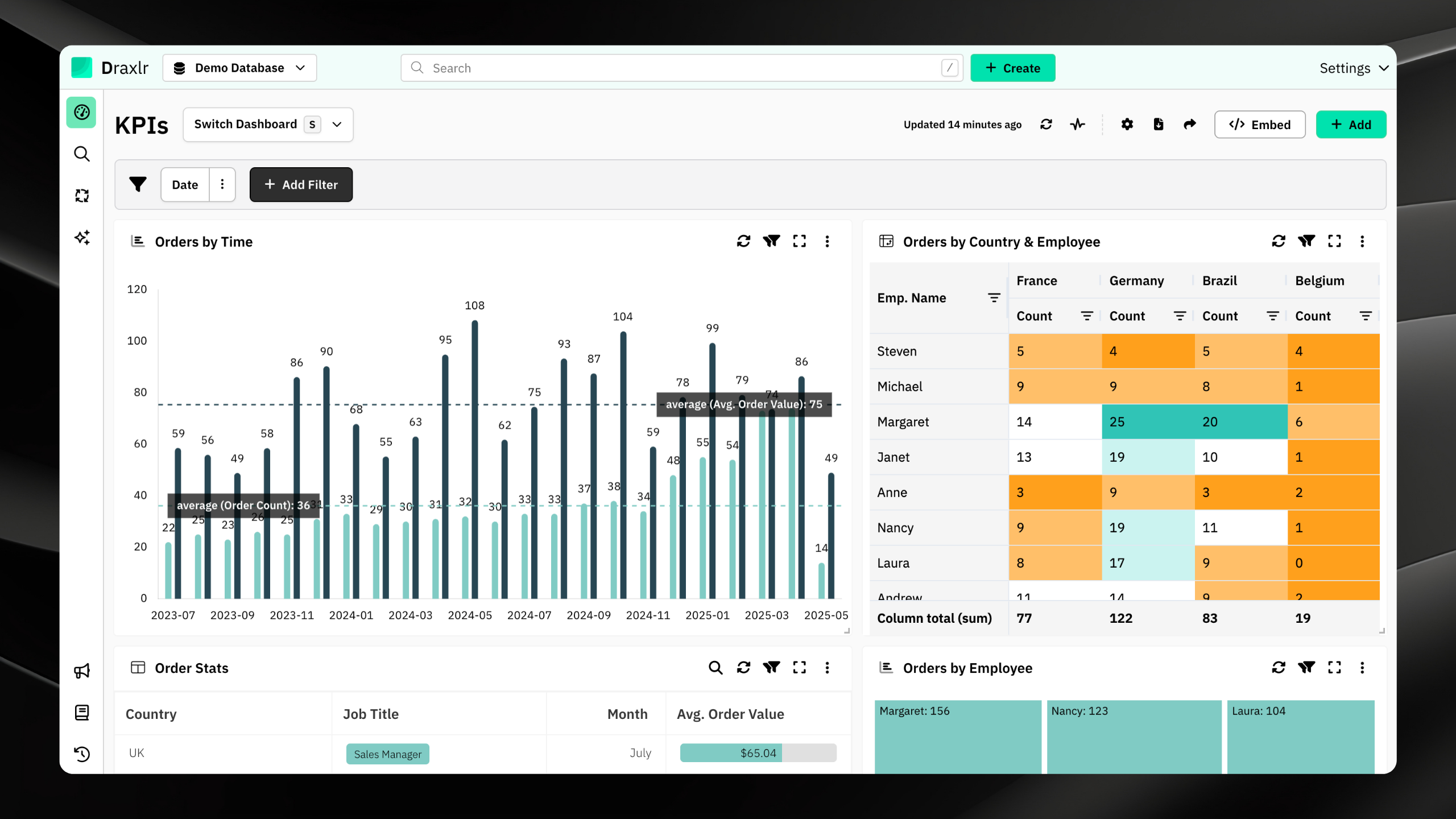
Draxlr is an AI powered Luzmo alternative focused on delivering intuitive analytics capabilities with minimal learning curve. The tool combines powerful data processing with user-friendly interface design, making advanced analytics accessible to business users without technical backgrounds. Draxlr emphasizes rapid deployment and quick time-to-value, helping organizations extract insights from their data within days rather than weeks.
Connect your DatabaseKey Features
- Multiple ways to build dashboards - Visual Query Builder, AI assisted, and raw SQL editor
- Powerful visualization engine with multiple chart types and customization options
- Full SQL control without restrictions for complex joins, aggregations, and performance tuning
- Live database connections without data duplication or warehouse migration
- Interactive dashboards with filters and drill through capabilities
- Secure embedded analytics serving both internal BI reporting and customer-facing embedded analytics
- Predictable, scalable pricing that grows with teams without unexpected cost spikes
- Lightweight setup enabling quick database connection and dashboard building
- Advanced calculated fields and complex analytical operations
Pricing
Draxlr offers transparent pricing tiers based on features and usage. The tool offers entry-level plans suitable for small teams and organizations just beginning their analytics journey. Mid-market pricing tiers support growing data volumes and expanding user bases. Enterprise plans include dedicated support, custom integrations, and advanced security features. self hosted options are also available for teams requiring full infrastructure control.
2. Tableau
Scalable enterprise analytics with advanced visualization
Tableau is a leading enterprise analytics Luzmo alternative known for advanced data visualization and powerful reporting capabilities. It is widely used as a Luzmo alternative by large organizations for deep analytical exploration.
Key Features
- Advanced visualization engine
- Drag and drop dashboard creation
- Data blending and modeling
- Forecasting and predictive analytics
- Enterprise grade security
Pricing
Tableau follows a user based licensing model with separate pricing tiers for creators, explorers, and viewers. Enterprise deployments can become expensive at scale, especially for large teams.
3. Power BI
Best Luzmo alternative for Microsoft ecosystem users
Power BI is Microsoft’s business intelligence solution, widely adopted by organizations using the Microsoft ecosystem. It offers strong integration with Excel, Azure, and other Microsoft tools.
Key Features
- Deep integration with Microsoft products
- Drag and drop report builder
- AI powered visuals and forecasting
- Power BI Embedded for application integration
- Strong governance and security controls
Pricing
Power BI offers affordable entry level pricing, but enterprise and embedded use cases may require premium capacity plans, which significantly increase costs.
4. Looker
The API-First tool for modern data organizations
Looker, part of Google Cloud, focuses on governed analytics and centralized data modeling. It is often chosen by organizations that need strong semantic modeling on top of their data warehouse.
Key Features
- LookML data modeling layer
- Centralized data governance
- Embedded analytics support
- Cloud warehouse integration
- Enterprise security controls
Pricing
Looker uses a custom pricing model based on platform usage and data warehouse scale. It is typically positioned for mid size to enterprise organizations and may not be cost effective for smaller teams.
5. Domo
Modern dashboard building tool offering cloud native dashboards
Domo is a cloud based Luzmo alternative designed for executive reporting and operational dashboards. It emphasizes real time data connectivity and collaboration features.
Key Features
- Cloud native dashboarding
- Data connectors for multiple sources
- AI driven insights and alerts
- Collaboration and sharing tools
- Mobile optimized dashboards
Pricing
Domo offers custom pricing, often positioned toward mid market and enterprise customers. Costs vary based on number of users and data connectors.
6. Sigma Computing
Spreadsheet style designed for warehouse native analytics.
Sigma Computing is a cloud analytics Luzmo alternative known for its spreadsheet style interface built directly on modern cloud data warehouses. It appeals to business users familiar with Excel like workflows.
Key Features
- Spreadsheet style data exploration
- Direct warehouse querying
- Collaborative dashboards
- Cloud data warehouse integration
- No data extraction required
Pricing
Sigma typically offers per user pricing with enterprise plans for larger teams. Pricing scales with usage and warehouse connectivity requirements.
Conclusion
Selecting the right business intelligence platform requires careful evaluation of your organization's specific needs, budget constraints, technical capabilities, and growth trajectory. While Luzmo provides a solid foundation for analytics and dashboard creation, numerous alternatives offer distinct advantages depending on your priorities.
We recommend evaluating 2-3 Luzmo alternatives through free trials before deciding. Most vendors offer implementation support and migration assistance to facilitate smooth transitions. By assessing each Luzmo alternative against your unique requirements, you'll identify a BI solution that maximizes analytics value and supports data-driven decision-making.
FAQs
1. What are the best Luzmo alternatives in 2026?
The best Luzmo alternatives in 2026 include Draxlr, Tableau, Power BI, Looker, Domo, and Sigma Computing. The right choice depends on your needs such as AI powered analytics, SQL flexibility, embedded dashboards, pricing scalability, and database compatibility.
2. Which Luzmo alternative is best for AI powered analytics?
If AI driven analytics is a priority, look for a BI platform that offers Text to SQL, AI chat, automated insights, and intelligent data exploration features to reduce manual reporting effort.
3. Which Luzmo alternative is best for non-technical users
Draxlr and Sigma are the easiest for non-technical users. Draxlr offers AI driven querying from natural language, while Sigma provides a familiar spreadsheet interface connected to cloud warehouses.
4. Which Luzmo alternative is best for small businesses?
Draxlr and Power BI are ideal for small businesses with affordable pricing, quick implementation, and scalable growth models.
5. Will switching from Luzmo be complicated?
Switching is straightforward with most platforms connecting to existing data sources, typically taking days to weeks with professional migration support available.
6. What's the cheapest Luzmo alternative?
Draxlr (consumption-based) and Power BI (from $10/user/month) offer the most cost-effective alternatives with better ROI.