Best Grafana Alternatives in 2026
Explore the best Grafana alternatives in 2026. Compare features, pricing, AI capabilities, SQL flexibility, and embedded analytics to choose the right BI and monitoring platform for your team.
Finding the right Grafana alternative can significantly change how your team monitors infrastructure, builds dashboards, and shares data insights across your organization. Grafana has long been the popular open source platform for DevOps and engineering teams but it's not the right tool for everyone. Whether you're struggling with its steep learning curve, limited SQL analytics, or the challenge of making dashboards accessible to non-technical stakeholders, finding the right Grafana alternative in 2026 has never been more important.
Teams today need more than just time-series visualization. They need tools that speak the language of their entire organization from engineers to product managers to executives. The best Grafana alternatives go beyond infrastructure monitoring to offer richer business intelligence, AI-powered querying, and seamless embedded analytics inside your own products.
Whether you're looking for a simpler setup, deeper SQL support, or a self-serve analytics experience your whole team can actually use. This guide covers the top Grafana alternatives worth considering in 2026.
Why consider a Grafana alternative?
Grafana excels at infrastructure monitoring and time-series visualization, but several factors lead organizations to look for Grafana alternatives. Understanding these pain points can help determine whether switching makes sense for your team.
1. The Learning Curve Is Too Steep for Most Teams
Grafana was built by engineers, for engineers. Setting up data sources, writing PromQL or Flux queries, configuring panel transformations, and managing variables requires a level of technical expertise that most users simply don't have. In practice, this means dashboards get built by one or two people on the team and everyone else is left waiting for updates or struggling to interpret what they're looking at.
For organizations that want data to be truly self-serve, Grafana's complexity becomes a bottleneck rather than an asset.
2. Limited SQL and relational database support
Grafana was designed with infrastructure monitoring in mind. It excels at visualizing metrics that change over time — CPU usage, request latency, error rates. But most business data doesn't live in Prometheus or InfluxDB. It lives in PostgreSQL, MySQL, Redshift, or BigQuery and Grafana's support for relational databases, while technically present, is nowhere near as smooth or intuitive as its time-series experience.
Teams that need to answer questions like "Which customers churned last month?" or "What's our revenue by region this quarter?" quickly find that Grafana is the wrong tool for the job.
3. Poor self-serve experience
Non-technical users struggle to build or even interpret dashboards without engineering support. Business users such as PMs, growth teams, and customer success managers typically cannot create their own views without requesting help. This creates a constant backlog of dashboard requests that engineering teams have to service, reducing bandwidth for actual product work.
4. No native AI-powered querying
In 2026, the expectation is that analytics tools should let users ask questions in plain English and get instant answers. Grafana has no native AI querying capability. Every insight still requires someone who knows how to write the right query in the right query language, PromQL for Prometheus, Flux for InfluxDB, raw SQL for databases. For organizations trying to democratize data access, this is a significant limitation.
5. Embedded analytics limitations
Embedding Grafana dashboards inside your own product is cumbersome and often unsupported at scale. Grafana's embedding options are largely read-only, require users to be authenticated against Grafana itself, and offer limited multi-tenant isolation. Building a customer-facing analytics experience on top of Grafana typically demands significant custom engineering, whereas purpose-built Grafana alternatives offer embedding as a first-class feature.
6. Alert and notification flexibility
Setting up meaningful, actionable alerts is far more involved than it should be. Grafana's alert rules require careful configuration of conditions, evaluation intervals, contact points, and notification policies. Minor mistakes lead to alert storms or missed notifications, and non-engineers rarely have the confidence to manage alerting independently.
7. Cost at scale
Grafana Cloud pricing increases significantly with data volume and active series.
Running Grafana in production especially Grafana Enterprise or a self-managed setup with high availability isn't free. Beyond licensing, there's the cost of maintaining the underlying infrastructure, managing upgrades, and dealing with plugin compatibility issues. For teams without dedicated DevOps resources, this overhead can quickly outweigh the benefits.
8. Lack of built-in business intelligence features
Grafana is an observability tool, not a full BI platform. Teams that need pivots, aggregations, saved reports, and executive dashboards often build entirely separate Grafana alternatives alongside it.
If any of these pain points sound familiar, the following Grafana alternatives are worth a serious look in 2026.
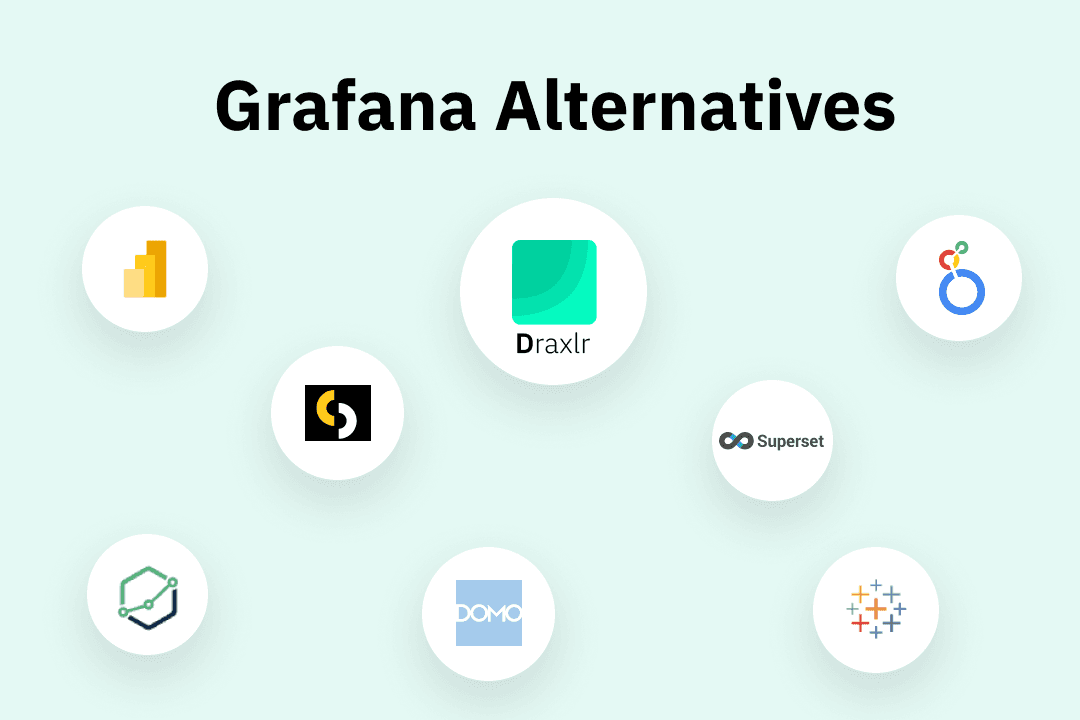
Best Grafana alternatives in 2026 at a glance
| Tool | Best use case | Ease of use | AI capabilities | Embedded analytics | SQL support |
|---|---|---|---|---|---|
| Draxlr | AI powered self-service analytics | ⭐⭐⭐⭐⭐ | ✅ Full AI querying + natural language | ✅ Yes | ✅ Yes |
| Looker | Enterprise SQL analytics on Google Cloud | ⭐⭐⭐ | ❌ Limited | ✅ Yes | ✅ Yes |
| Power BI | BI for Microsoft ecosystem teams | ⭐⭐⭐⭐ | ✅ Copilot + natural language Q&A | ✅ Yes | ✅ Yes |
| Sisense | Embedded analytics in SaaS products | ⭐⭐⭐ | ✅ Anomaly detection + insights | ✅ Yes | ✅ Yes |
| Domo | Business-wide data collaboration | ⭐⭐⭐⭐ | ✅ Forecasting + AI insights | ✅ Yes | ✅ Yes |
| Holistics | SQL modeling for analyst-led teams | ⭐⭐⭐ | ❌ No | ✅ Yes | ✅ Yes |
| Apache Superset | Free open-source BI | ⭐⭐⭐ | ❌ No | ✅ Yes | ✅ Yes |
| Tableau | Enterprise data visualization | ⭐⭐⭐ | ✅ Tableau Pulse + AI insights | ✅ Yes | ✅ Yes |
1. Draxlr
Best Grafana Alternative for SQL-Based Analytics & AI Querying
If you're looking for a Grafana alternative that bridges the gap between engineering and business teams, Draxlr is the strongest option in 2026. While Grafana is built primarily for infrastructure observability, Draxlr is purpose-built for SQL-based analytics on relational databases — making it far more accessible to every type of user across your organization, regardless of their technical background.
What makes Draxlr stand out
Draxlr connects directly to your existing SQL databases like PostgreSQL, MySQL, Redshift, BigQuery, Databricks, and more and meets users exactly where they are with three flexible ways to query data:
- Visual Query Builder — For non-technical users who want to explore data without writing a single line of code. Filter, group, sort, and aggregate data through a clean point-and-click interface that feels intuitive from day one.
- AI-Powered Querying — For business users who want even faster answers, Draxlr lets you ask questions in plain English and instantly generates the SQL behind the scenes. No PromQL, no manual configuration — just ask and get results.
- Raw SQL Editor — For analysts and engineers who want full control, Draxlr provides a powerful raw SQL editor that supports complex queries, joins, subqueries, and everything else you'd expect from a serious data tool.
Key advantages of Draxlr over Grafana
- Flexible querying for every skill level — Visual builder, AI querying, and raw SQL all in one place means no user is left behind and no use case is out of reach.
- Built for relational databases — Unlike Grafana, which shines with time-series data (Prometheus, InfluxDB), Draxlr is optimized for the databases where most business data actually lives.
- Dashboard sharing without friction — Share dashboards with stakeholders via a link or embed them directly inside your product. No Grafana authentication overhead.
- Embedded analytics — Draxlr's embedded dashboard feature lets you ship analytics inside your SaaS product without building a separate reporting layer from scratch.
- No DevOps expertise required — Setup takes minutes, not days. Connect your database, start building dashboards, and share insights immediately.
- Cleaner alerting — Set up threshold-based alerts on your queries and get notified via Slack, email, or webhooks without the complexity of Grafana's alerting stack.
- Role-based access control — Control who sees what at a granular level, making it safe to share data across teams with different permission requirements.
Who should use Draxlr
Product teams, growth teams, customer success managers, data analysts, and engineers, essentially any organization where multiple types of users need regular access to database-driven insights. It's also a natural fit for SaaS companies that want to embed analytics directly into their product without a dedicated data engineering investment.
Pricing
Free trial is available. Paid plans start from $75 per month.
2. Looker
Best Grafana Alternative for Enterprise SQL Analytics
Looker (now part of Google Cloud) is a powerful enterprise BI platform built around a proprietary data modeling layer called LookML. It's one of the most sophisticated Grafana alternatives for organizations that want a governed, SQL-first analytics platform at scale.
Key features
- LookML semantic layer for consistent, reusable data models across the organization
- Deep Google Cloud and BigQuery integration
- Embedded analytics with strong white-labeling support
- Looker Studio (formerly Data Studio) for lightweight reporting
- Strong governance, version control, and access controls
- Scheduled reports and data delivery workflows
Who should use Looker
Large enterprises with dedicated data engineering teams that need a governed, scalable SQL analytics platform — especially those already invested in the Google Cloud ecosystem.
Pricing
Enterprise pricing, available on request. Included with some Google Cloud contracts.
3. Power BI
Best Grafana Alternative for Microsoft Ecosystem Teams
Power BI is Microsoft's widely adopted business intelligence platform and one of the most recognized Grafana alternatives in the market. For organizations already running on Microsoft infrastructure — Azure, Excel, Teams, SharePoint — Power BI slots naturally into existing workflows.
Key features
- Deep integration with Microsoft 365, Azure, and Excel
- Drag-and-drop report and dashboard builder
- DAX (Data Analysis Expressions) for advanced calculations
- Power Query for data transformation and preparation
- AI-powered insights and natural language Q&A
- Copilot integration for AI-assisted report building
- Strong mobile experience
Who should use Power BI
Teams and enterprises already in the Microsoft ecosystem that want a well-supported BI tool with familiar, Excel-like functionality.
Pricing
Power BI Pro starts at $10/user/month. Often included in Microsoft 365 E5 plans.
4. Sisense
Best Grafana Alternative for Embedded Analytics in SaaS Products
Sisense is an analytics platform designed for embedding data experiences inside external-facing products. For teams whose primary goal is delivering analytics to their own customers, Sisense is one of the more mature and capable Grafana alternatives available.
Key features
- Embedded analytics with deep white-labeling support
- Compose SDK for building custom analytics experiences
- AI-powered insights and anomaly detection
- Flexible deployment — cloud, on-premise, or hybrid
- Multi-tenant architecture designed for SaaS products
- API-first design for developer customization
Who should use Sisense
SaaS companies and ISVs that need to embed customized, customer-facing analytics experiences inside their own products at scale.
Pricing
Enterprise pricing, available on request.
5. Domo
Best Grafana Alternative for Business-Wide Data Collaboration
Domo is a cloud-based BI and data platform designed to make data accessible across an entire organization — from the C-suite to frontline teams. It combines dashboards, data pipelines, and collaboration tools in a single platform, making it a broad-purpose Grafana alternative for business-focused teams.
Key features
- 1,000+ pre-built data connectors
- Business-friendly drag-and-drop dashboard builder
- Domo Bricks for custom app and visualization development
- Built-in data transformation with Magic ETL
- Strong mobile experience for executives on the go
- Collaboration features including alerts, annotations, and comments
- AI-powered insights and forecasting
Who should use Domo
Mid-to-large organizations that want a single platform for data pipelines, dashboards, and business-wide collaboration — and have the budget to support it.
Pricing
Custom pricing based on users and data volume. Available on request.
6. Holistics
Best Grafana Alternative for Data Teams Who Love SQL Modeling
Holistics is a self-service BI platform with a SQL-first philosophy and a built-in semantic modeling layer. It has built a strong reputation among data teams — particularly in Asia-Pacific — as a well-designed Grafana alternative for analyst-led organizations that prioritize data consistency and governance.
Key features
- SQL-based semantic modeling layer
- Self-service dashboard builder for non-technical users
- Version-controlled data models using a Git-based workflow
- Scheduled reports and email delivery
- Row-level security and strong access controls
- Caching layer for query performance optimization
Who should use Holistics
Data analyst teams that want a SQL-first BI platform with strong modeling, governance, and self-serve capabilities — and are willing to invest in building a semantic layer upfront.
Pricing
Starts at $100/month. Free trial available.
7. Apache Superset
Best Free Open Source Grafana Alternative for BI
Apache Superset is a powerful, free, open-source data exploration and visualization tool that's a strong Grafana alternative for business intelligence use cases. It supports a wide range of databases and offers an advanced chart library.
Key features
- Supports 40+ SQL databases
- Rich visualization library (60+ chart types)
- Role-based access control
- SQL Lab for advanced querying
- Active open-source community
Who should use Apache Superset
Data and engineering teams at organizations that are comfortable managing open-source infrastructure and want a free, capable BI tool for SQL-based analytics and reporting.
Pricing
Free and open-source. Managed hosting options are available through third-party providers.
8. Tableau
Best Grafana Alternative for Enterprise Data Visualization
Tableau is one of the most powerful and widely recognized data visualization platforms in the world. For organizations that need enterprise-grade visualizations, deep data blending, and executive-level dashboards, Tableau is a premium Grafana alternative.
Key features
- Advanced drag-and-drop visualization
- Connects to virtually any data source
- Tableau Prep for data transformation
- Tableau Pulse for AI-driven insights
- Strong governance and enterprise security
Who should use Tableau
Large enterprises and organizations with dedicated data analyst or BI teams that need advanced visualization, data storytelling, and strong governance capabilities across a wide range of data sources.
Pricing
Tableau Creator starts at $75/user/month. Viewer and Explorer licenses available at lower price points. Salesforce bundle pricing available for existing customers.
Conclusion
Grafana remains a capable open source tool for infrastructure monitoring and time-series visualization, but many teams need more than it offers. Whether your priority is AI-powered SQL analytics, simpler dashboards for business users, customer-facing embedded analytics, or richer BI features beyond observability, there is a Grafana alternative that fits your needs.
For teams transitioning from Grafana toward business intelligence and SQL analytics, Draxlr delivers the strongest combination of AI-assisted querying, visual dashboard building, embedded analytics, and live database connectivity — all without the configuration complexity that makes Grafana challenging for non-technical users.
We recommend trialing two or three Grafana alternatives before committing. Most platforms offer free trials or starter plans that let you test connectivity with your existing databases and evaluate the user experience firsthand.
FAQs
1. What are the best Grafana alternatives in 2026?
The best Grafana alternative depends on your team's specific needs. Key factors to consider are whether you need SQL-based analytics or infrastructure monitoring, how technical your users are, whether you need embedded analytics, and what your budget looks like. This guide covers the top options across each of these use cases.
2. Which Grafana alternative is best for business analytics and SQL?
Look for a tool that connects natively to relational databases, supports flexible querying for users of different skill levels, and makes it easy to build and share dashboards without engineering involvement. AI-powered querying and visual query builders are strong indicators that a tool was built with business analytics in mind.
3. Which Grafana alternative is best for non-technical users?
The best options for non-technical users offer a visual query builder or natural language querying, require no SQL knowledge to get started, and have an intuitive dashboard interface that doesn't assume a DevOps or engineering background. Easy sharing and collaboration features are also important for keeping non-technical stakeholders engaged with data.
4. Is Grafana free to use?
Yes, Grafana's core open-source version is free to self-host. However, running Grafana in production comes with infrastructure and maintenance costs. Grafana Cloud offers a free tier with usage limits, while Grafana Enterprise adds advanced features at a significant licensing cost.
5. Which Grafana alternative works best for embedded analytics?
For embedded analytics, look for tools with a multi-tenant architecture, white-labeling support, and a well-documented SDK or API. The key questions to ask are how much developer effort is required to embed dashboards, how customizable the end-user experience is, and how the tool handles row-level security for different customers.