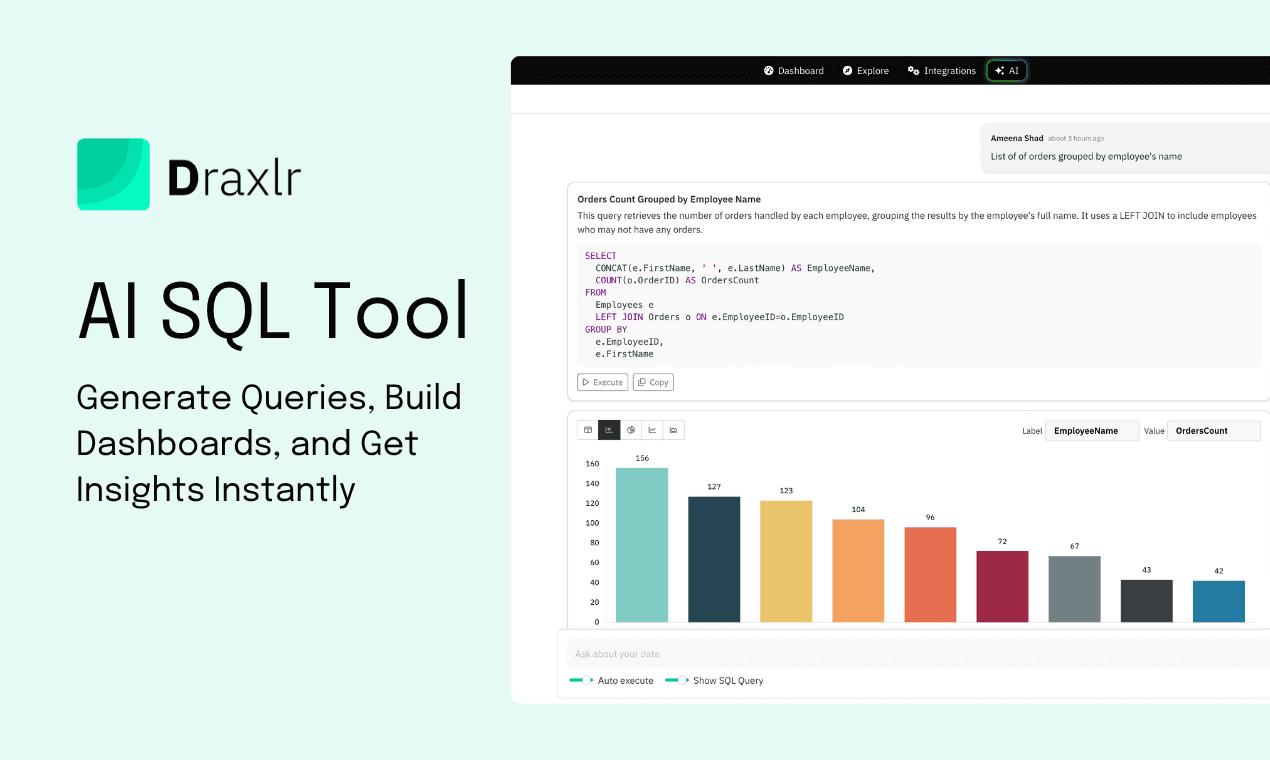
Best AI SQL Tools in 2026
Compare the best AI SQL tools and clients in 2026, including Draxlr, Vanna AI, and Chat2DB, for text-to-SQL, filtering, dashboards, and querying.
AI SQL tools use a large language model to turn a plain-English question into a working SQL query, run it against your database, and hand back a chart, so nobody has to hand-write the SQL. They've moved from novelty to necessity in 2026. What used to take a data analyst an afternoon for joining tables, writing CASE statements, debugging a missing GROUP BY, now happens in a sentence. You type "Show me weekly active users by plan for the last 8 weeks" and get a working SQL query, a chart, and a dashboard tile, all within seconds.
But the market has exploded. There are now dozens of tools claiming to be the "best AI SQL tool," and most of them aren't. Some are wrappers around ChatGPT with no schema awareness. Others are enterprise BI suites that bolt on AI as a $100/month add-on. A few are genuinely useful, accurate, and priced for real teams.
This guide breaks down the best AI SQL tools worth using in 2026 — what they do well, where they fall short, and which one fits your team's stack and budget. The list focuses on tools that are actively maintained, have transparent pricing, and ground their AI in your real database schema rather than guessing column names from a generic LLM. If you're new to the category, our guide on generating SQL queries with AI covers the basics first.
If you want answers from your database without writing SQL, this is the shortlist. Draxlr is the strongest all-around pick for teams that want AI SQL plus dashboards on a flat price, Vanna AI is the leading open-source option for developers building their own text-to-SQL layer, and Defog AI fits enterprises that need a self-hosted, fine-tuned model. The full breakdown below covers all eleven tools, with pricing and trade-offs for each.
What is an AI SQL tool?
An AI SQL tool is software that converts plain-English questions into working SQL queries by reading your database schema and using a large language model to generate, validate, and execute the query against your data.
The good ones do four things well:
- Read your schema — table names, column types, foreign keys, and relationships — so the AI knows what data exists before it tries to query it.
- Generate accurate SQL — picking the right joins, filters, and aggregations based on your question's intent.
- Run the query and visualize the result — so you see a chart, not just a code block.
- Let you refine and reuse — saving queries, building dashboards, and editing the generated SQL when needed.
The difference between a useful AI SQL tool and a frustrating one comes down to schema grounding. Tools that pass your question to a generic LLM with no context will hallucinate column names and produce queries that fail. Tools that index your schema, cache metadata, and validate output before showing it to you produce SQL that actually runs.
For a deeper technical breakdown of how text-to-SQL works under the hood, see Natural Language to SQL: How It Works Under the Hood.
Why AI SQL tools matter in 2026
Three things changed in the past two years that made AI SQL tools genuinely useful instead of just impressive demos:
- LLMs got reliable at SQL. Models like GPT-5, Claude 4, and open-source SQLCoder now handle complex joins, window functions, and CTEs with high accuracy when grounded in a real schema.
- Schema-aware retrieval became standard. The best tools now index your schema, sample data, and past queries — so the AI has context, not just guesses.
- Embedded analytics moved into the workflow. Instead of copying SQL from a chat tool into your database client, modern AI SQL tools run the query, render the chart, and pin it to a dashboard in one motion.
The result: teams that used to wait days for an analyst to write a query now get answers in the same meeting they were raised in. Marketing managers stop pinging engineers for signup numbers. Product managers stop building Notion docs out of CSV exports. Founders stop guessing.
Key features to look for in an AI SQL tool
Not every AI SQL tool is built the same. Before picking one, make sure it covers these fundamentals.
1. Schema-aware text-to-SQL
The tool should read your real table names, column types, and relationships before generating a query. Without this, the AI hallucinates column names and produces SQL that fails on the first run. Look for tools that index your schema automatically when you connect a database.
2. Direct database connectivity
The best AI SQL tools connect directly to your database — PostgreSQL, MySQL, BigQuery, Snowflake, Redshift, and so on — rather than asking you to upload CSVs. This keeps your data live and avoids ETL overhead.
3. Query transparency and editability
You should be able to see the generated SQL, modify it, and rerun it. Black-box tools that hide the SQL feel magical until they get something wrong, and then you have no way to debug it.
4. Visualization and dashboards
Generating SQL is half the job. The tool should run the query and pick a sensible chart type (bar, line, pie, table) based on the result. Bonus: the ability to save charts to a dashboard, schedule them, and share with the team. See our guide on SQL data visualization for what good chart suggestions look like in practice.
5. Read-only safety
A good AI SQL tool supports read-only database connections, encrypts credentials at rest, and never modifies data. This is non-negotiable for production databases.
6. Pricing that matches your team size
Enterprise BI tools often charge $50–$70 per user per month plus an AI add-on. Standalone AI SQL tools tend to be flat-priced or freemium. For most teams under 50 people, the standalone option is significantly cheaper.
7. Custom context for business logic
The best tools let you teach the AI about your business — what "active user" means, which columns are deprecated, how status codes map to labels — so queries reflect your real world, not just your raw schema.
Best AI SQL clients for filtering and querying
Not everyone on this list wants the same thing. Some readers want a chat box that hands back a finished query. Others want a database client where they can filter rows through a UI, tweak a condition, and let AI handle the SQL underneath. If filtering and querying is the actual job, here's how the field splits.
Draxlr is the strongest fit for that job. Its visual query builder lets you filter any table with dropdown conditions (equals, contains, greater than, between two dates) the same way you'd filter a spreadsheet, sitting alongside the AI Chat and a full SQL editor in one interface. A filtered result turns into a chart with one click, and the underlying SQL stays visible so you can hand-tune a condition the builder can't express yet. For a team that wants filtering to be a point-and-click task instead of a typing task, this combination is purpose-built for it.
Chat2DB and DataGrip take the developer route. Both are desktop-style SQL clients built around a query editor first, with an AI layer that drafts a WHERE clause, fixes a broken filter, or explains a query plan on request. They fit teams whose filtering already happens by typing SQL and just want that typing sped up.
SQLAI.ai and AskYourDatabase sit in between. They're chat-driven, but schema-aware enough to turn a sentence like "orders over $500 from last month" into a filtered result without a dedicated dropdown UI for each condition.
If the goal is the shortest path from "filter this table" to "here's the chart," Draxlr's visual query builder paired with its AI Chat is the client to start with. Connect your database and try filtering your own tables.
How we evaluated these tools
This shortlist isn't a market-share leaderboard. Tools were selected and ranked against six criteria that matter when you're actually using one day-to-day:
- Schema grounding — does the AI read your real database schema, or pass the question to a generic LLM? Tools that hallucinate column names on a fresh connection didn't make the list.
- Pricing transparency — products with public pricing rank above sales-led tools where you need a demo just to see a number.
- Active maintenance — we excluded products that have been acquired and shut down (Outerbase) or gone quiet for 12+ months (Ottertune).
- Database coverage — native support for PostgreSQL, MySQL, BigQuery, Snowflake, and Redshift at minimum; bonus for NoSQL stores and self-hosted setups.
- Workflow completeness — tools that take you from question to chart to dashboard rank above tools that only return a SQL string.
- Team fit — who each tool is genuinely useful for, whether that's solo developers, non-technical founders, or compliance-heavy enterprises.
We didn't run formal text-to-SQL accuracy benchmarks across tools. Public benchmark scores tend to depend heavily on schema complexity and prompt phrasing, and they rarely match what teams see on their own data. Instead, the focus was on what each tool's architecture, schema-grounding approach, and product surface area make possible — which is closer to what you'll experience after week one.
Quick comparison: best AI SQL tools in 2026
| Tool | Best for | Pricing (starts at) | Open source |
|---|---|---|---|
| Draxlr | Teams that want AI SQL plus dashboards on a flat price | $25/month | No (self-host available) |
| AI2sql | Individual analysts who want a fast SQL generator | $9/month | No |
| Chat2DB | Developers who want an AI-enhanced database client | Free / $15/user/month | Yes (community) |
| SQLAI.ai | Broad database coverage including NoSQL | Free / $6/month | No |
| Vanna AI | Developers embedding text-to-SQL in their own apps | Free (OSS) | Yes (MIT) |
| Text2SQL.AI | Lightweight NL-to-SQL with API access | Free / paid tiers | No |
| AskYourDatabase | Non-technical users chatting with large databases | $39/month | No |
| Defog AI (SQLCoder) | Enterprises with strict data residency needs | Custom (OSS models free) | Yes (models) |
| Hex (Magic AI) | Data teams in a notebook-style workspace | $28/user/month | No |
| Metabase (Metabot AI) | Existing Metabase users adding AI on top | $85/month + $100 AI add-on | Yes (community) |
| DataChat | Niche enterprises trialing no-code chat analytics | Sales-led (no public pricing) | No |
1. Draxlr
Best AI SQL tool for: Teams that want plain-English querying, dashboards, and embedded analytics on a flat price — without per-seat pricing or AI add-ons.
Draxlr is built around a simple idea: a person on your team should be able to ask a question in English and get a chart back in under a minute, without bothering an engineer. You connect a SQL database, type a question, and Draxlr's AI SQL engine reads your schema, generates the query, runs it, and renders the result as a chart you can pin to a dashboard.
What sets Draxlr apart is that the AI is one of three ways to query your data — alongside a visual query builder and a full SQL editor — so technical and non-technical teammates work in the same tool. The generated SQL is always visible and editable, so analysts can verify and tweak queries before saving them. You can also teach Draxlr custom context (business definitions, column meanings, deprecated tables) so its queries reflect how your business actually works.
For teams building customer-facing analytics, Draxlr offers white-label embedded dashboards with React and Vue SDKs, secure embed tokens, and row-level filtering for multi-tenant apps.
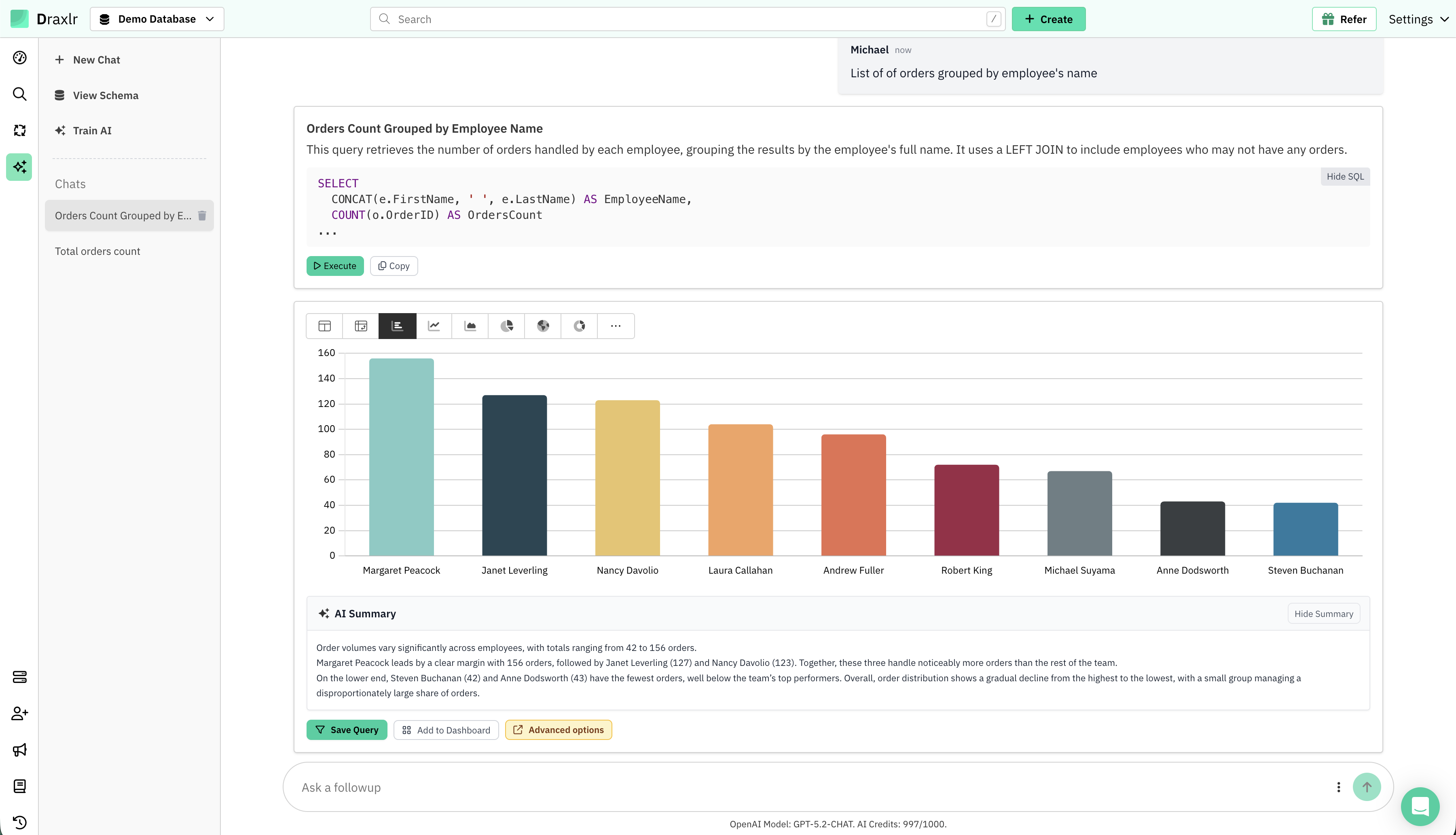
In the example above, the prompt "List of orders grouped by employee's name" produces a working SELECT … CONCAT … COUNT … LEFT JOIN query, runs it, renders a bar chart of orders per employee, and adds an AI Summary highlighting that Margaret Peacock leads with 156 orders while Steven Buchanan has the fewest at 42. From question to insight: about 5 seconds.
Prefer to ask from inside an AI chat client you already use? Draxlr's AI Chat is also reachable as an MCP server, so you can chat with your SQL data using Claude directly, without opening the Draxlr app.
Connect your DatabaseKey strengths
- AI Chat that turns plain-English questions into runnable SQL and ready-made charts
- Schema-aware: reads table and column names directly from your database — no ETL or sync
- Always-visible, editable SQL — no black-box queries
- Custom app-wide and table-level context so the AI understands your business logic
- Connects to PostgreSQL, MySQL, MariaDB, MS SQL, BigQuery, Snowflake, Redshift, Supabase, ClickHouse, CockroachDB, YugabyteDB, PlanetScale, Databricks, and Neon
- Dashboards, scheduled email/Slack reports, threshold-based alerts, and CSV/Excel exports
- Embedded analytics with white-labeling for SaaS products
- Self-hosted deployment available for regulated industries
- Flat team pricing — no per-seat surprises and AI is included, not an add-on
Limitations
- Optimized for SQL databases (NoSQL is not the primary focus)
Pricing
Starts at $25/month (Starter), $75/month (Growth), $125/month (Scale). All plans include AI SQL generation, dashboards, alerts, and embeds — no feature gating or per-seat charges.
What users say about Draxlr
Draxlr offers a clean, modern interface and makes it incredibly easy to build dashboards — even for non-technical users. I especially like the visual quality and flexibility of the available graph types. It's intuitive, fast to set up, and has excellent usability from the start. The ability to securely share dashboards via link is a game-changer for our client reporting. — Review from a SaaS Founder on G2 ⭐ 4.9/5 on G2
2. AI2sql
Best AI SQL tool for: Individual analysts and developers who want a fast, accurate query generator without setting up a full BI tool.
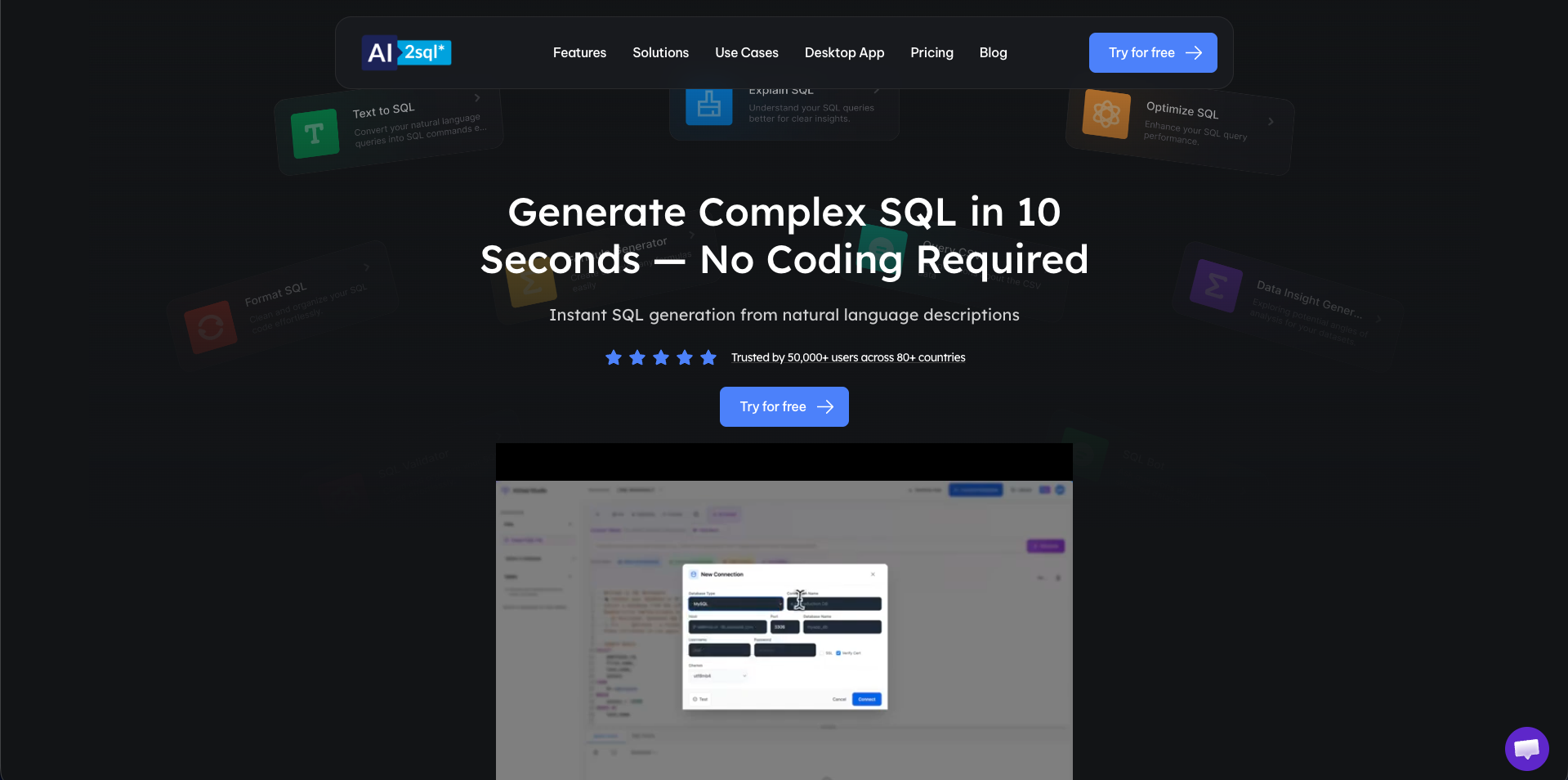
AI2sql is a focused web-based AI SQL generator. You connect a database (or paste a schema), type a question in plain English, and get back a SQL query in seconds. It also includes a SQL toolkit — formatter, validator, optimizer, and error fixer — that's useful even when you're writing SQL yourself.
It supports prompts in nine languages and claims around 90% accuracy on common queries. There's no dashboarding layer, but for solo developers, freelance analysts, and quick ad-hoc work, it's one of the cheapest tools in this list.
Key strengths
- Direct schema detection from connected databases
- Multi-language prompts (9 languages)
- Built-in SQL toolkit: format, validate, optimize, fix
- Broad SQL dialect coverage
- Very low entry price
Limitations
- No dashboarding or persistent reports
- Less suited for team collaboration
Pricing
Freemium. Pro plans start at $9/month.
3. Chat2DB
Best AI SQL tool for: Developers and DBAs who want a Datagrip-style database client with built-in AI for query generation and error fixing.
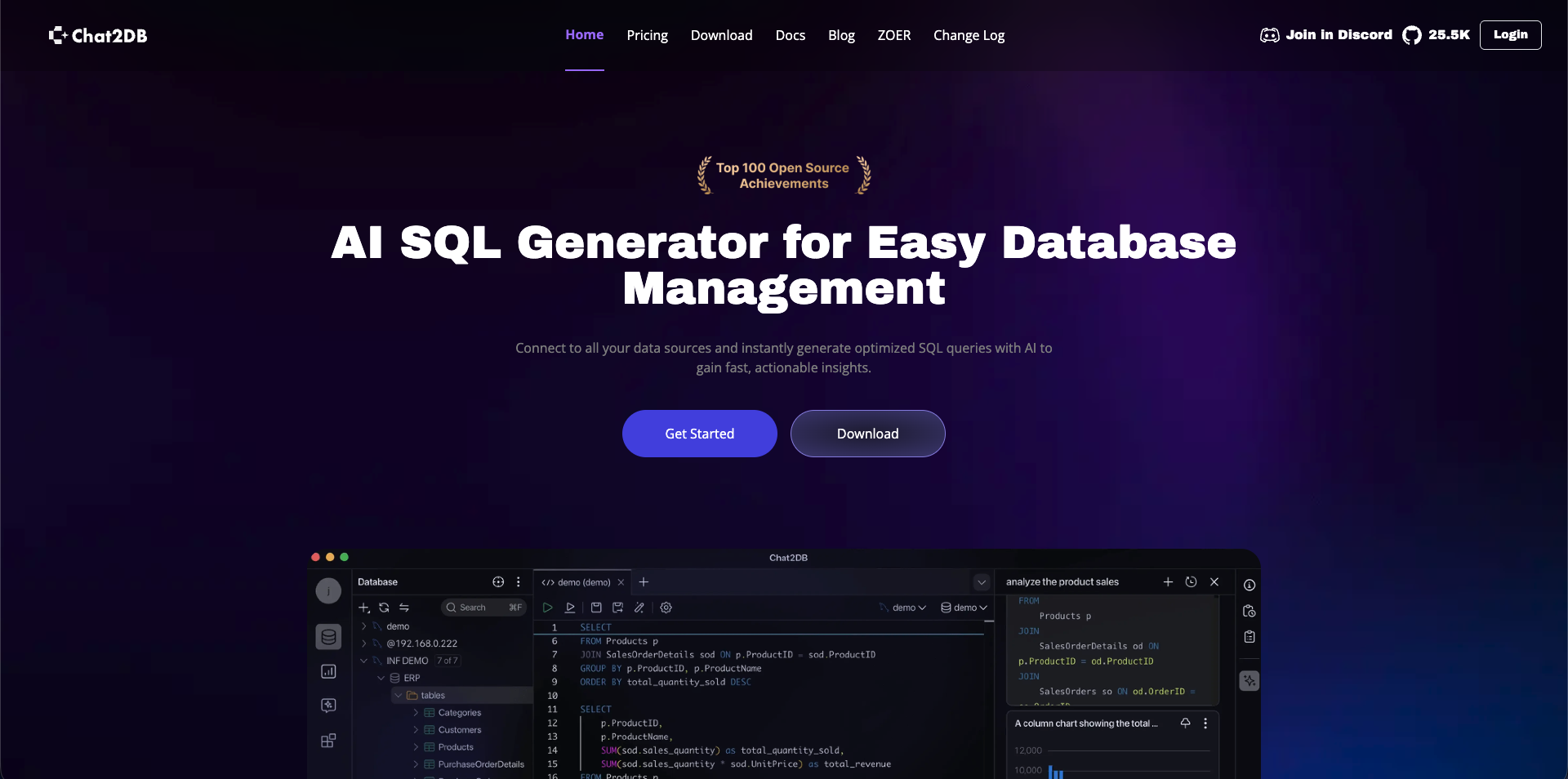
Chat2DB is an AI-driven database GUI that combines a desktop SQL client with a paid AI layer. It feels like a traditional database client — table browser, query editor, schema explorer — except every panel has AI hooks. Type a prompt and it generates SQL. Hit a syntax error and it offers a one-click fix. Run a query and it can auto-build a chart from the result.
It supports more than ten LLMs (GPT-4o, Claude 3.5/3.7, DeepSeek, Qwen) and works with SQL and NoSQL databases alike, including MongoDB and Redis.
Key strengths
- Open-source community edition with a large GitHub following
- Wide database support including NoSQL (MongoDB, Redis) and analytical engines (ClickHouse, Presto, Hive)
- Multi-LLM support — bring your own model
- One-click SQL error fixing and query optimization
Limitations
- AI features and dashboards locked behind paid Pro tier
- UI density can feel heavy for non-technical business users
Pricing
Free Community edition. Pro starts at $15/user/month with a 30-day trial.
4. SQLAI.ai
Best AI SQL tool for: Analysts who need broad database coverage including NoSQL and want a free-forever tier.
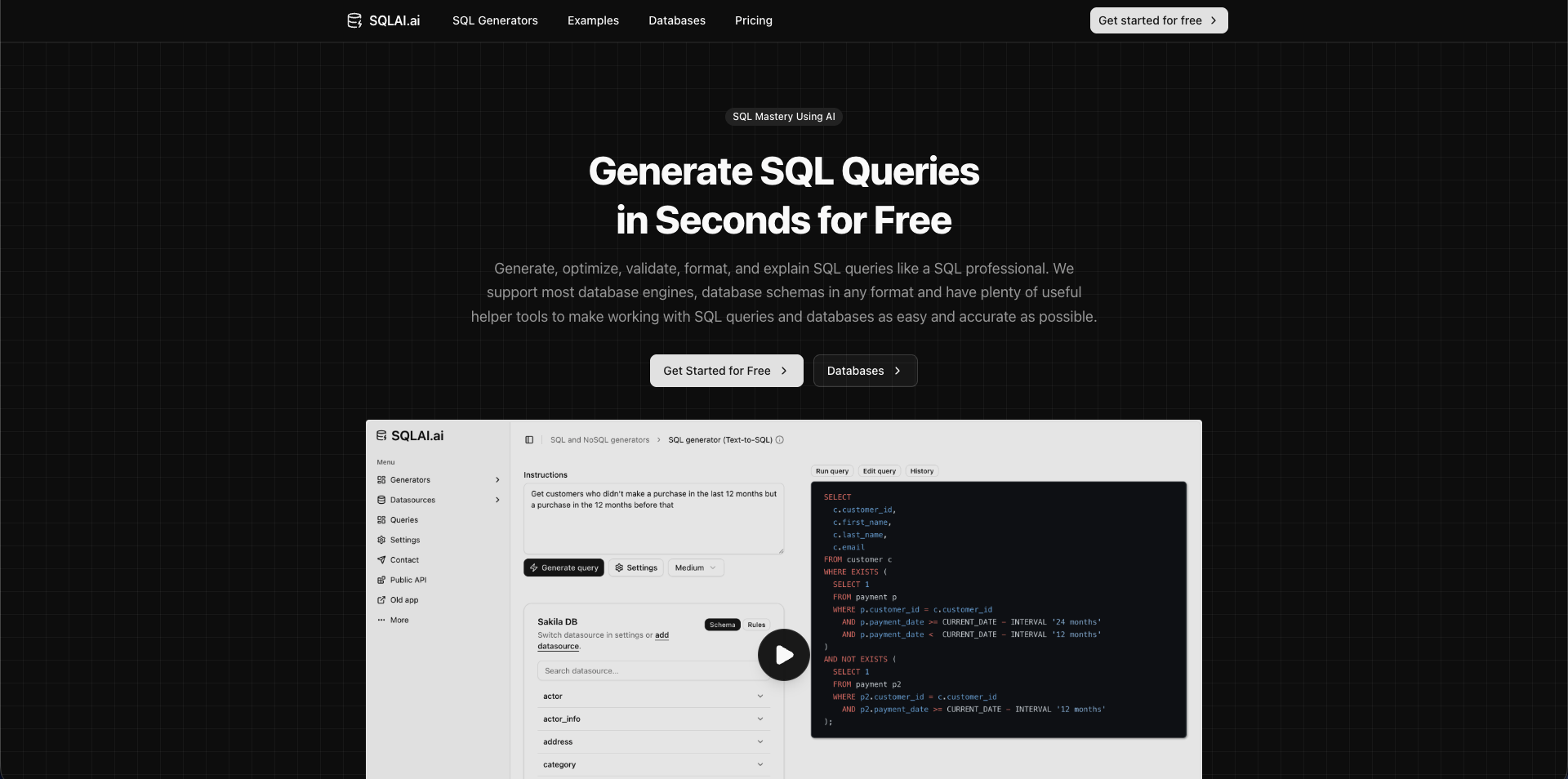
SQLAI.ai is an AI SQL assistant that connects to 30+ database types — including NoSQL stores like MongoDB and DynamoDB — and generates queries trained on your specific schema. It also handles query optimization, syntax fixing, test data generation, and lightweight dashboarding.
Pricing starts at the lowest end of any tool in this list, making it a strong choice for individuals and very small teams.
Key strengths
- Broad coverage: 30+ databases including NoSQL
- Free-forever tier
- Schema-aware query generation
- Built-in optimizer and test data generator
Limitations
- Less collaborative than full BI suites
- Lighter visualization layer than dedicated dashboard tools
Pricing
Free plan available. Paid plans start around $6/month.
5. Vanna AI
Best AI SQL tool for: Developers who want to embed text-to-SQL directly into their own products or run a fully self-hosted setup with their own LLM.
Vanna AI is an open-source, RAG-powered text-to-SQL framework. Instead of being a finished product, it's a Python library and agent platform you wire into your own application. You train it on your schema, sample queries, and documentation; it then generates SQL grounded in that context. Vanna 2.0 (released late 2025) added an agent layer, streaming charts, and a pre-built <vanna-chat> UI component.
It's model-agnostic — you can plug in OpenAI, Anthropic, Gemini, Bedrock, or local models via Ollama — which makes it a strong choice for teams with strict data residency requirements who don't want their schema sent to a third-party API. The trade-off is that Vanna is a building block, not a turnkey product: you assemble the dashboard, sharing, and alerting layers yourself.
Key strengths
- MIT-licensed open source with a large developer community
- Model-agnostic — works with OpenAI, Anthropic, Gemini, Bedrock, or local LLMs
- RAG-based architecture grounds queries in your real schema and historical queries
- Pre-built UI components for embedding chat into your app
- Cloud, VPC, and fully self-hosted deployment options
Limitations
- Requires engineering effort to set up and maintain
- Less polished out-of-the-box than full BI tools — you build the dashboard layer yourself
- Visualization layer is lighter than dedicated BI products
Pricing
Free open-source. Vanna Cloud Pro starts around $50/user/month; Enterprise is custom.
6. Text2SQL.AI
Best AI SQL tool for: Developers who need a lightweight NL-to-SQL generator with public API access.
Text2SQL.AI is a focused tool that converts natural language to SQL, Excel formulas, or regex. You can paste a schema or import it directly, and it returns generated SQL with an optional explainer. The standout feature is its public API, which gives developers 100 free monthly requests for integrating text-to-SQL into their own products.
Its privacy posture is strong — it stores schema only, never your row data — making it suitable for teams with data sensitivity concerns.
Key strengths
- Schema-only architecture — no row data stored
- Public API with a generous free tier
- Multi-format output: SQL, Excel formulas, regex
- Multi-dialect SQL support
Limitations
- Not a full dashboard or BI platform
- More of a developer utility than a team tool
Pricing
Free tier available. Paid plans typically start around $5–$10/month.
7. AskYourDatabase
Best AI SQL tool for: Non-technical business users who want to chat with large production databases and get auto-generated dashboards.
AskYourDatabase is built for the use case of "I have a giant production database and a non-technical team that needs answers from it." It's a chat-style interface that handles schemas with hundreds of tables, generates queries, builds dashboards automatically, and self-corrects when queries fail.
It supports both SQL and NoSQL databases and offers a desktop app alongside a web chatbot for embedding in internal tools.
Key strengths
- Handles very large schemas (hundreds of tables)
- Automatic dashboard generation from chat
- Self-correcting queries on failure
- Desktop app and embeddable chatbot
- Works with SQL and NoSQL
Limitations
- Pricing has trended upward
- Visualization layer less mature than dedicated BI tools
Pricing
Professional $39/month, Ultimate $69/month (with Claude-4 / GPT-4.1 access). Enterprise and chatbot pricing are custom.
8. Defog AI (SQLCoder)
Best AI SQL tool for: Enterprises with strict data residency or compliance requirements that need fine-tuned, self-hosted text-to-SQL.
Defog AI is an enterprise text-to-SQL platform powered by SQLCoder, an open-source LLM family fine-tuned specifically for SQL generation. The SQLCoder 8B, 14B, and 32B models are available on Hugging Face and have outperformed GPT-4 on Defog's internal SQL evaluation benchmarks.
For teams that can't send schema or data to third-party APIs — hospitals, banks, government agencies — Defog's on-prem and fine-tuned options are some of the only viable text-to-SQL solutions.
Key strengths
- SQLCoder open-source models (free, on Hugging Face)
- On-prem deployment for regulated industries
- Fine-tuning on your enterprise data improves accuracy significantly
- Strong benchmark performance against general-purpose LLMs
Limitations
- Geared at engineering-heavy teams — non-trivial setup
- Cloud tier is enterprise-priced
Pricing
SQLCoder model weights are free. Cloud and self-hosted product tiers are typically enterprise-priced (around $5,000/month for unlimited cloud usage).
9. Hex (Magic AI)
Best AI SQL tool for: Data teams that work in a notebook-style collaborative environment with SQL, Python, and visualization side by side.
Hex is a collaborative data workspace — think Jupyter meets Notion — with strong AI features baked in. Hex Magic generates SQL and Python from natural language, suggests next-step analyses, and automatically corrects errors. Magic understands your semantic model, so suggestions are grounded in real metrics, not guesses.
It's a stronger fit for data analysts and analytics engineers than for non-technical business users, but for teams that want a polished notebook with serious AI assistance, Hex is one of the best.
Key strengths
- Magic AI for SQL and Python generation
- Notebook Agent for multi-step analysis
- Semantic-model-aware suggestions
- Strong collaboration: comments, sharing, version history
- Deep integrations with Snowflake, BigQuery, Databricks, Redshift
Limitations
- Built for data teams, not business users
- Per-seat pricing scales quickly with team size
Pricing
Free tier available. Paid plans start at $28/user/month; Enterprise is custom.
10. Metabase (Metabot AI)
Best AI SQL tool for: Teams already running Metabase who want to add AI question-answering on top of their existing setup.
Metabase is one of the most widely used open-source BI tools, and its Metabot AI add-on layers natural-language SQL generation, chart creation, and query debugging onto its existing dashboard interface. You ask a question in plain English, Metabot generates SQL grounded in your data model, runs it, and returns a chart with a narrative summary.
Metabot only works on paid Metabase Cloud plans and requires a separate AI add-on, which makes the total cost roughly $200/month for small teams. The free open-source edition does not include Metabot.
Key strengths
- Mature, well-known BI platform with a large community
- Metabot generates SQL, builds charts, and debugs queries
- Embeddable AI chat SDK for adding the assistant to your app
- Works with semantic models for governed answers
Limitations
- Metabot requires paid Cloud plan plus separate AI add-on
- Open-source self-hosted edition does not include Metabot AI
- Less polished AI experience than purpose-built standalone tools
Pricing
Open Source is free. Cloud Starter from $85/month. Metabot AI add-on starts at $100/month for 500 requests.
11. DataChat
Best AI SQL tool for: Niche enterprises evaluating no-code, chat-style analytics — though most teams will be better served by the tools above.
DataChat is a no-code natural-language analytics platform built around its proprietary "GUDU" interaction language (Get, Understand, Display, Use). The pitch is that non-technical users can analyze data through guided chat without ever seeing SQL. In practice, it's one of the older entries in this category, and it shows.
The product is real and active, but it sits well behind the leaders on most dimensions that matter in 2026. Pricing is sales-led with no public tiers, public reviews and community traction are thin compared to Hex or Metabase, the visualization layer is less polished than purpose-built dashboard tools, and database coverage is narrower than tools like SQLAI.ai or Chat2DB. The AI experience also leans on DataChat's own abstraction language rather than the schema-grounded LLM approach that the rest of this list has standardized around.
If your team already runs DataChat or is evaluating it as part of a broader enterprise procurement, it can do the job. For most teams starting fresh in 2026, almost any other option in this guide is a faster, cheaper, more flexible starting point.
Key strengths
- No-code, chat-style interface aimed at non-technical users
- Guided GUDU workflow for step-by-step analysis
- Long-running product with enterprise references
Limitations
- Sales-led pricing with no public transparency makes evaluation slow
- Limited public reviews and community traction compared to leaders
- Narrower database coverage than tools like SQLAI.ai, Chat2DB, or Draxlr
- Visualization and dashboarding are less polished than purpose-built BI tools
- Custom abstraction language adds a learning curve where modern tools just use plain English
Pricing
Sales-led. No public pricing — contact sales for a quote.
Honorable mentions: enterprise BI tools with AI SQL features
Several large BI platforms now include AI SQL features as part of broader analytics suites. They aren't pure AI SQL tools, but they're worth knowing about if your organization is already on one of these. We covered these in more depth in our best AI-powered BI tools guide.
- Looker (with Gemini) — Google Cloud's BI platform now includes Gemini-powered Conversational Analytics and a LookML Assistant. Strong if you're deep in BigQuery and have a mature LookML model. Custom pricing, typically $5,000+/month.
- ThoughtSpot Spotter — Enterprise agentic analytics with a governed semantic layer. Search-style queries (rather than raw text-to-SQL) and proactive anomaly alerts. Enterprise-priced.
- Tableau (Pulse + Tableau Agent) — Salesforce-owned BI suite where Tableau Pulse delivers AI-detected insights and Tableau Agent enables NL exploration. AI add-on around $15/user/month on top of Tableau seats.
These tools shine in large organizations with existing BI infrastructure. For smaller teams or teams that want AI SQL as the primary feature, the standalone tools above are usually faster, cheaper, and easier to adopt.
How to choose the right AI SQL tool
The best AI SQL tool depends less on benchmark scores and more on three practical questions about your team. Work through them in order.
1. Who is going to use it?
If your primary users are non-technical — founders, marketers, product managers, support — pick a tool that puts the chat interface front and center and hides SQL by default. Draxlr and AskYourDatabase are the strongest fits here.
If your users are developers and analysts who already know SQL but want to move faster, AI-enhanced clients like Chat2DB, AI2sql, or Hex are a better fit.
2. Where does your data live?
If you're on a SQL database (PostgreSQL, MySQL, BigQuery, Snowflake, etc.) and want AI plus dashboards in one tool, Draxlr is purpose-built for this. If you also need NoSQL coverage, look at SQLAI.ai or Chat2DB.
If you have strict data residency requirements (healthcare, finance, government), Vanna AI's self-hosted setup, Defog AI's SQLCoder, or Draxlr's self-host option are some of the only viable choices.
3. Do you need dashboards and sharing, or just SQL generation?
If you just want to generate queries and copy them into your own tools, lightweight options like AI2sql, Text2SQL.AI, or SQLAI.ai are cheapest. If you need to save charts, schedule reports, send Slack alerts, or embed dashboards in your own product, you need a full platform — Draxlr, Metabase + Metabot, or Hex.
4. What's your budget?
For teams under 50 people, standalone AI SQL tools usually beat enterprise BI suites on price by a wide margin. Draxlr's flat $25/month start is around 1/40th the cost of ThoughtSpot's enterprise floor and a fraction of Looker's typical contract. The main reason to pay enterprise prices is governance, compliance, or integration with an existing BI investment.
Conclusion
The best AI SQL tools in 2026 share three things: schema-aware query generation, transparent and editable SQL, and a fast path from question to chart. What separates them is who they're built for.
If your team needs a fast, affordable, all-in-one tool for AI-powered SQL and dashboards, Draxlr is the strongest pick — flat pricing, no AI add-on tax, and a query-to-dashboard flow that takes minutes. Developers building text-to-SQL into their own products should look at Vanna AI or Defog AI. Non-technical teams chatting with very large databases should try AskYourDatabase. Teams already committed to Metabase or a major BI suite should evaluate the AI add-on rather than switch tools.
Whatever you pick, the fundamentals are the same: a good AI SQL tool removes the queue between a business question and a business answer. That's the win.
Try Draxlr today
Connect a SQL database or use our demo data — no credit card required. Generate your first AI-powered query in under 5 minutes, and pin it to a dashboard in one click. Flat $25/month when you're ready to upgrade.
Connect your DatabaseFAQs
1. What is the best AI SQL tool in 2026?
The best AI SQL tool depends on your team and use case. For most small to mid-size teams that want AI-generated SQL plus dashboards on a flat price, Draxlr is the strongest pick. For developers embedding text-to-SQL into their own products, Vanna AI is the leading open-source option. Enterprises with strict data residency needs typically pick Defog AI's self-hosted SQLCoder.
2. Can AI really write accurate SQL queries?
Yes — when grounded in your actual database schema. Modern AI SQL tools index your tables, columns, and relationships before generating queries, which dramatically reduces hallucinations. Tools that pass your question to a generic LLM with no schema context are far less reliable. For complex multi-step analysis, you can usually view and edit the generated SQL before saving it.
3. Are AI SQL tools safe to use with production databases?
They can be, if you take basic precautions. Use a read-only database user, connect through a read replica when possible, and pick a tool that encrypts credentials at rest and never copies row data outside your warehouse. Tools like Draxlr support read-only connections and only read your schema, not your row data.
4. Is there a free AI SQL tool?
Yes. Vanna AI is free and open-source under the MIT license. SQLAI.ai, Text2SQL.AI, AI2sql, Chat2DB Community Edition, and Hex all offer free tiers. Metabase's open-source edition is free, though Metabot AI requires a paid Cloud plan. Defog AI also publishes its SQLCoder model weights for free on Hugging Face for teams that want to self-host.
5. What's the difference between an AI SQL tool and an AI BI tool?
AI SQL tools focus specifically on generating, editing, and running SQL queries from natural language. AI BI tools (like ThoughtSpot, Looker, or Power BI) include text-to-SQL as one feature among many, alongside semantic modeling, governance, and enterprise reporting. AI SQL tools are usually faster to set up and cheaper for small teams. AI BI tools are stronger for large organizations with existing BI infrastructure.
6. Which databases do AI SQL tools support?
The leading AI SQL tools support most popular SQL databases: PostgreSQL, MySQL, MariaDB, MS SQL Server, BigQuery, Snowflake, Redshift, Supabase, ClickHouse, CockroachDB, YugabyteDB, PlanetScale, Databricks, and more. Tools like SQLAI.ai and Chat2DB also support NoSQL databases like MongoDB and Redis.
7. Do I need to know SQL to use an AI SQL tool?
No. The whole point of an AI SQL tool is to remove that requirement. You ask questions in plain English and get back charts or queries. That said, if you do know SQL, you can inspect and edit the generated queries — which is useful for verifying complex analyses.
8. How is an AI SQL tool different from ChatGPT?
ChatGPT can write SQL if you paste in your schema, but it has three practical limits. First, it has no live connection to your database — you have to copy queries out, run them elsewhere, and copy results back. Second, it doesn't produce dashboards, scheduled reports, or shareable links. Third, pasting schema into a general-purpose chatbot raises governance questions that purpose-built AI SQL tools handle with read-only connections and schema-only access.
9. Are AI SQL tools accurate enough for production use?
For most read-only analytics use cases, yes. Modern schema-grounded AI SQL tools generate working queries on the first try at high rates — often 85–95% — for standard joins, filters, and aggregations. Accuracy drops on ambiguous questions ("top customers" by what?) and on highly complex multi-step analyses (cohort retention, attribution models). The right safety net is to keep the generated SQL visible and editable, use a read-only database connection, and review queries before pinning them to a production dashboard. Tools like Draxlr, Vanna AI, and Defog AI are built around this assumption — the AI gets you 90% of the way, and a human verifies the last 10%.
10. Can AI SQL tools replace data analysts?
No, and the goal isn't to. AI SQL tools take over repetitive ad-hoc query work — the "can you pull this number for me?" requests that fill an analyst's inbox. That frees analysts to focus on harder problems: cohort analysis, attribution modeling, experiment design, and data quality work that AI can't reliably do. In practice, teams that adopt an AI SQL tool see analysts spend less time on one-off SQL and more time on strategic work, while non-technical teammates self-serve on the routine questions.
11. What is an AI SQL client, and which is best for filtering and querying?
An AI SQL client is the app you connect to a database with to browse tables, filter rows, and run queries, with a natural-language layer added so you can describe what you want instead of hand-writing every filter. For developers who want a desktop client, Chat2DB and DataGrip pair a familiar query editor with an AI assistant. For teams that want non-technical users to filter with dropdowns and turn the result into a shareable chart or dashboard, Draxlr combines a visual query builder, an AI chat, and a full SQL editor in one place. The right pick depends on whether you need a code-first client or a filter-to-dashboard workflow the whole team can use.
About the author

Vivek is a coder and the founder of Draxlr who cares deeply about building good products. He works at the intersection of AI, SQL, dashboards, and embedded analytics, with a strong focus on making complex data workflows feel simple, useful, and fast for real teams.
If you have questions about anything in this guide, or want to compare options for your specific stack, you can email Vivek at vivek@draxlr.com, try Draxlr free, or reach out directly through the Draxlr team.